
PARC - Multi-Provider Parking Automation Platform
-
Industries
- Navigation
-
Company
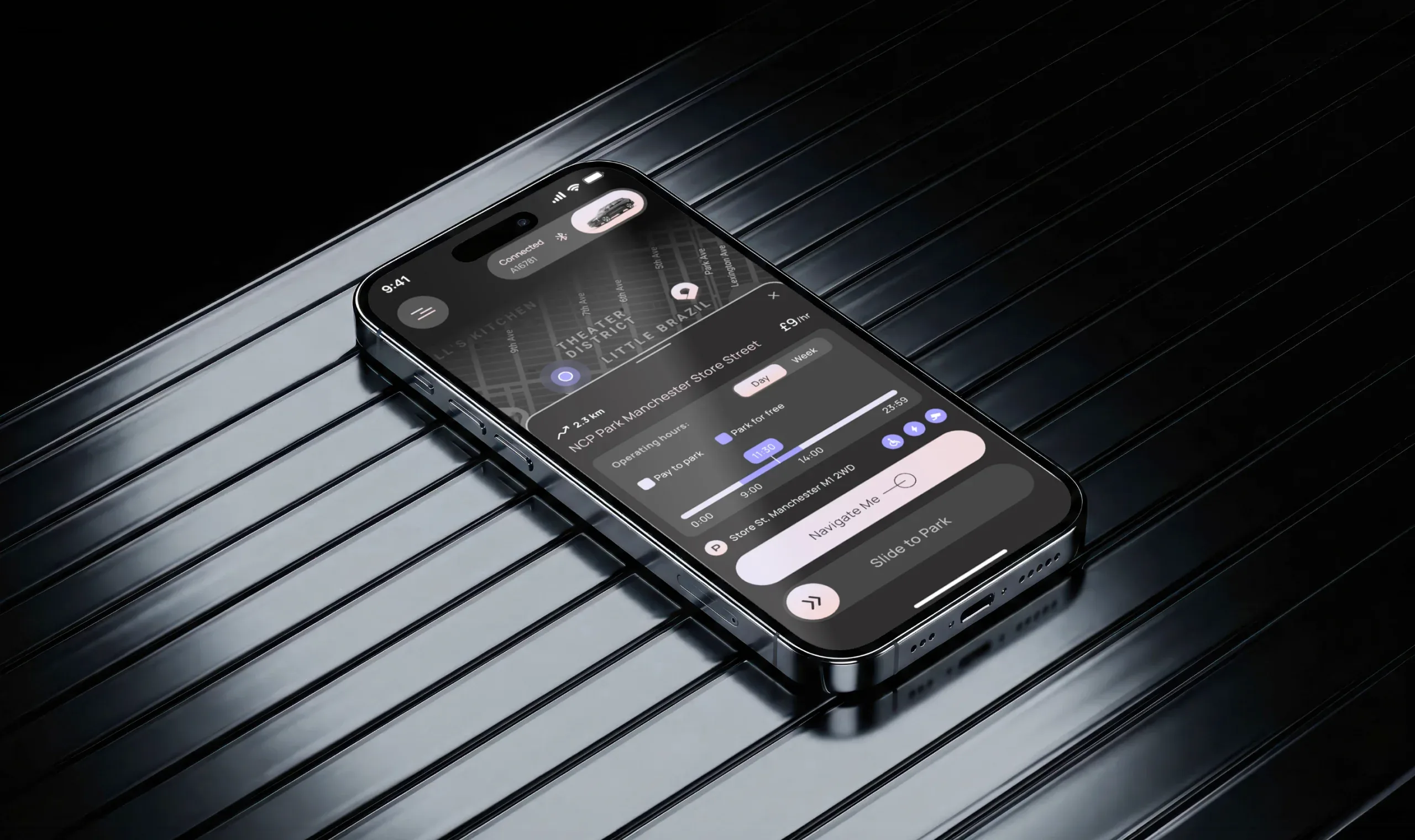
PARC is a multi-provider parking automation platform built to remove as much manual effort as possible from everyday parking. Instead of switching between separate provider apps, drivers can discover supported locations, connect parking accounts, manage vehicles and payments, and handle parking sessions through one connected experience.
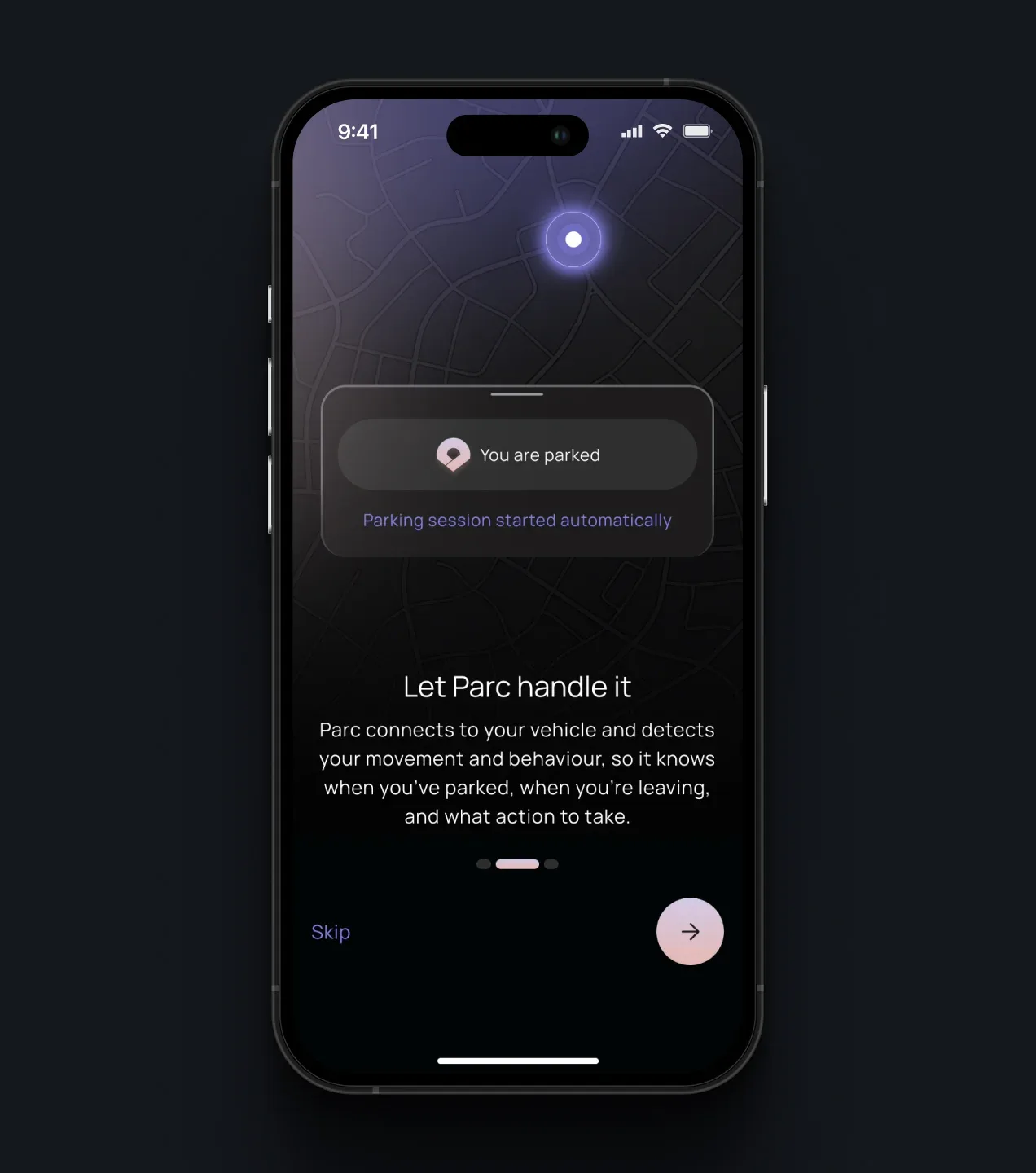
Launching first in the UK, PARC is designed to scale across markets as new parking providers and coverage areas are added. The platform supports manual, semi-automatic, and fully automated parking modes. In Auto Mode, it uses vehicle Bluetooth and location context to detect when a driver has parked or left, then starts or ends an eligible parking session with minimal user intervention.
Behind the mobile experience, PARC coordinates provider integrations, parking rules, payments, vehicle data, location signals, and session states, keeping operational complexity in the background while giving drivers visibility and control when it matters.
-
what we did
We designed and developed PARC as a unified mobile experience supported by a multi-provider orchestration layer. The product brings together onboarding, provider connections, payments, vehicle setup, parking discovery, location-specific rules, and the complete parking session lifecycle.
The core challenge was not simply making parking screens easier to use. It was translating fragmented provider systems and complex real-world parking rules into one predictable experience. We created manual, semi-automatic, and automatic parking flows, with clear system states, contextual alerts, and user controls for situations where automation needs confirmation.
The result is a platform that reduces app switching and repetitive user actions while providing an extensible foundation for additional parking providers and coverage areas.
Challenges
-
01
Orchestrating Multiple Parking Providers
Each parking provider has its own account structure, authentication flow, payment requirements, session rules, coverage, and error states. The challenge was to normalize these differences behind one consistent experience, while still showing users which provider serves a location and when an additional connection or action is required.
-
02
Making Parking Automation Reliable
Automatic parking depends on a combination of vehicle Bluetooth events, location accuracy, parking availability, and provider-specific rules. The experience had to communicate what the system had detected, what action it was about to take, and when user confirmation was required, while preventing false starts and keeping the automated flow predictable.
-
03
Simplifying Payments & Vehicle Setup
Vehicles, payment methods, and provider accounts are closely connected, but each service handles them differently. We designed a guided setup that prepares the user for parking once, clearly communicates missing requirements, and keeps provider-specific payment and vehicle rules from becoming a burden for the driver.
-
04
Normalizing Complex Parking Rules at Scale
Parking data is not standardized across providers or locations. Pricing windows, free periods, maximum stays, restrictions, location boundaries, and operating rules can all be represented differently. PARC needed a consistent rules layer that could interpret this data, determine whether a session was eligible, and present the result to drivers in a clear and actionable way.
Onboarding & Account Setup
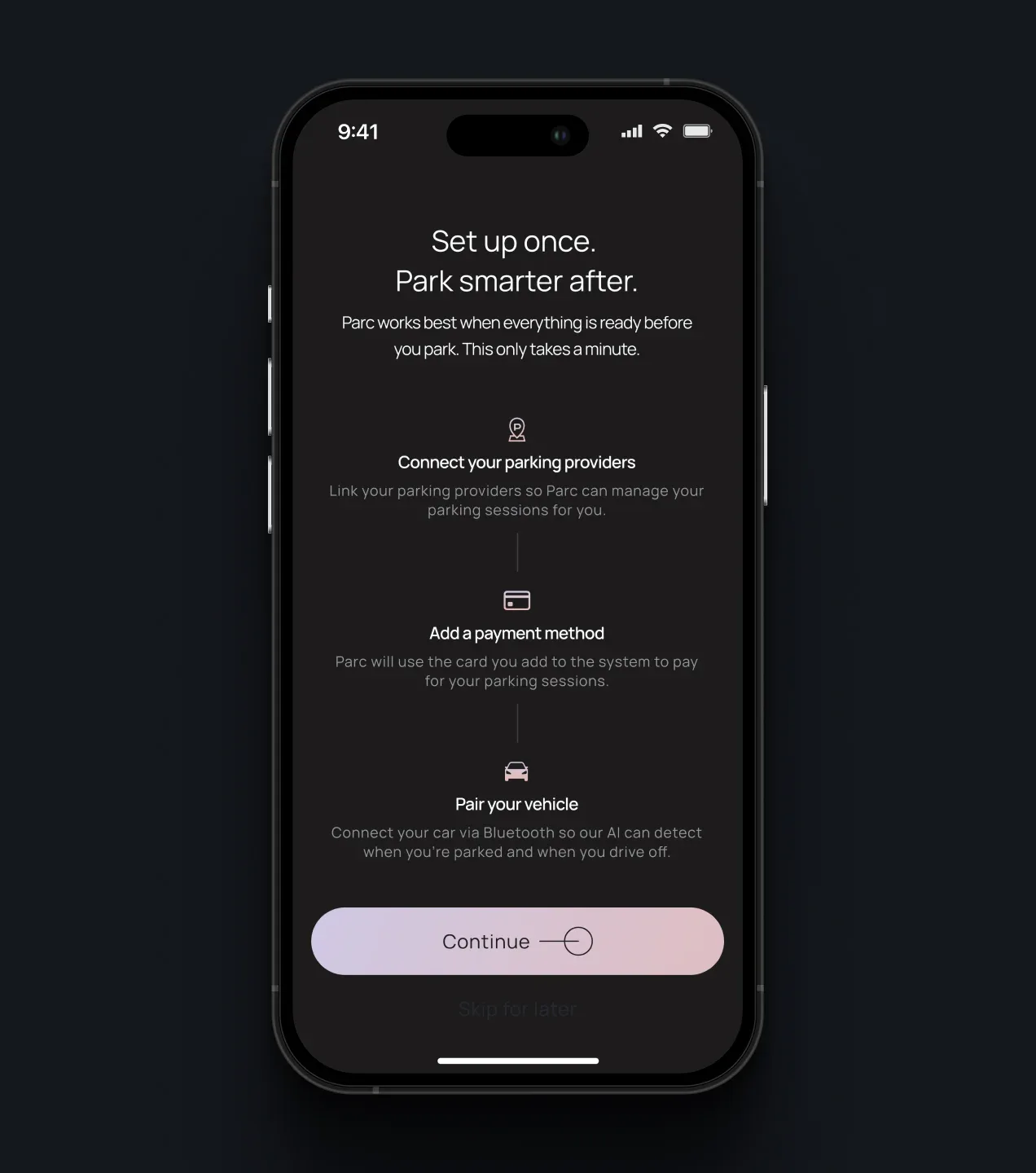
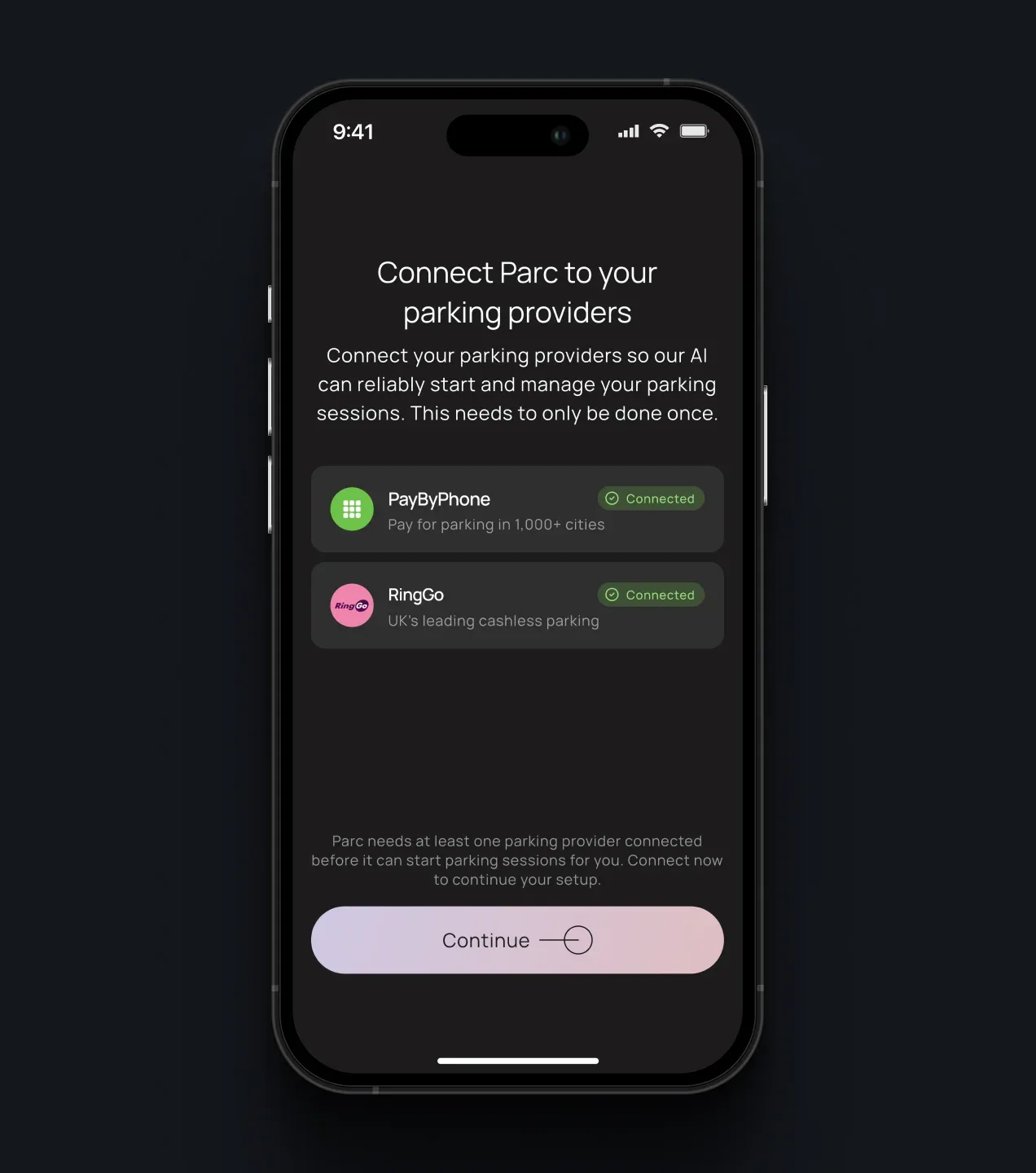
The onboarding experience prepares PARC to handle future parking sessions with minimal user input. Drivers connect supported parking providers, add a payment method, and pair their vehicle once, giving the platform the information it needs to select the right provider, vehicle, and payment path when parking begins.
Parking Provider Setup & Connection
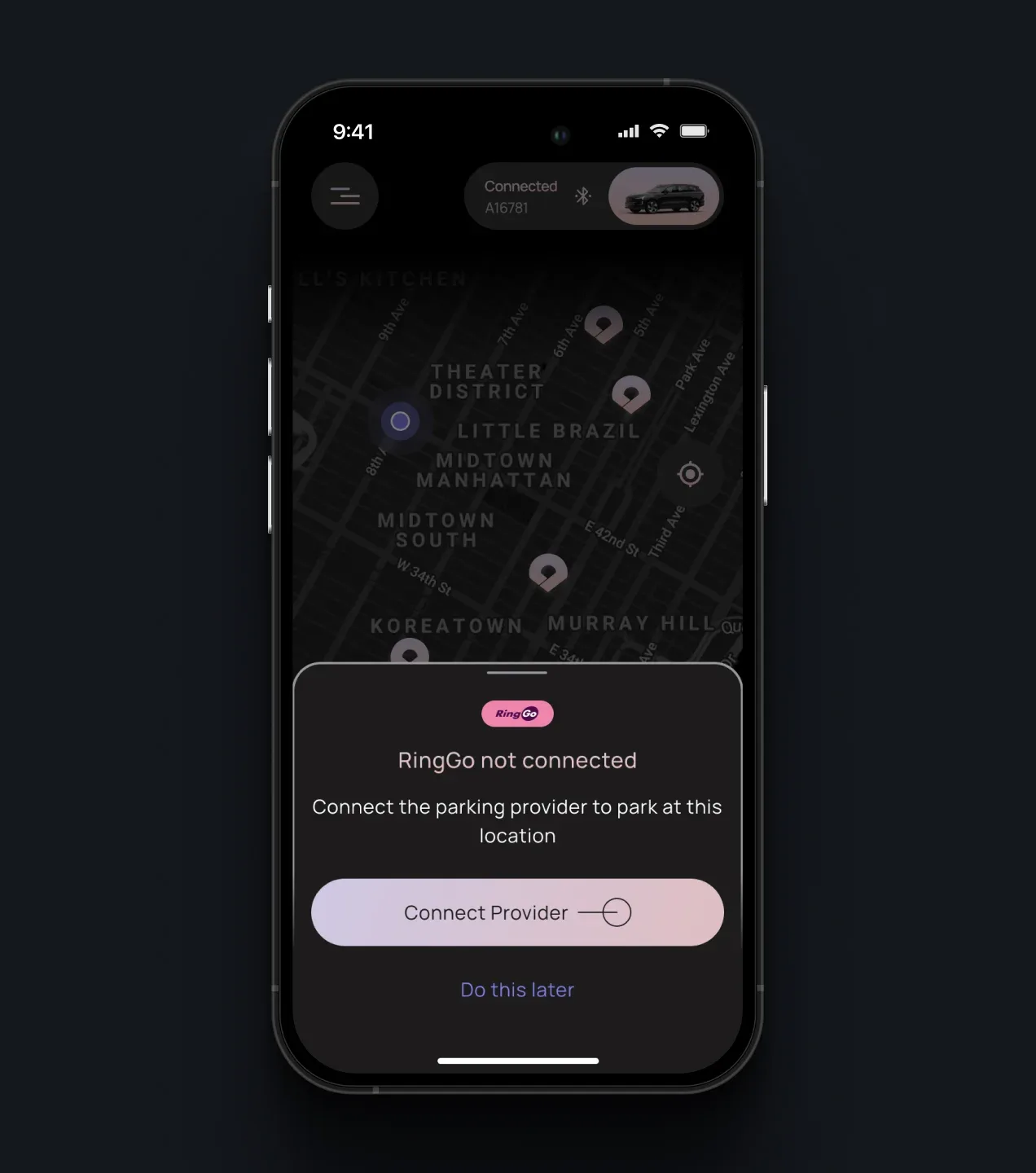
The provider hub gives drivers one place to connect and manage supported parking services. PARC surfaces coverage and connection states, identifies which provider is required for a selected location, and directs the user to the correct setup flow, while keeping provider-specific complexity in the background.
Payment Methods & Provider Connections
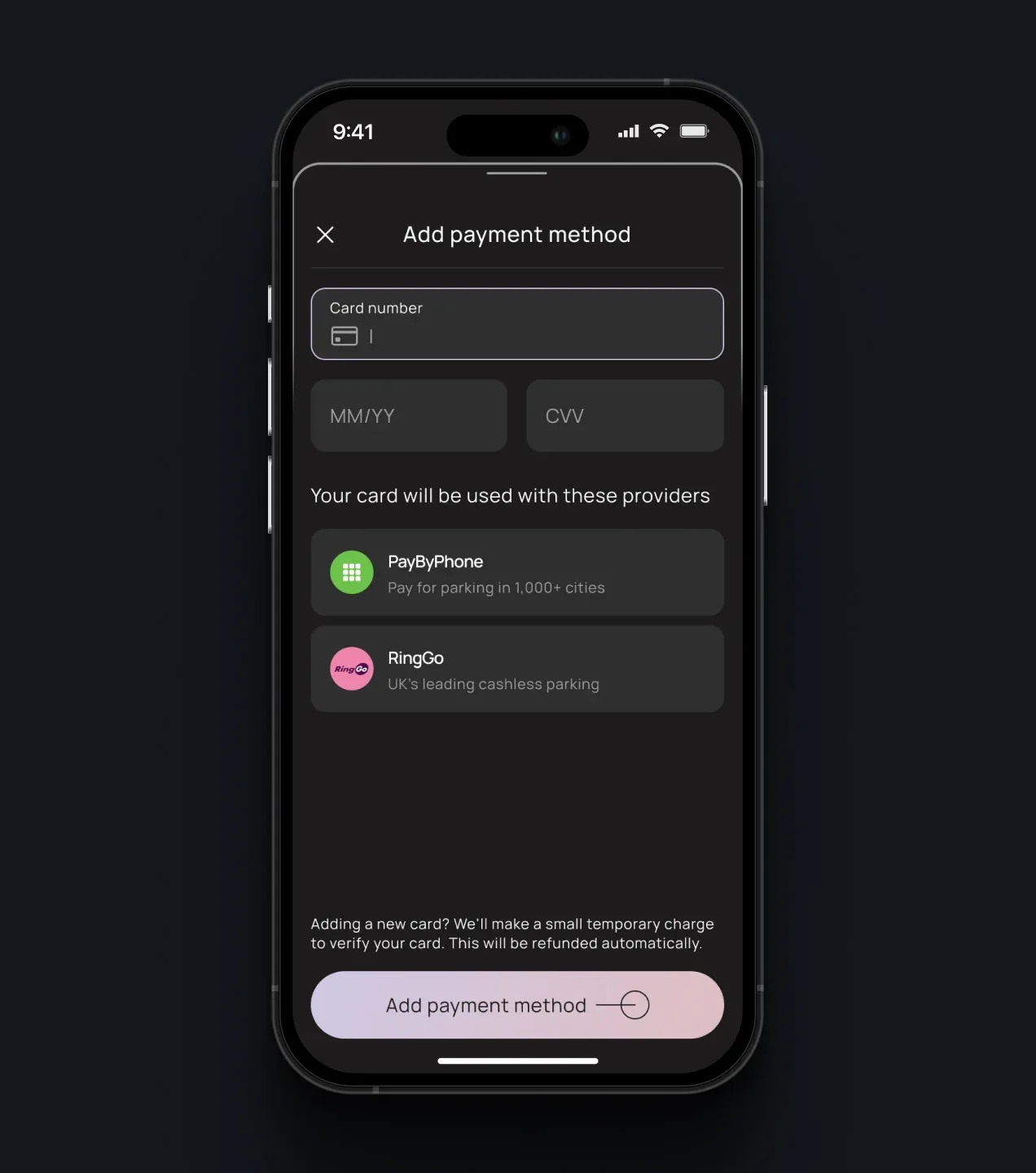
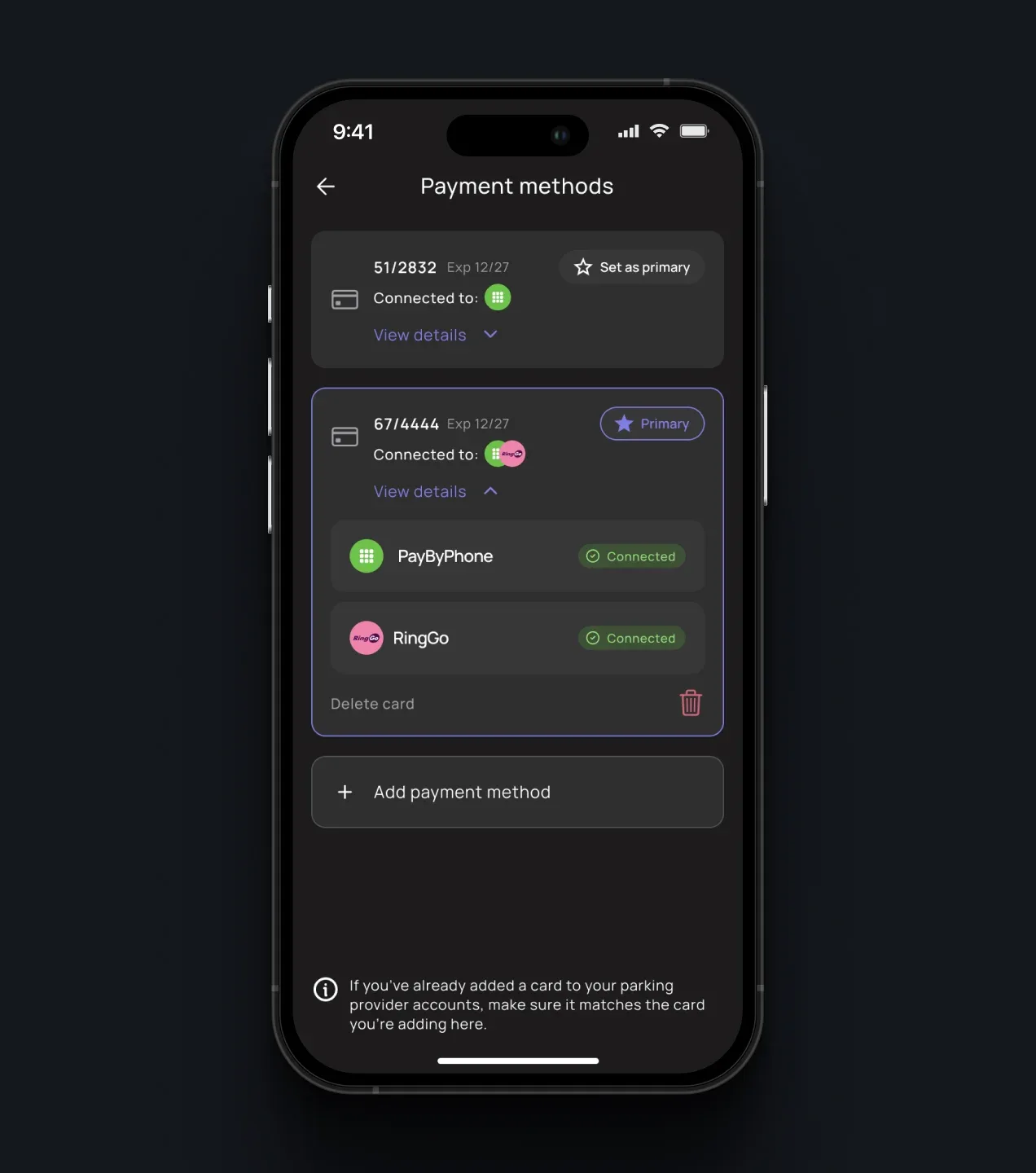
The payment experience shows how each card is connected across supported parking providers. Drivers can add and manage payment methods, understand where each card can be used, and resolve missing provider connections before starting a session. This turns multiple provider-specific payment requirements into one organized flow.
Parking Search & Filters
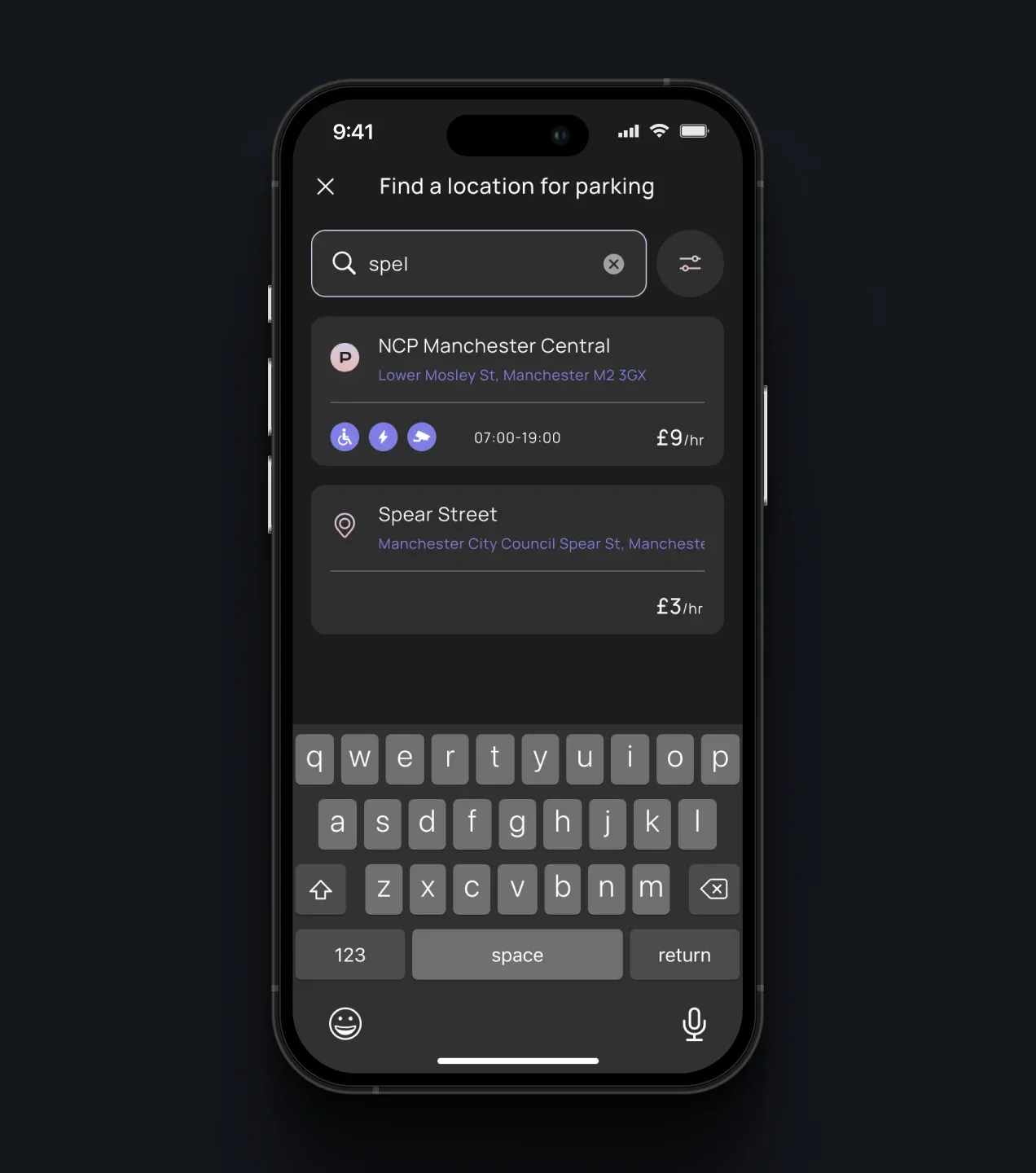
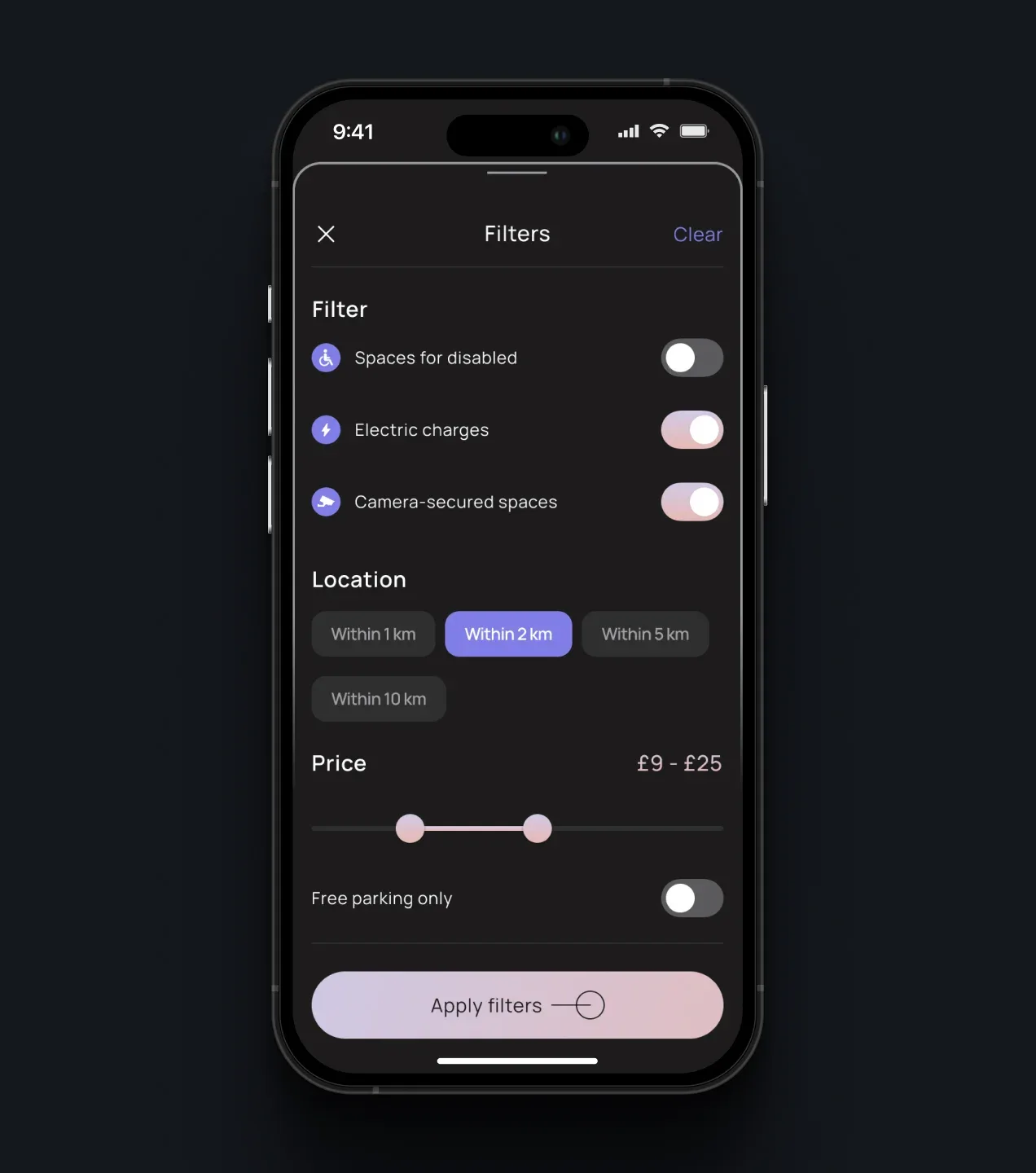
PARC consolidates parking locations from supported providers into a single searchable map. Drivers can compare locations by proximity, price, operating hours, accessibility, charging availability, security features, and free-parking options without searching across separate provider applications.
Parking Location & Session Setup
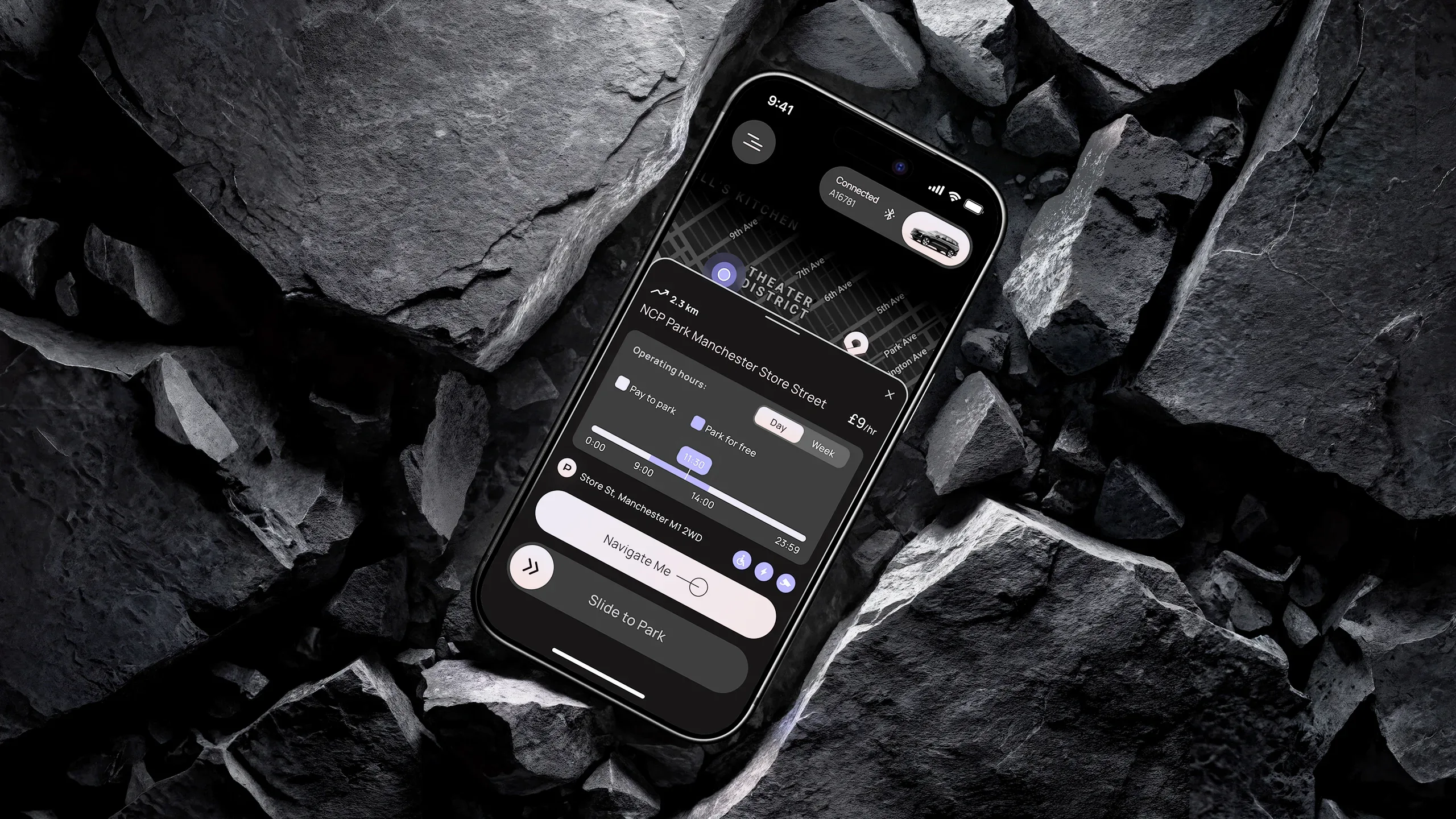
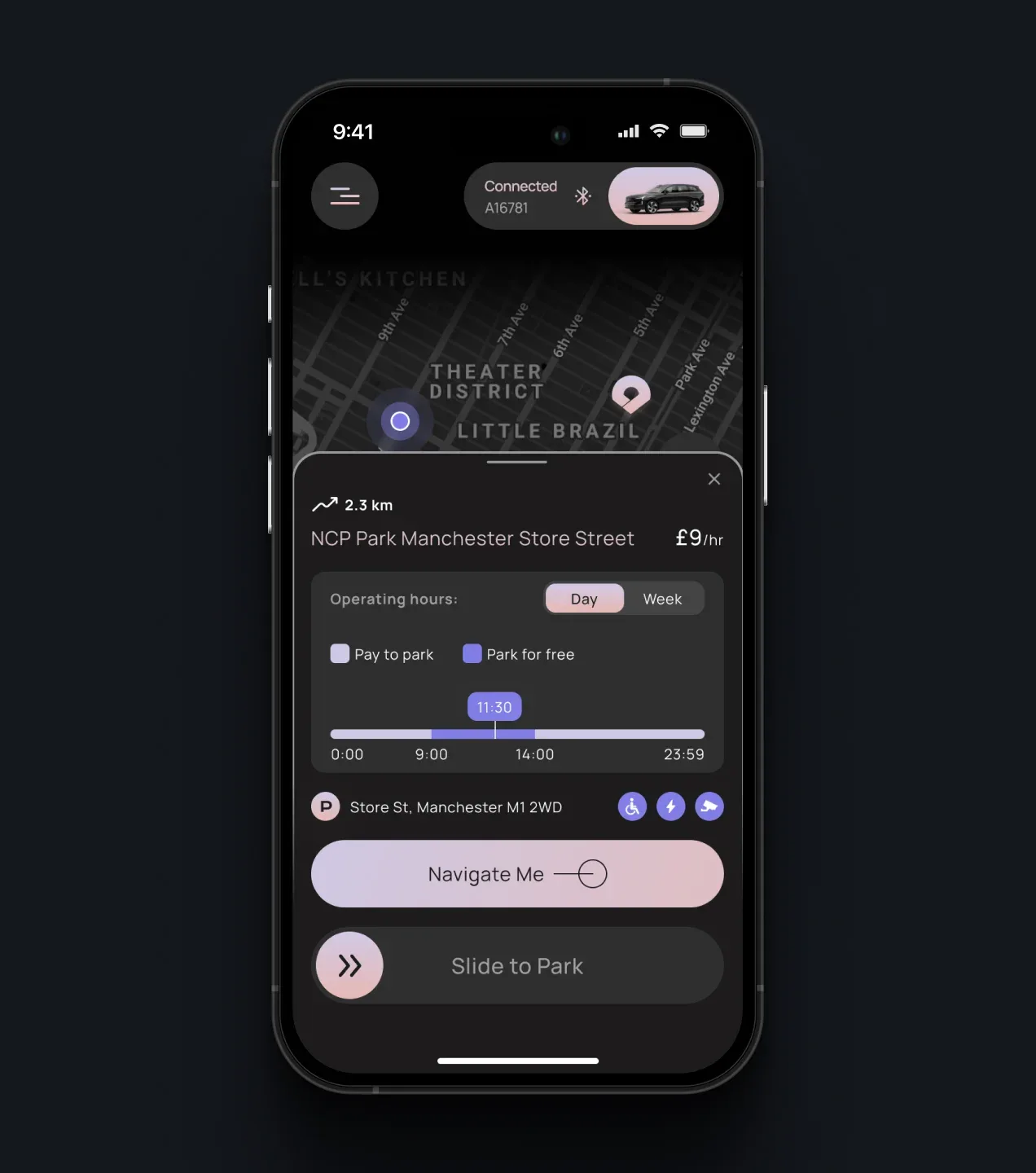
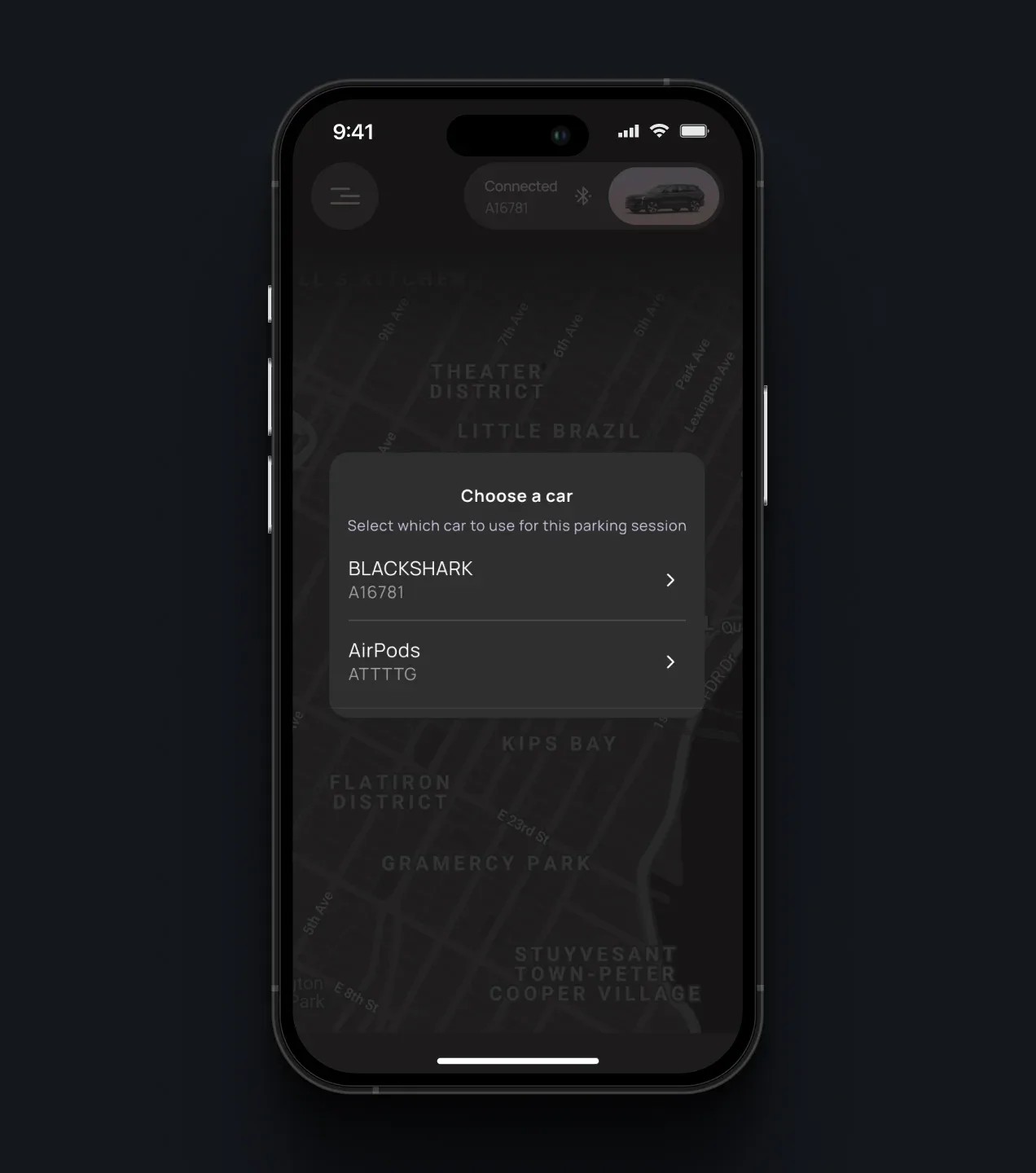
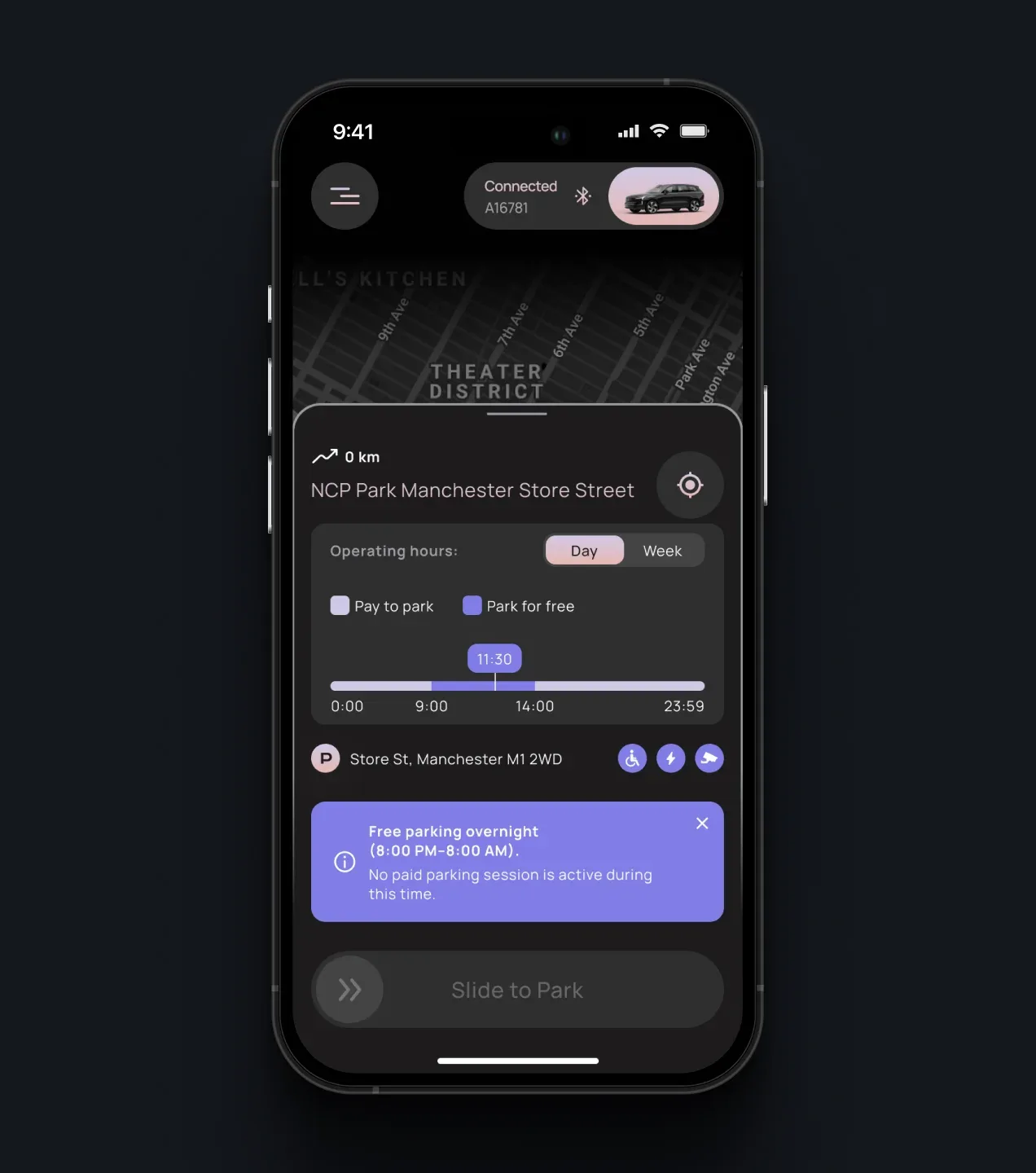
Before a session begins, PARC translates provider-specific location data into one consistent view of pricing, paid and free periods, operating hours, restrictions, and available facilities. Drivers can navigate to the location, select a vehicle, and start manually, while automated modes use the same information to determine when an eligible parking session should begin.
Parking Session & Receipt
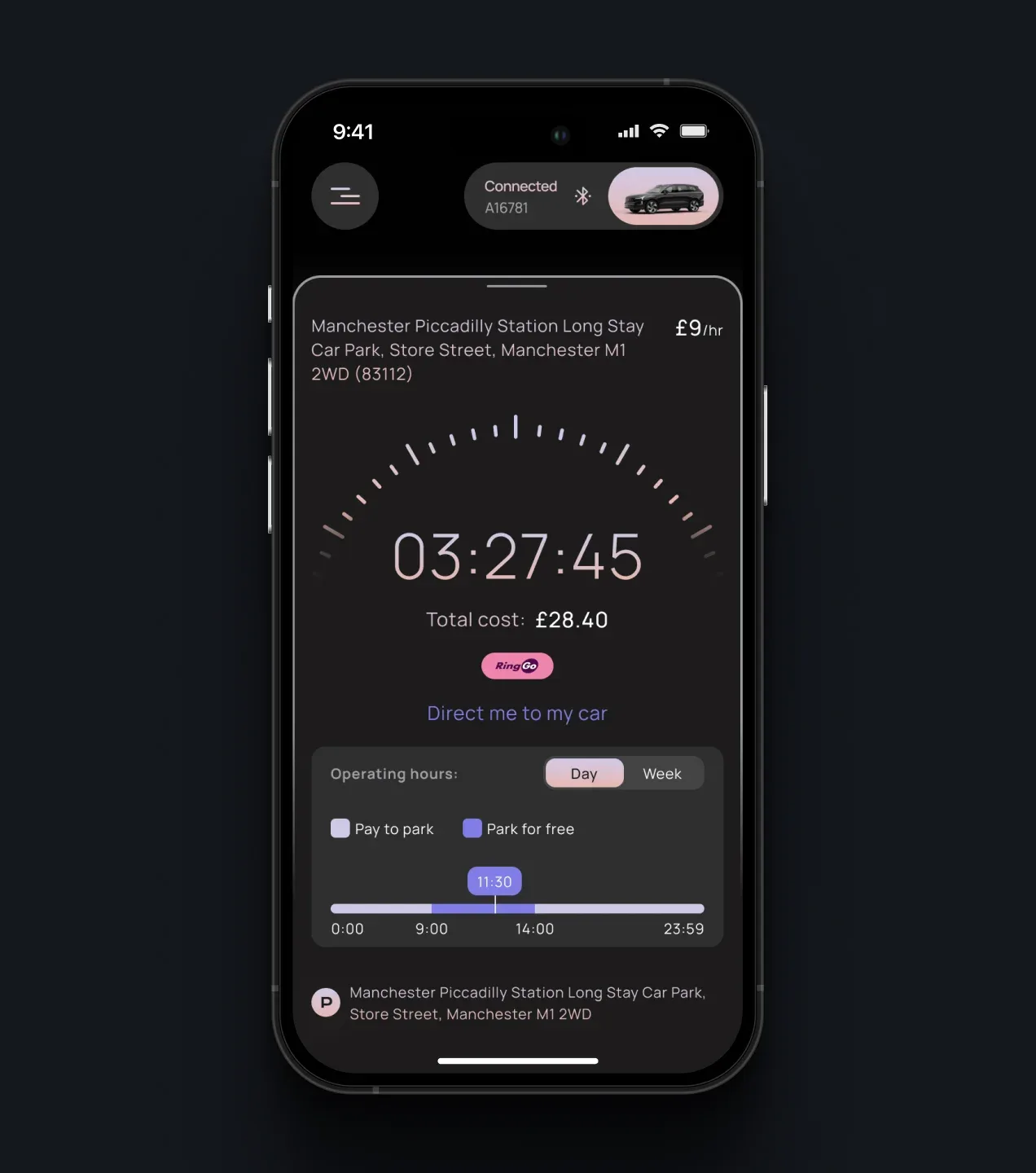
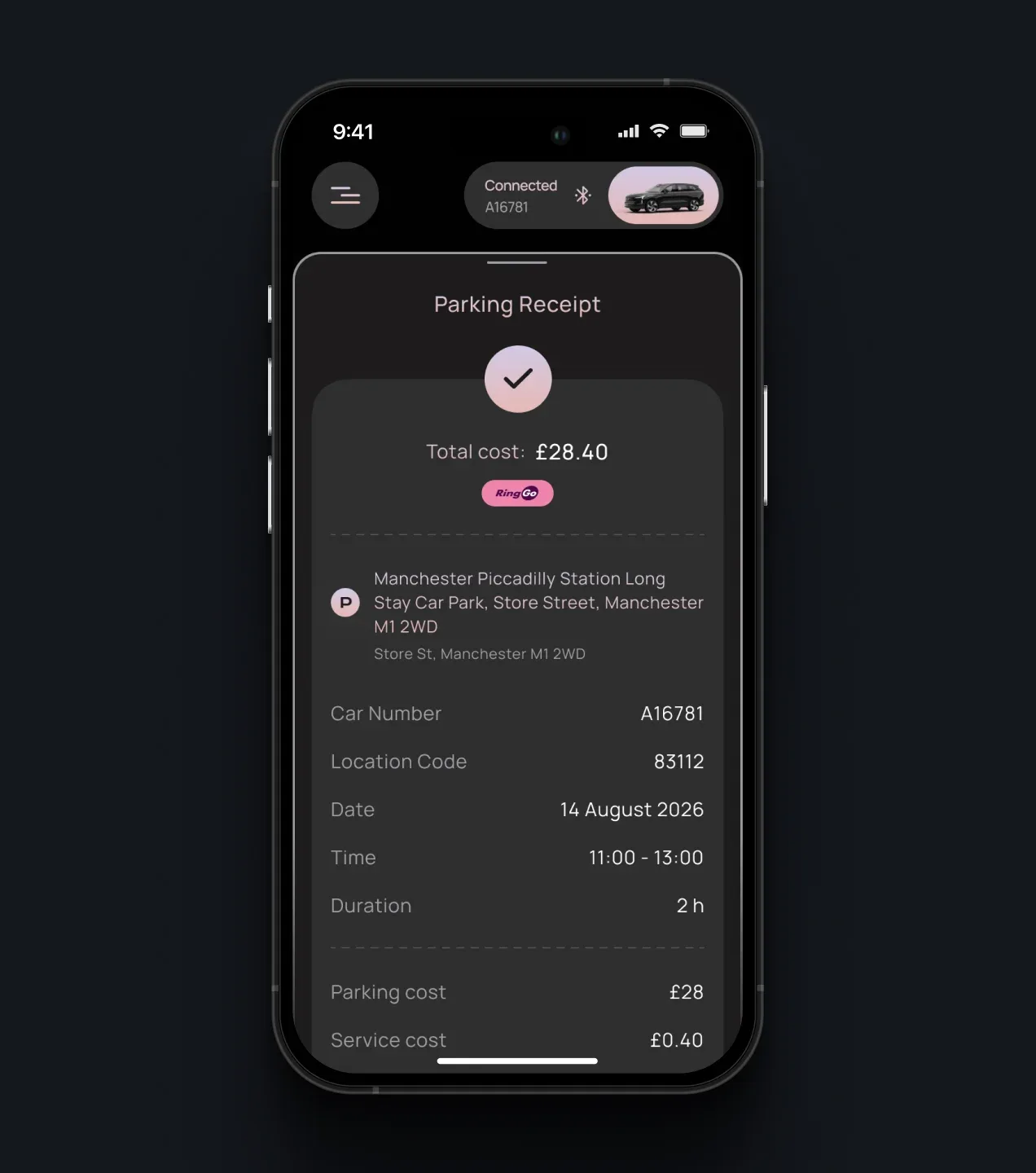
Regardless of which provider handles the session, PARC presents a consistent view of its duration, cost, location, vehicle, operating hours, and current status. Once parking ends, the platform consolidates provider charges and Parc fees into a clear receipt and session record.
Parking History & Session Details
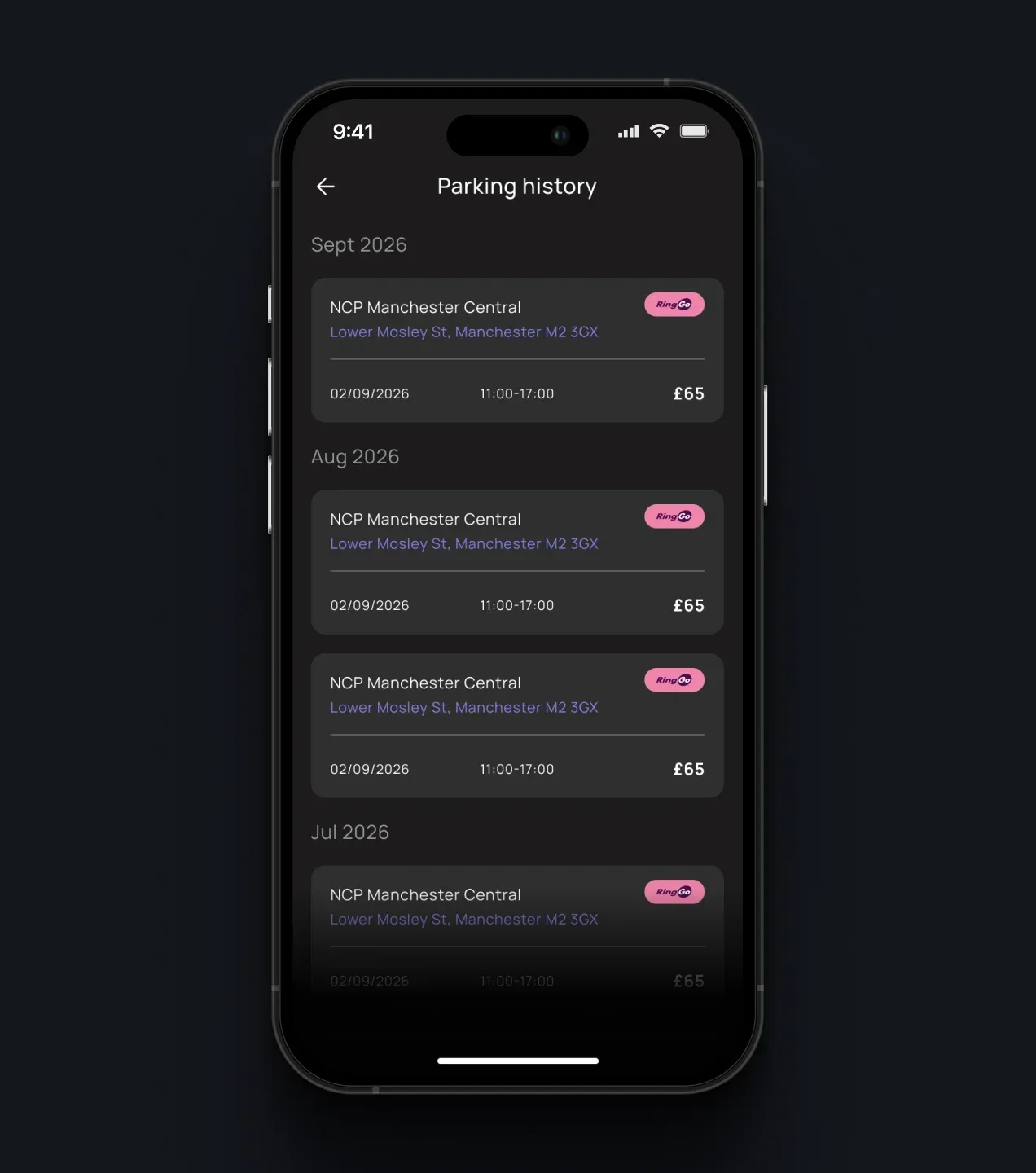
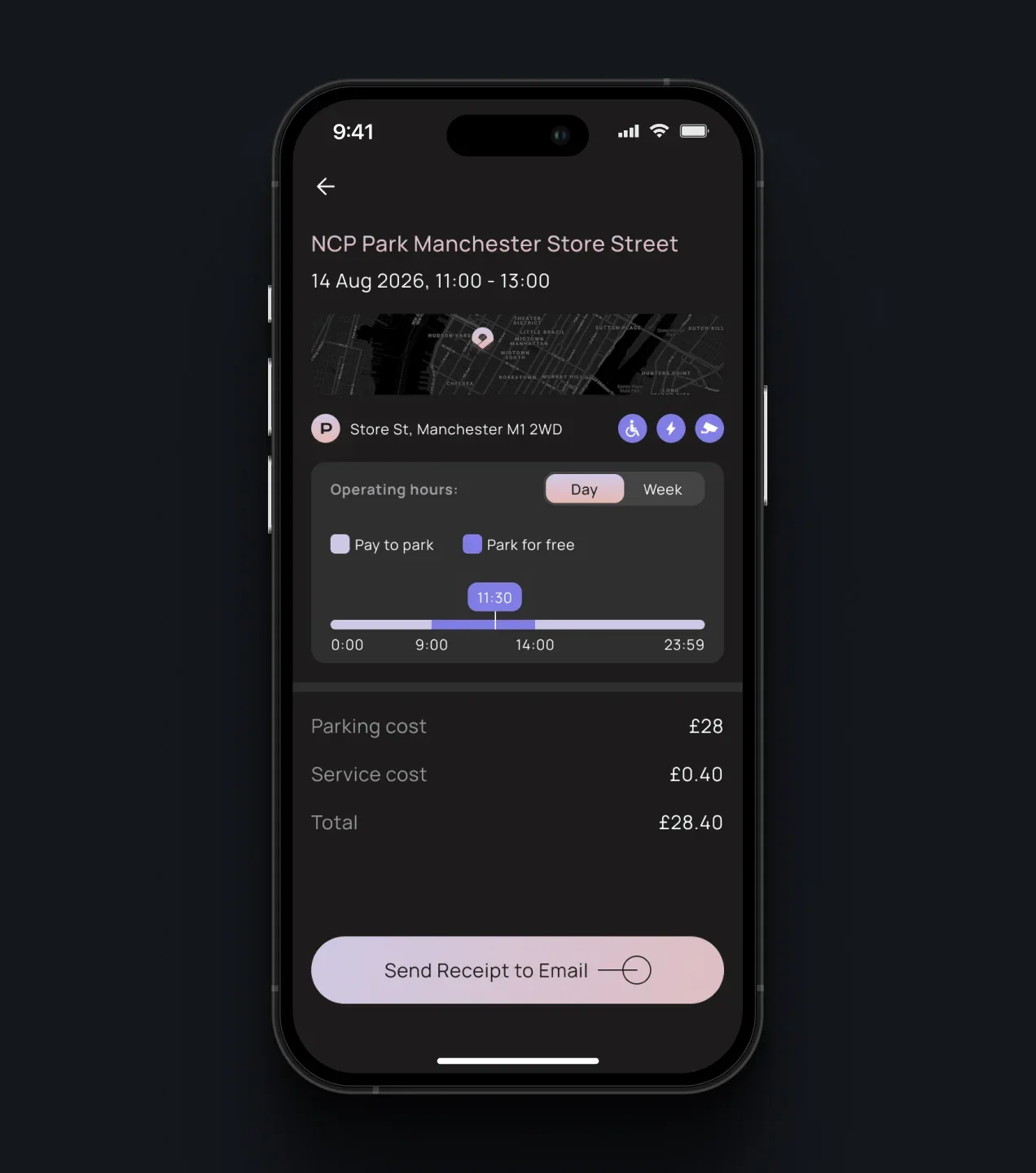
PARC normalizes parking history across providers, giving users one record of previous locations, dates, vehicles, durations, providers, and costs. Each session includes a consistent cost breakdown and detailed receipt that can be reviewed or sent by email.
Parking Alerts & Notifications
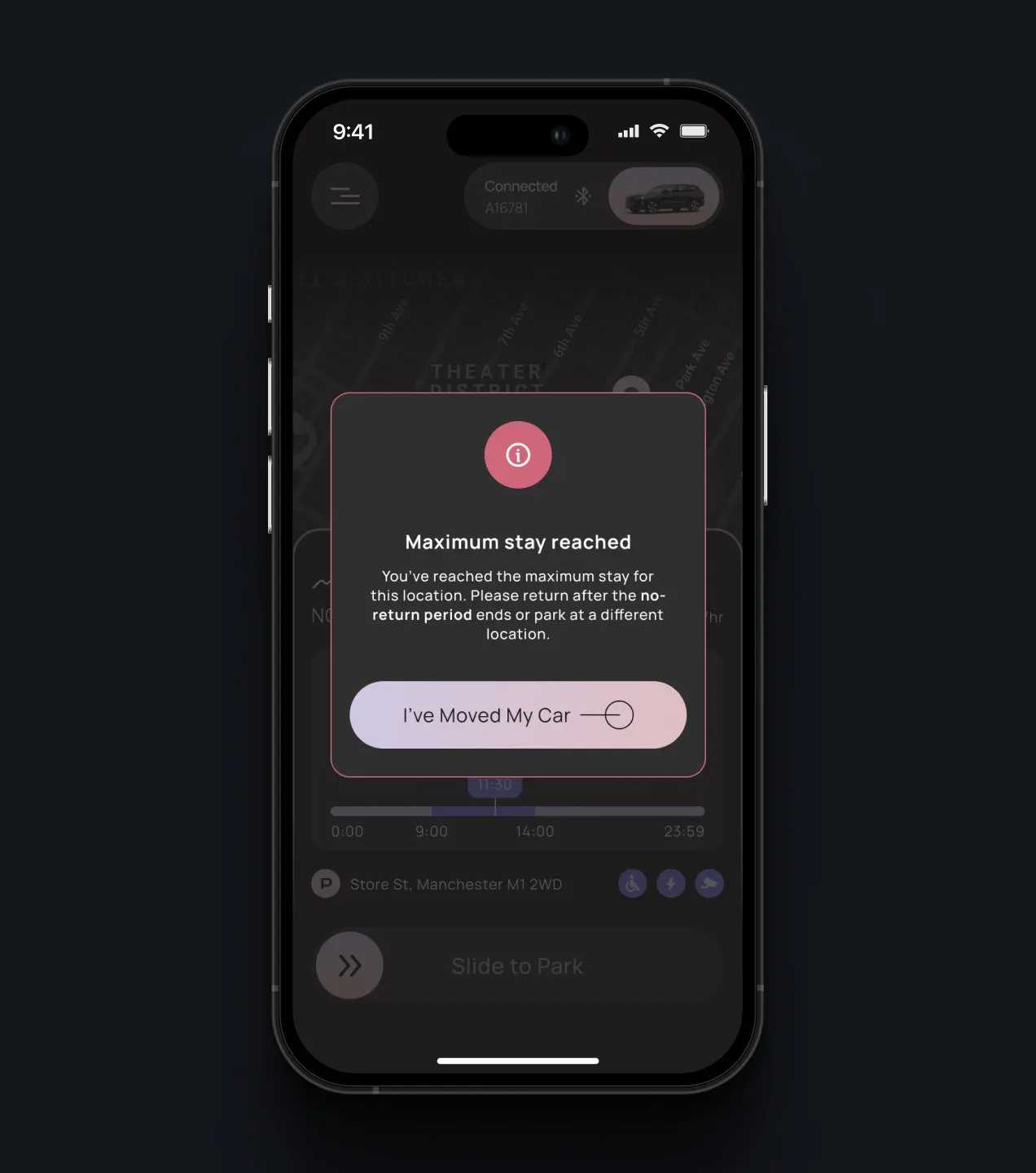
PARC monitors location-specific parking conditions throughout the session and alerts drivers only when attention is required. Contextual notifications explain free-to-paid transitions, maximum-stay limits, unsupported locations, and other restrictions, helping users act in time without continuously monitoring the parking session themselves.
Conclusion
PARC turns a fragmented network of parking services into one connected automation layer. The platform combines provider orchestration, parking-rule normalization, vehicle and location signals, payments, and real-time session management behind a consistent mobile experience.
Instead of requiring drivers to understand every provider, tariff, and session rule, PARC handles routine parking decisions in the background and asks for user input only when it is needed. Manual and semi-automatic modes provide flexibility, while Auto Mode moves the experience closer to parking that starts and ends around the driver’s journey.
Built on an extensible multi-provider foundation, PARC can expand into new providers and coverage areas without forcing users to relearn how parking works.
More Cases



Your Next Step Starts Here
We don’t just analyze businesses - we uncover opportunities.