
X-ray Image Management & Analysis Software
-
Industries
- Healthcare
- Robotics & Hardware
-
Company
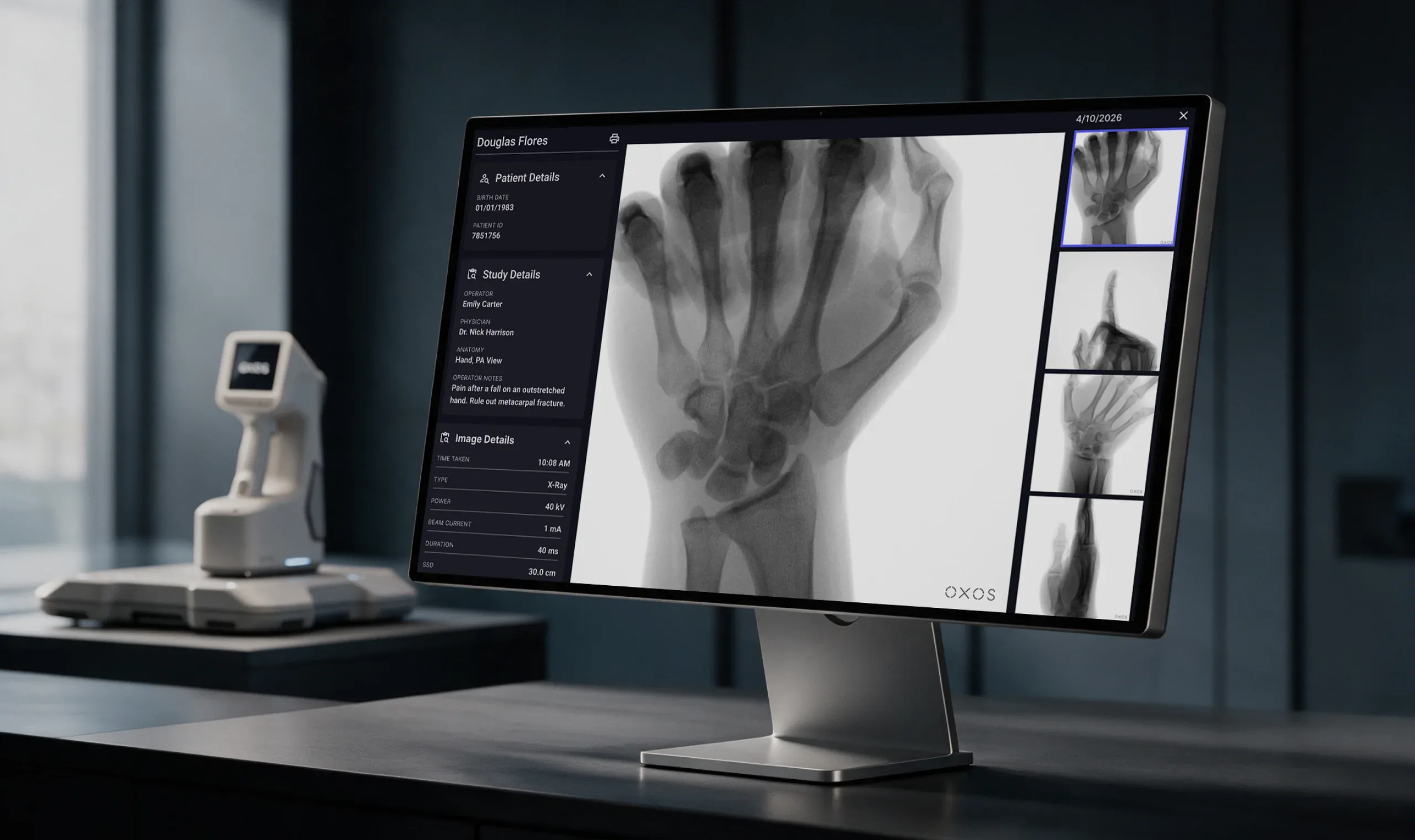
Orthopedic practices often depend on separate imaging centers, which means waiting for results and switching between disconnected systems. The solution addresses this with a portable X-ray device paired with software that manages images captured right at the point of care - in the clinic or even during at-home visits.
The device is paired with clinical software where every capture lands automatically. Physicians, operators, and medical assistants use it to upload, view, annotate, and analyze images, document exams, work with radiologists, and manage the devices used across all practice locations. Studies from other modalities, such as MRI and CT, can be added as well, and AI-assisted analysis is available right next to the image. -
What We Did
We designed the software from scratch, turning a new X-ray device into a complete clinical workflow. Our team mapped how images move through a practice - who creates the exam, who reviews it, who needs access, and where the device fits in - and designed every interface along that path.
- Web application - patient list, studies, worklist, patient profiles, a full-screen image viewer with annotation and measurement tools, exam creation, and exam review.
- AI and advanced imaging - bone age analysis with growth charts, fracture detection results, and a multi-plane viewer for MRI and other volumetric studies.
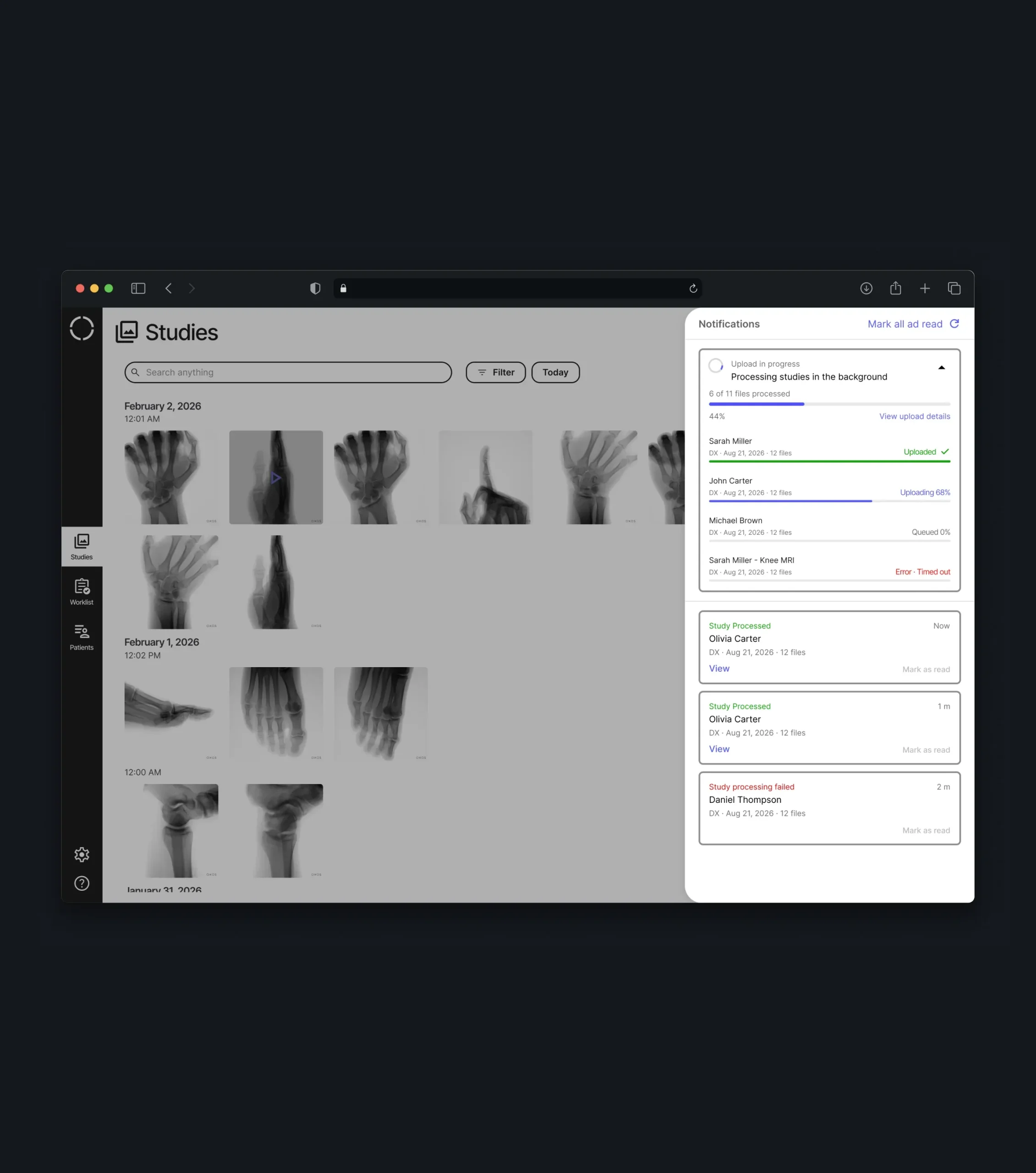
- Device-related flows - capture parameters inside each study, DICOM import, background uploads, and status notifications.
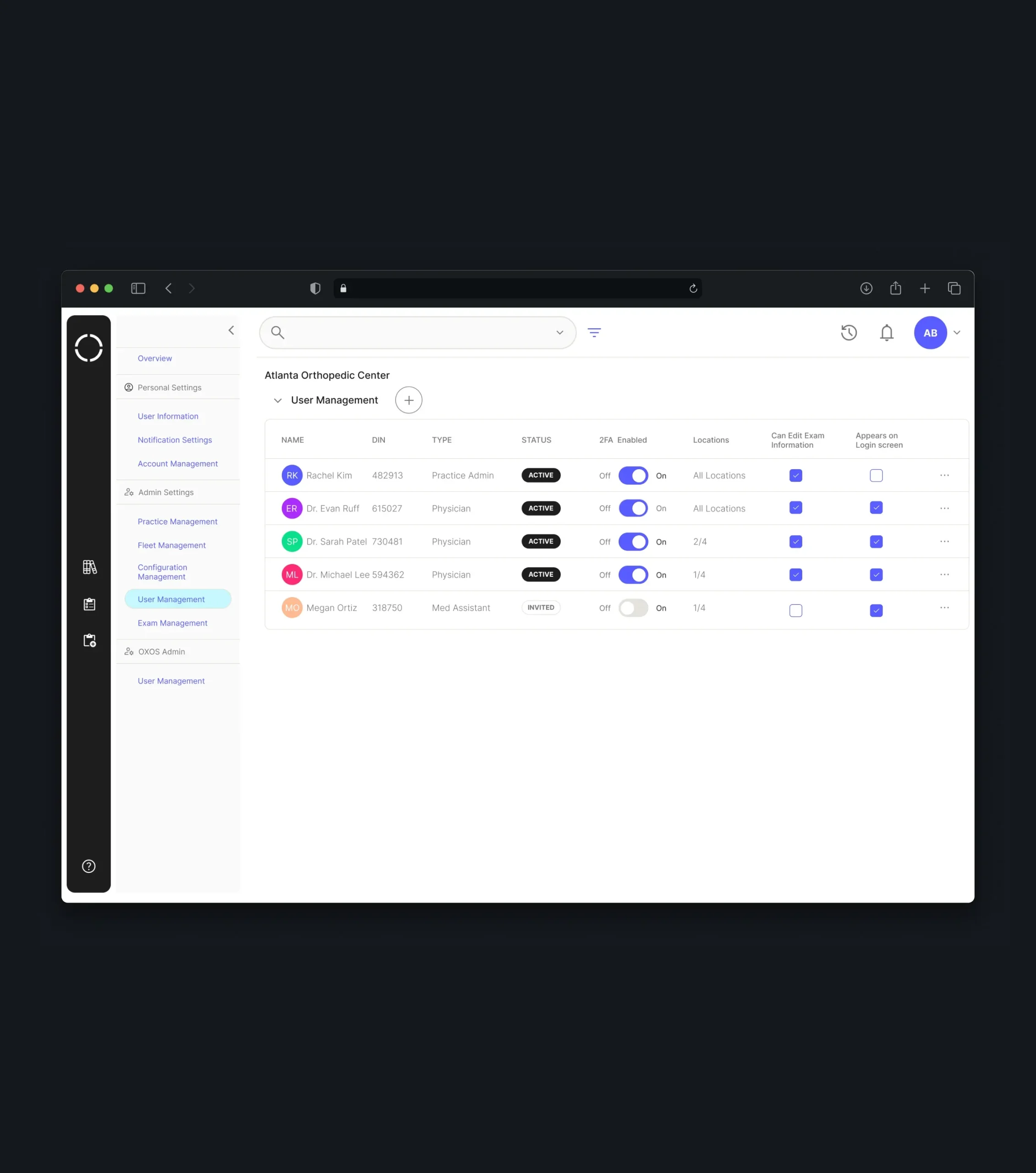
- Admin panel - practices and locations, user roles and permissions, orders, and a fleet view with firmware, status, and security settings for every device.
- Collaboration tools - verified image sharing, teleradiology requests, and matching patient records with EMR data.
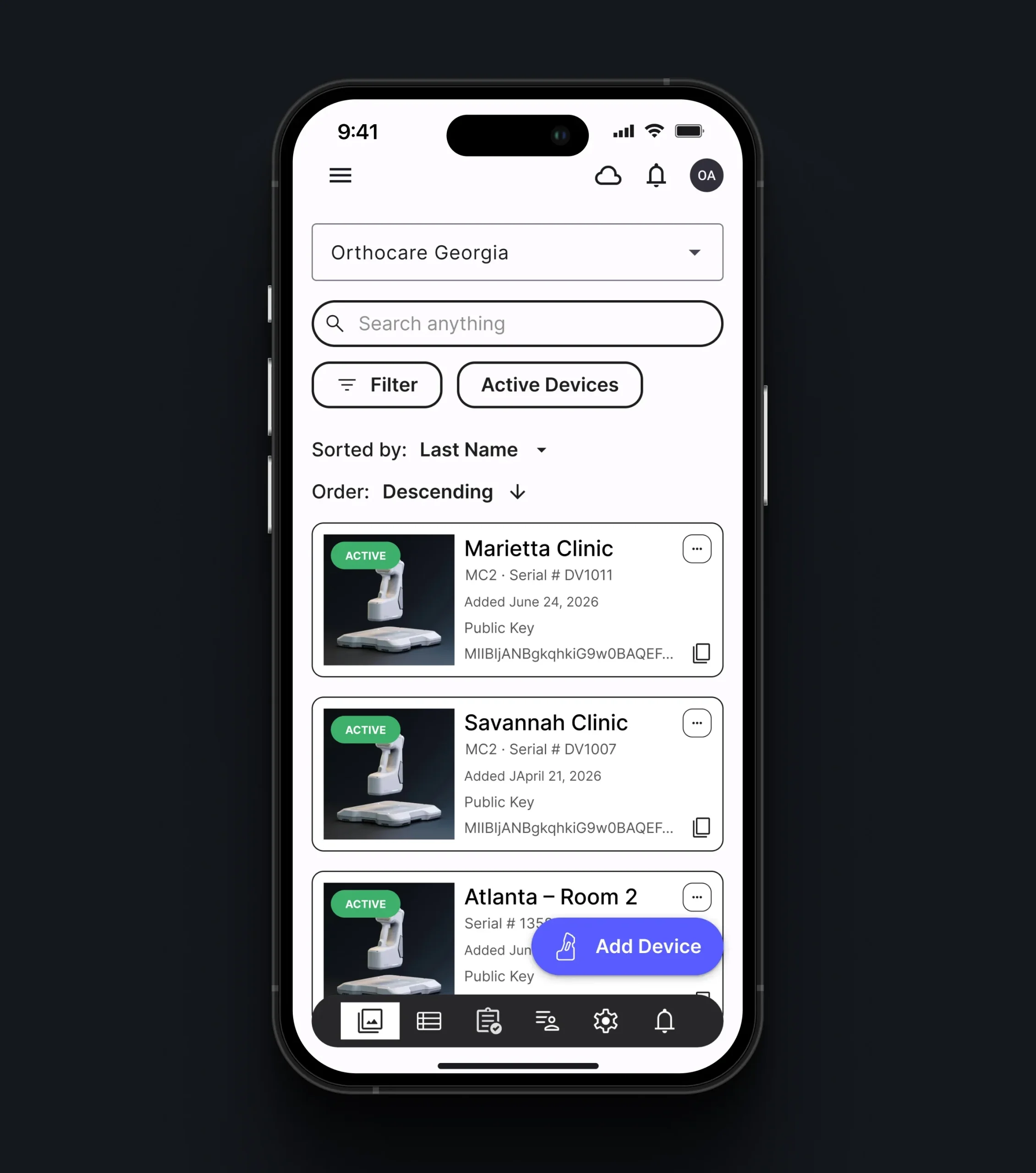
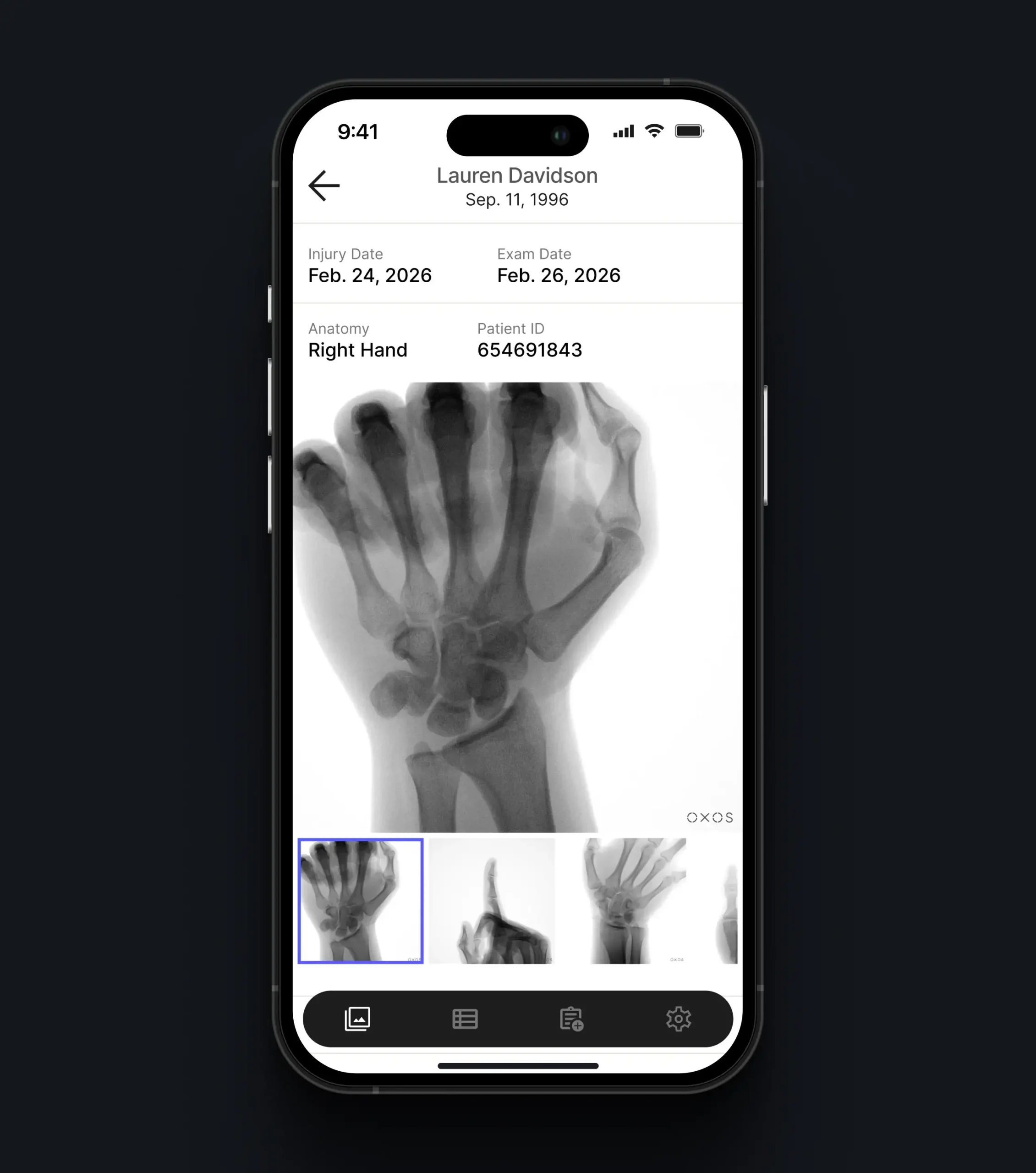
- Mobile and tablet apps - the worklist, studies, and annotation tools adapted for smaller screens.
Throughout the project, the focus stayed on clinical clarity: medical data had to be easy to read, quick to act on, and protected at every step.
Challenges
-
01
Covering the Entire Life of an X-ray Image
Images captured by the device had to lead somewhere meaningful, not end up in an isolated viewer. Our task was to connect capture, upload, storage, review, analysis, and device administration in one product that follows how practices actually use the hardware, while each individual flow stays clear and easy to complete.
-
02
Keeping Clinical Work Quick and Dependable
Operators, physicians, and medical assistants rarely have time to look for information. We organized exam creation, image review, and annotation tools around their daily tasks, so the right images are easy to find, findings are added in a few actions, and an exam can be closed without unnecessary steps.
-
03
Securing Patient Data Without Blocking Collaboration
Medical images must stay protected, but care teams still need to pass them between colleagues and radiologists. The goal was to create login, permission, and verified sharing flows that keep patient information safe while letting the right people access it without delays.
Patients, Studies & Worklist
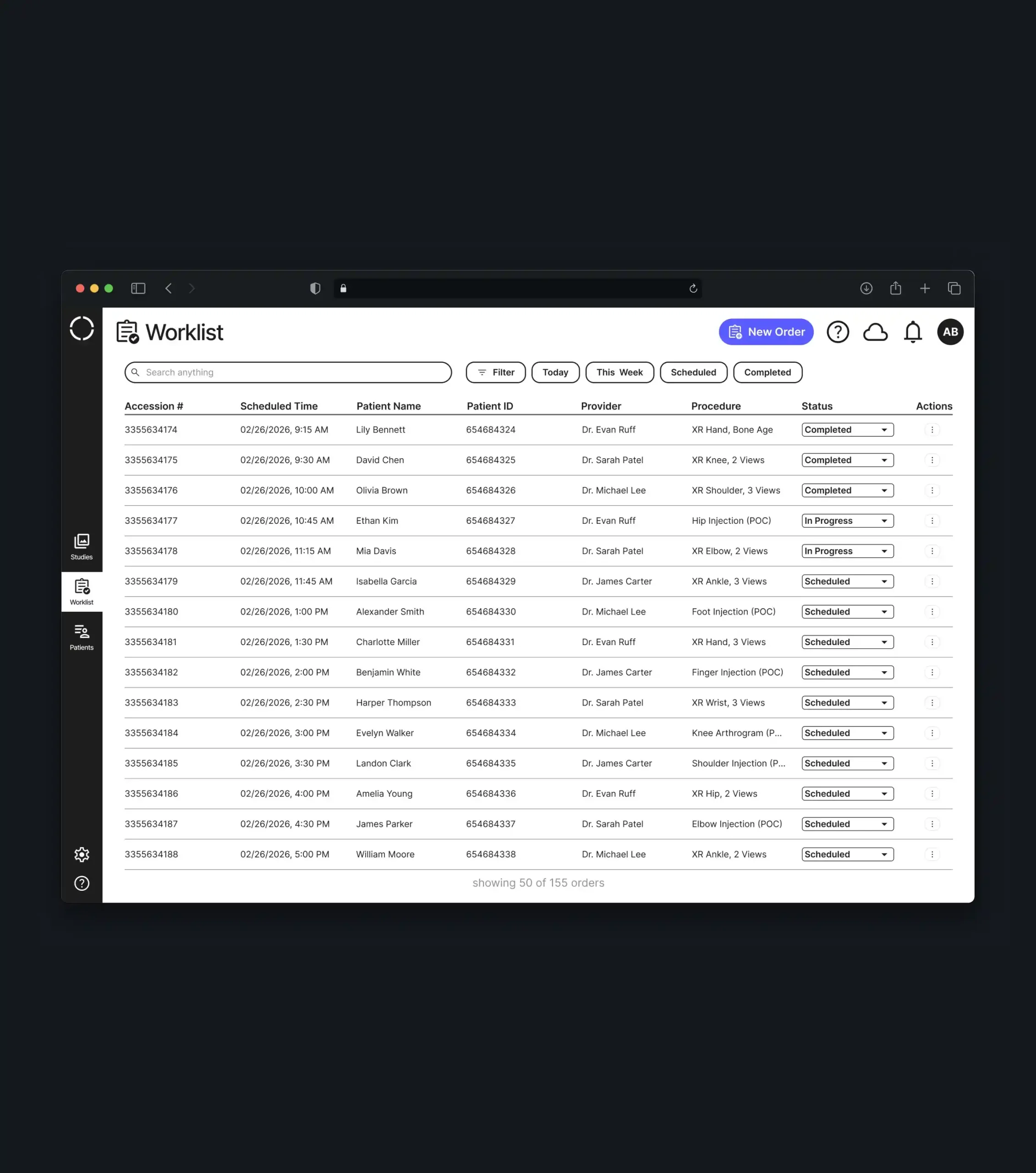
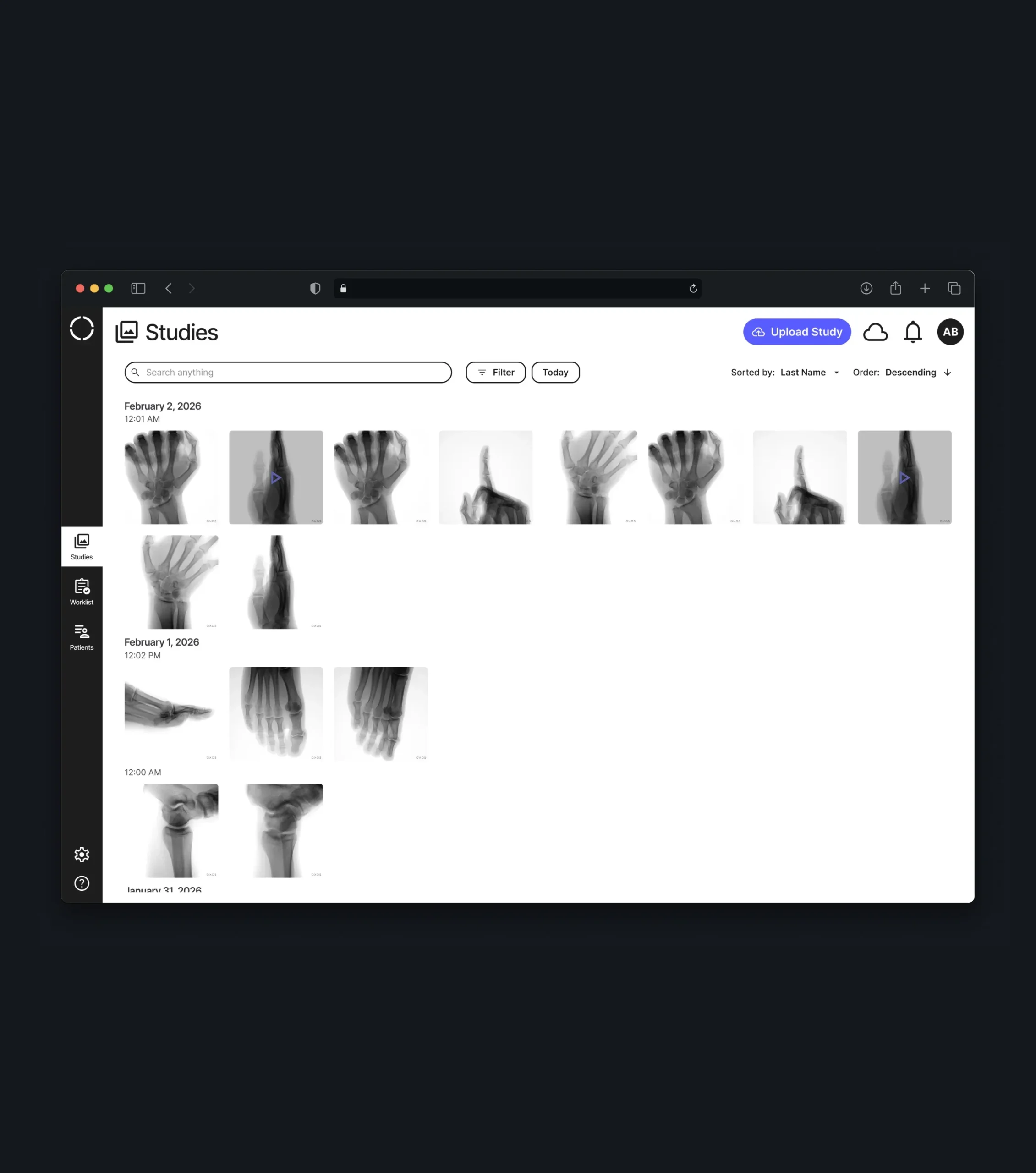
Three connected views organize the daily flow of a practice. The patient list, the studies library, and the worklist with scheduled and in-progress orders all share the same search, filters by date, practice, physician, operator, and modality, and flexible sorting, so teams can move from today’s schedule to any past study in seconds.
Patient Profile
Each patient has a single page that collects personal details, the latest AI analysis results, and all past studies grouped by date. Physicians get a complete picture of the patient’s imaging history without switching between screens or searching through the library.
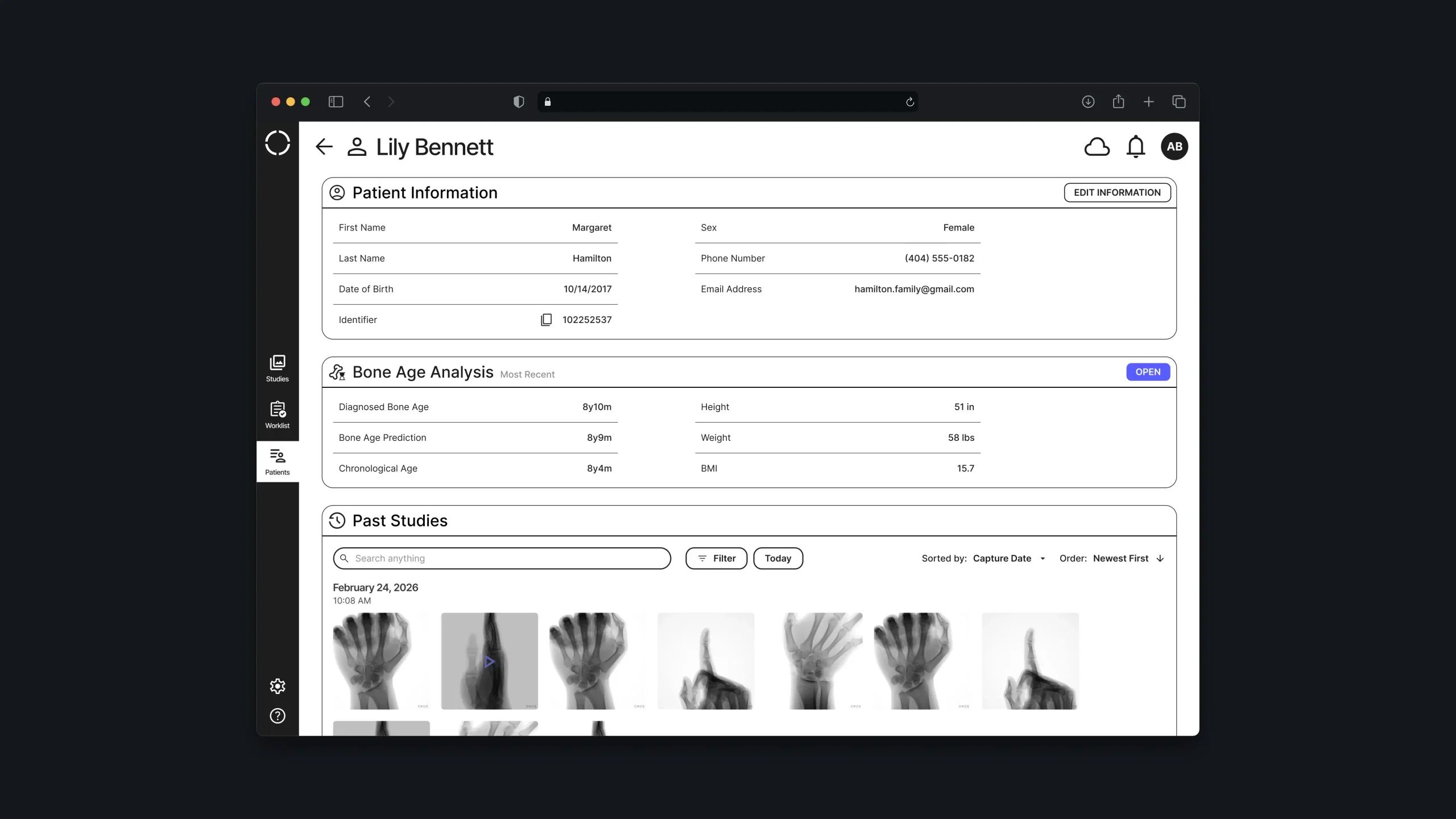
Image Viewer & Annotations
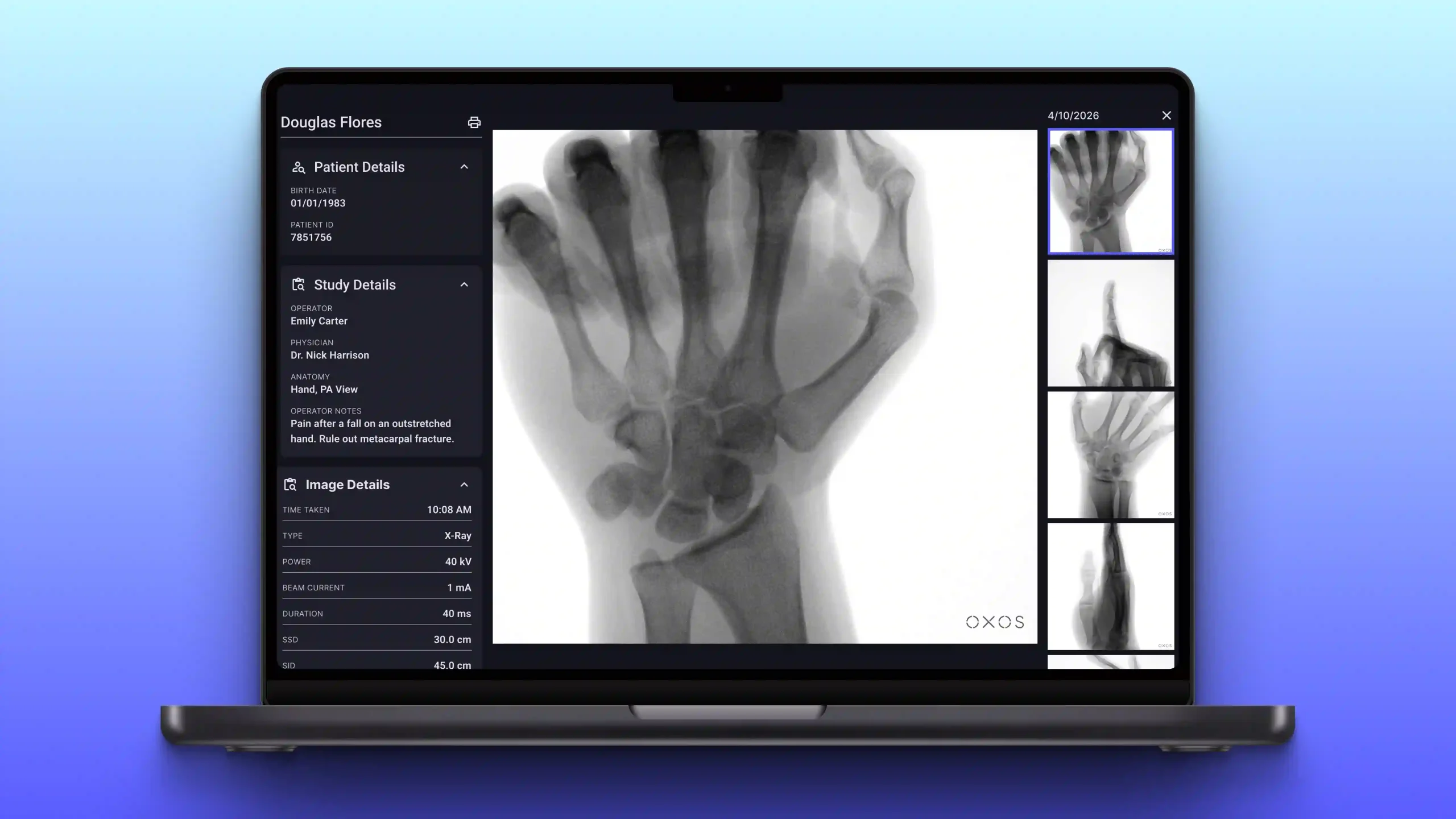
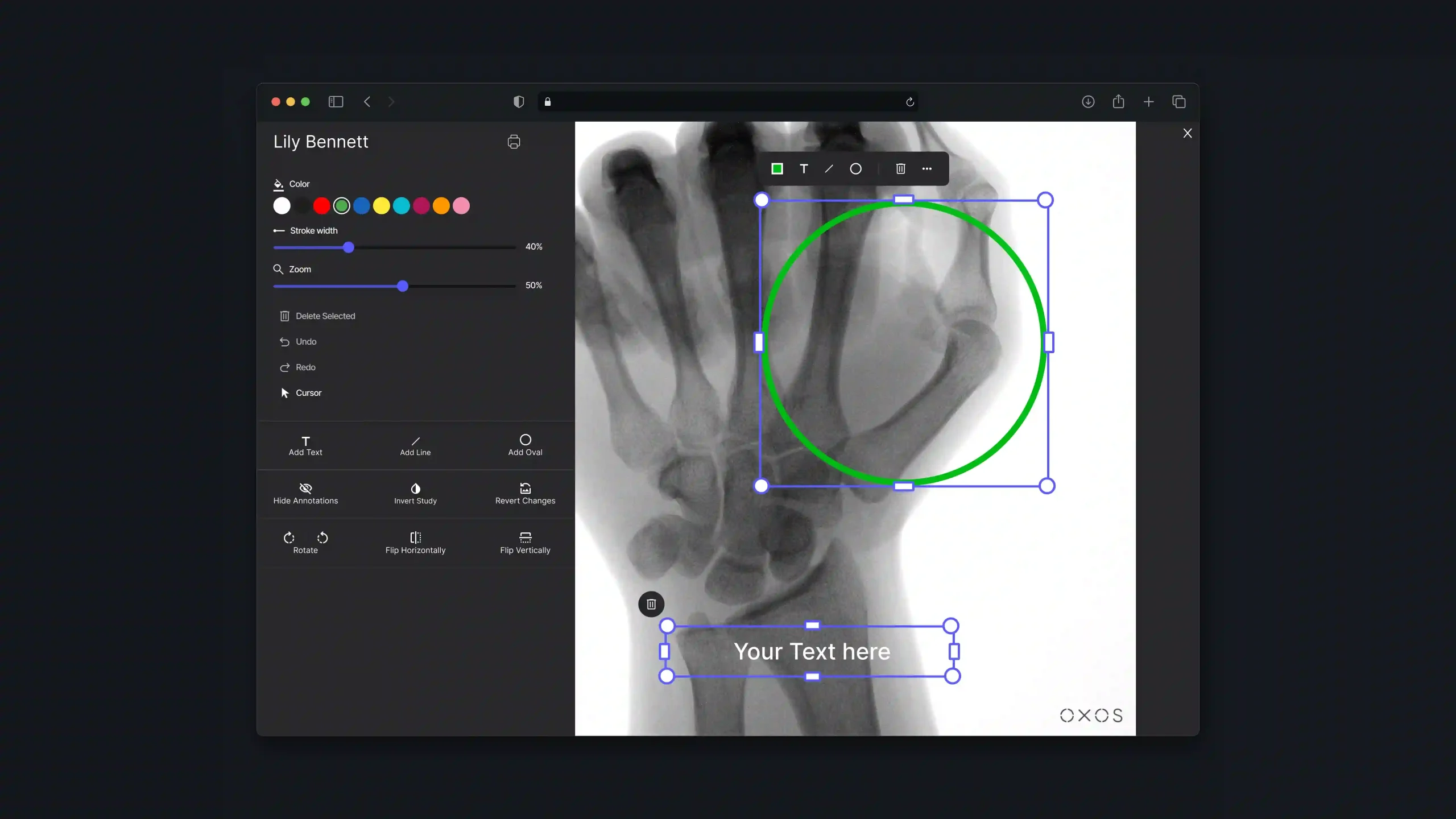
A full-screen viewer lets physicians examine each capture in detail and move between images from the same study. Tools for text, arrows, freehand drawing, laterality markers, and distance and angle measurements help mark findings directly on the image, while capture parameters such as tube voltage, exposure time, and dose stay available in a side panel.
AI Bone Age Analysis
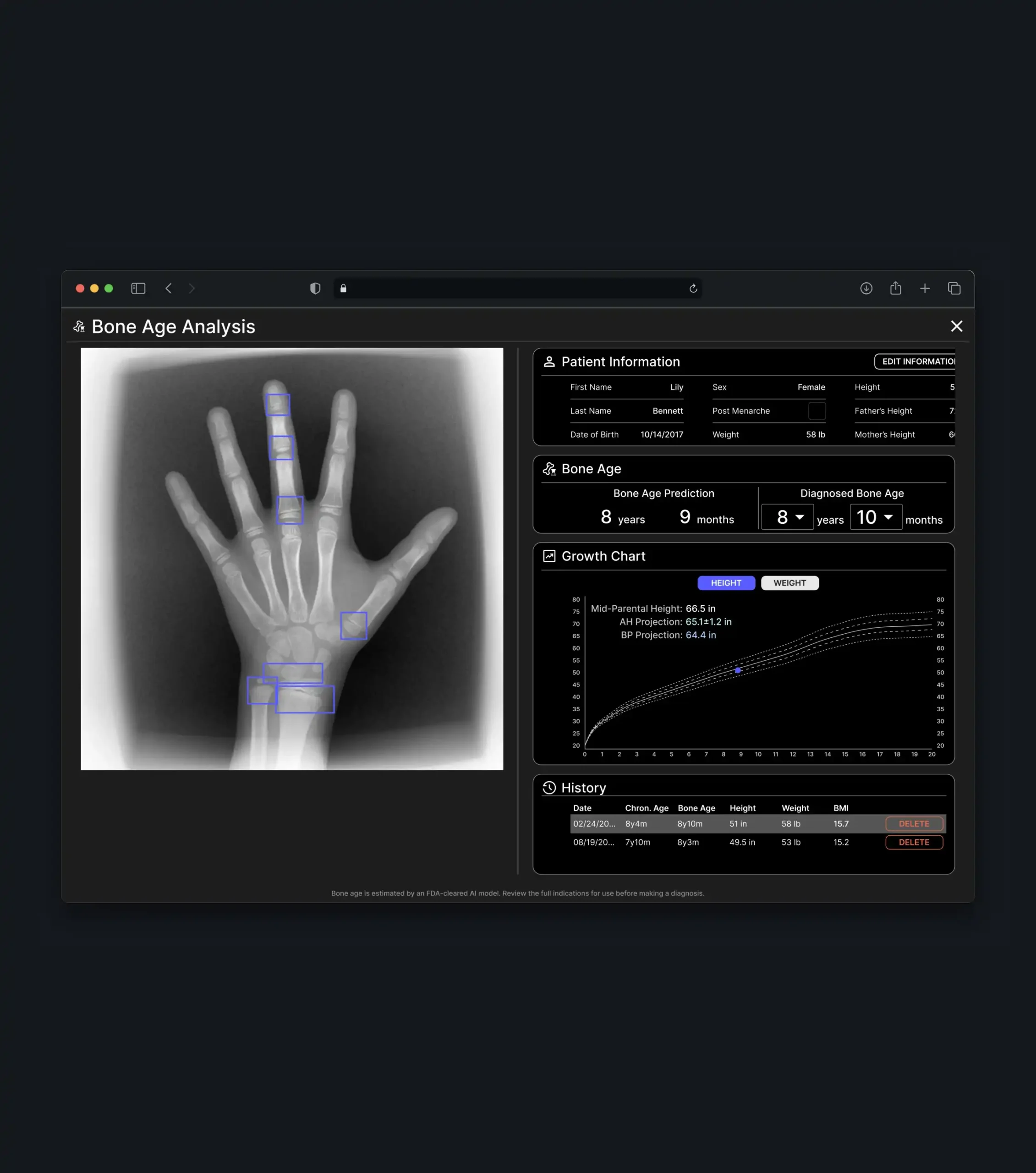
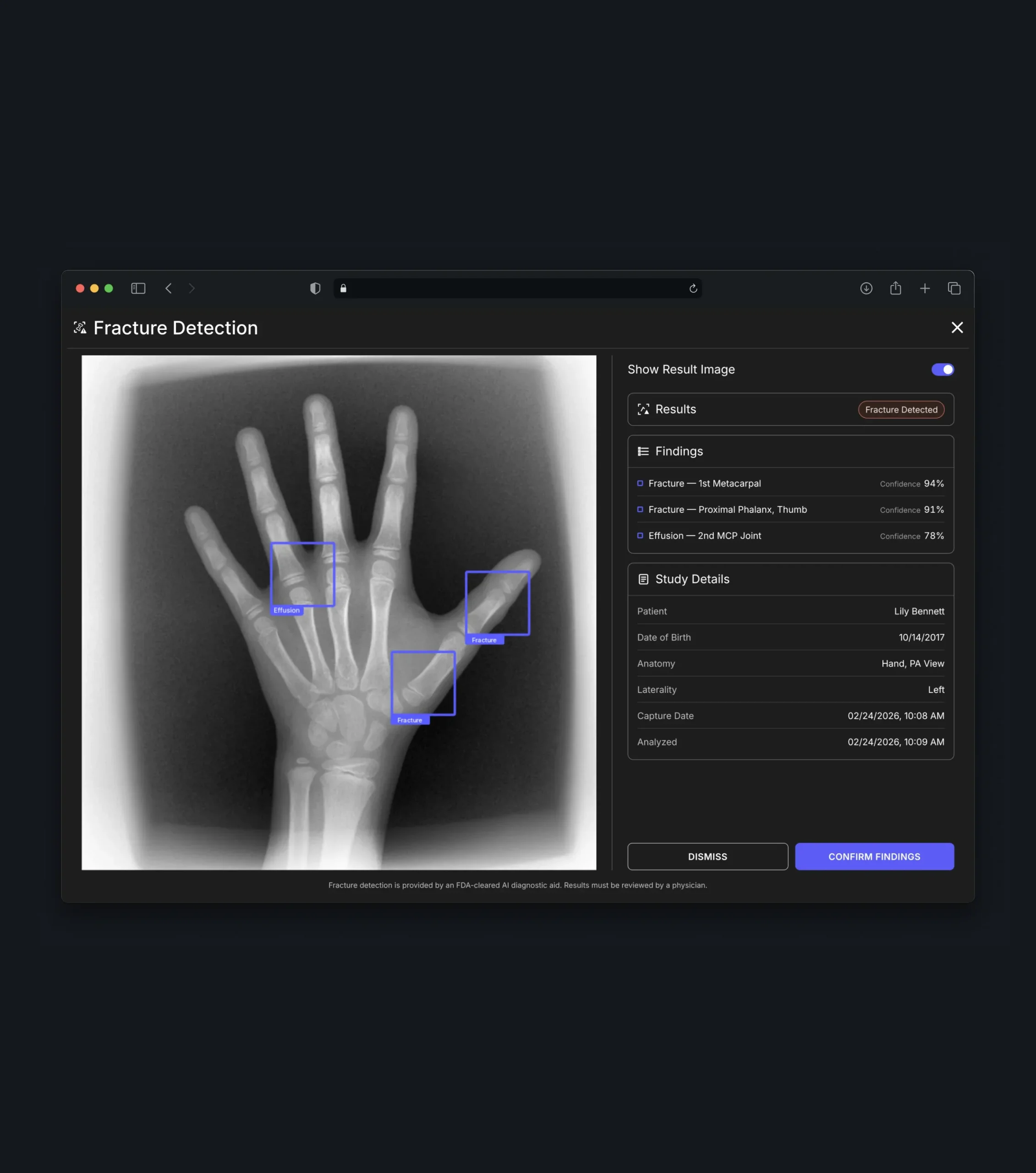
For pediatric hand X-rays, the software displays AI-powered bone age estimates and highlights the analyzed regions on the image. Physicians compare the prediction with chronological age, confirm their own diagnosis, and track growth through height and weight charts and a history of previous assessments. Fracture detection results are presented in the same clear format.
Multi-Plane MRI Viewer
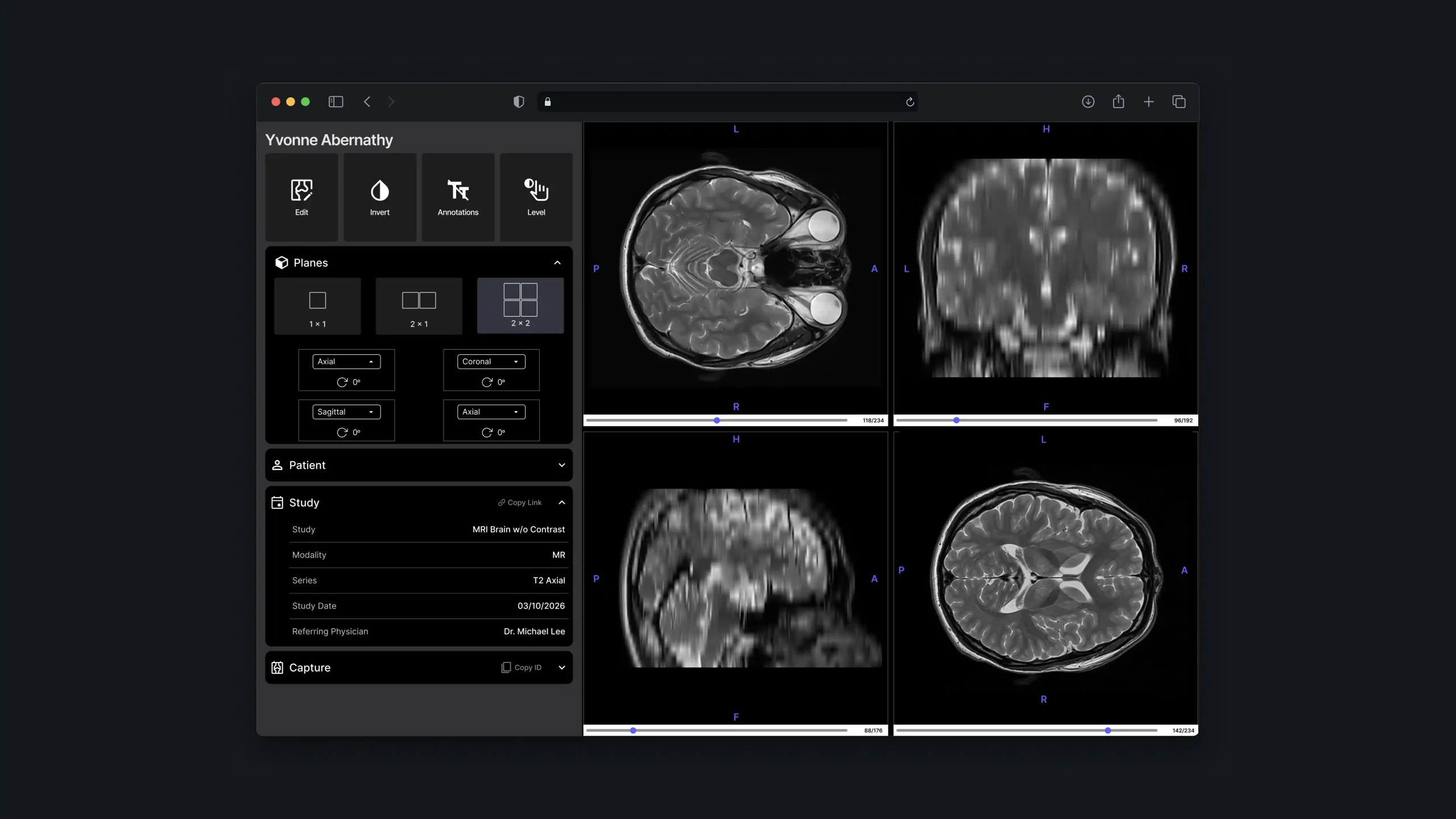
Volumetric studies open in a viewer with axial, coronal, and sagittal planes. Physicians switch between single, side-by-side, and grid layouts, scroll through slices, rotate planes, and adjust contrast, keeping patient, study, and capture details one click away.
Exam Creation & Review
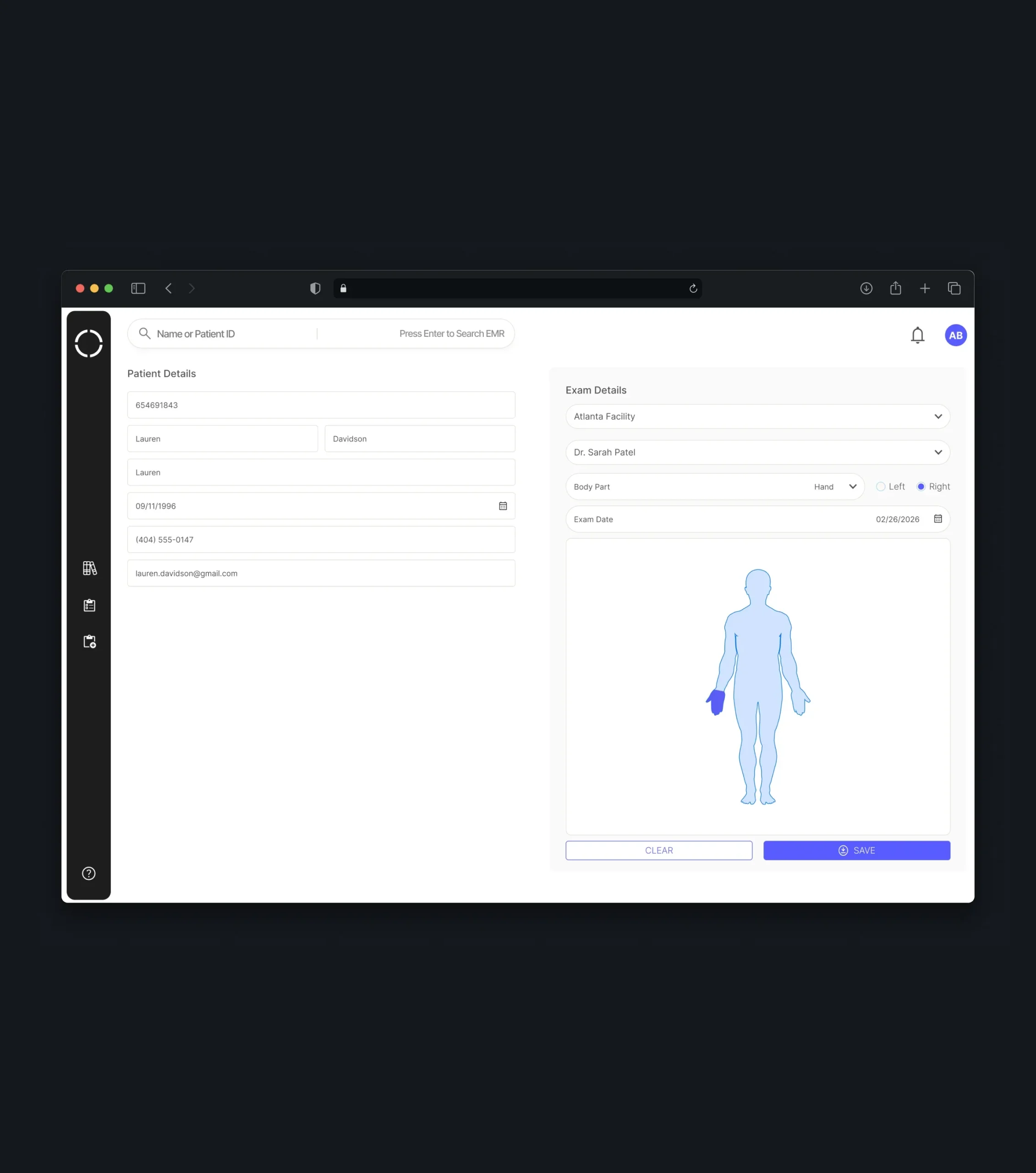
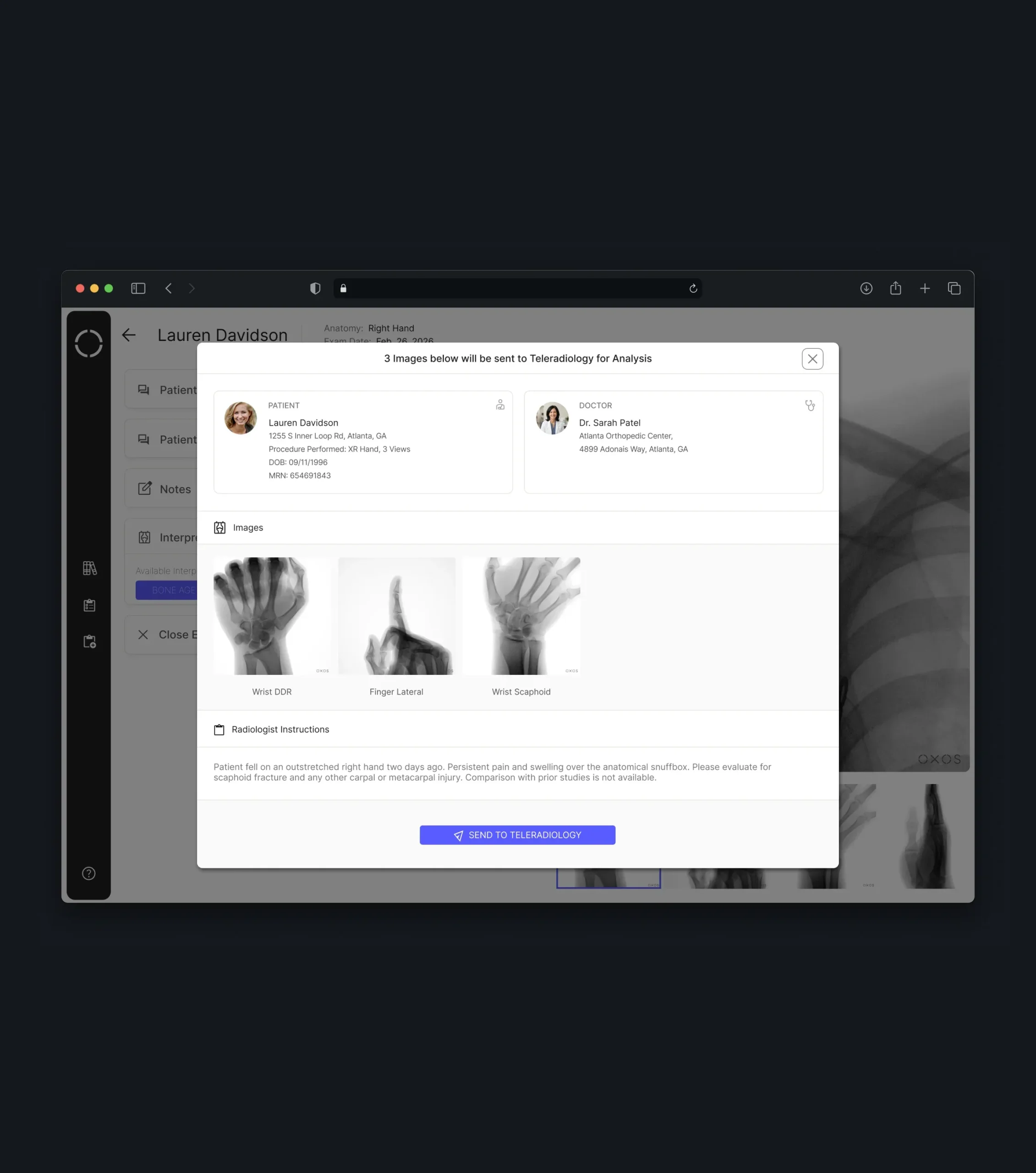
Operators set up a new exam by choosing an existing patient or adding a new one, then assigning the provider, facility, and body part, with separate flows for in-office and at-home visits. Once images are captured, physicians see patient details, operator notes, and questionnaire answers alongside the study, add their review, close the exam, or send selected images to teleradiology - keeping the whole process, from setup to diagnosis, in one place.
Secure Image Sharing
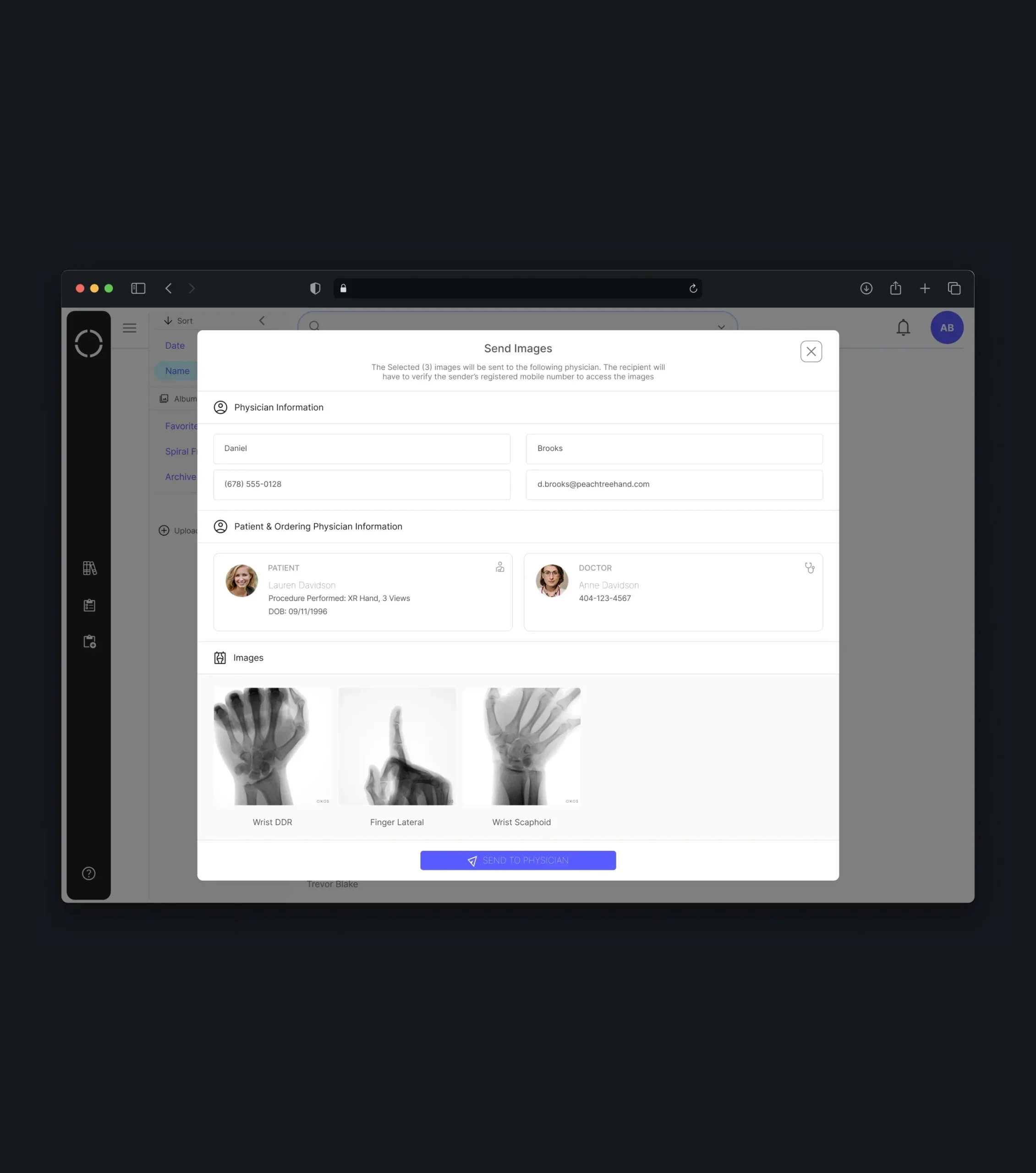
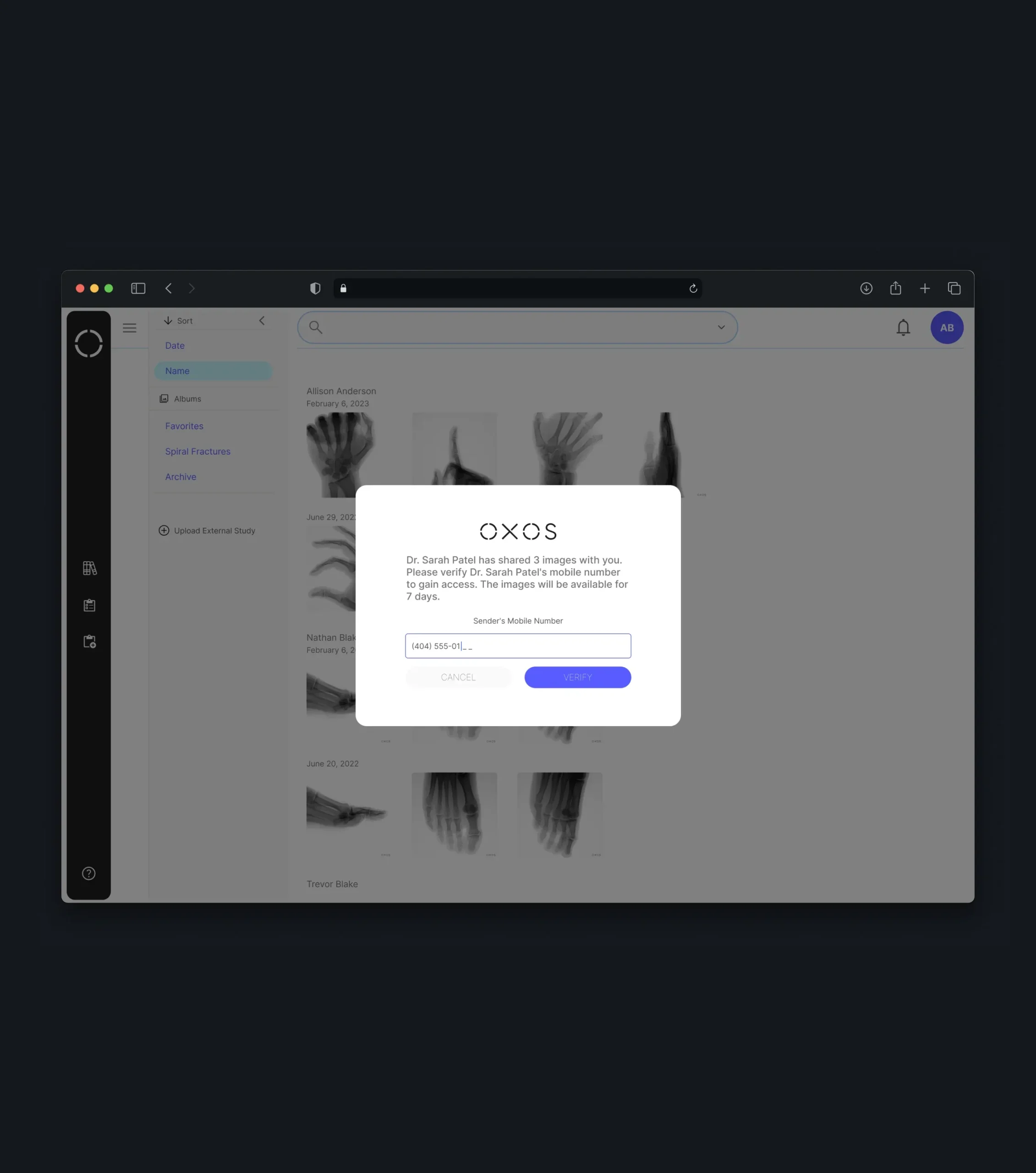
Physicians can share studies with colleagues outside their practice in a few steps. Recipients confirm access through phone or birth date verification, and shared images expire automatically, making collaboration simple while keeping patient data protected.
DICOM Import
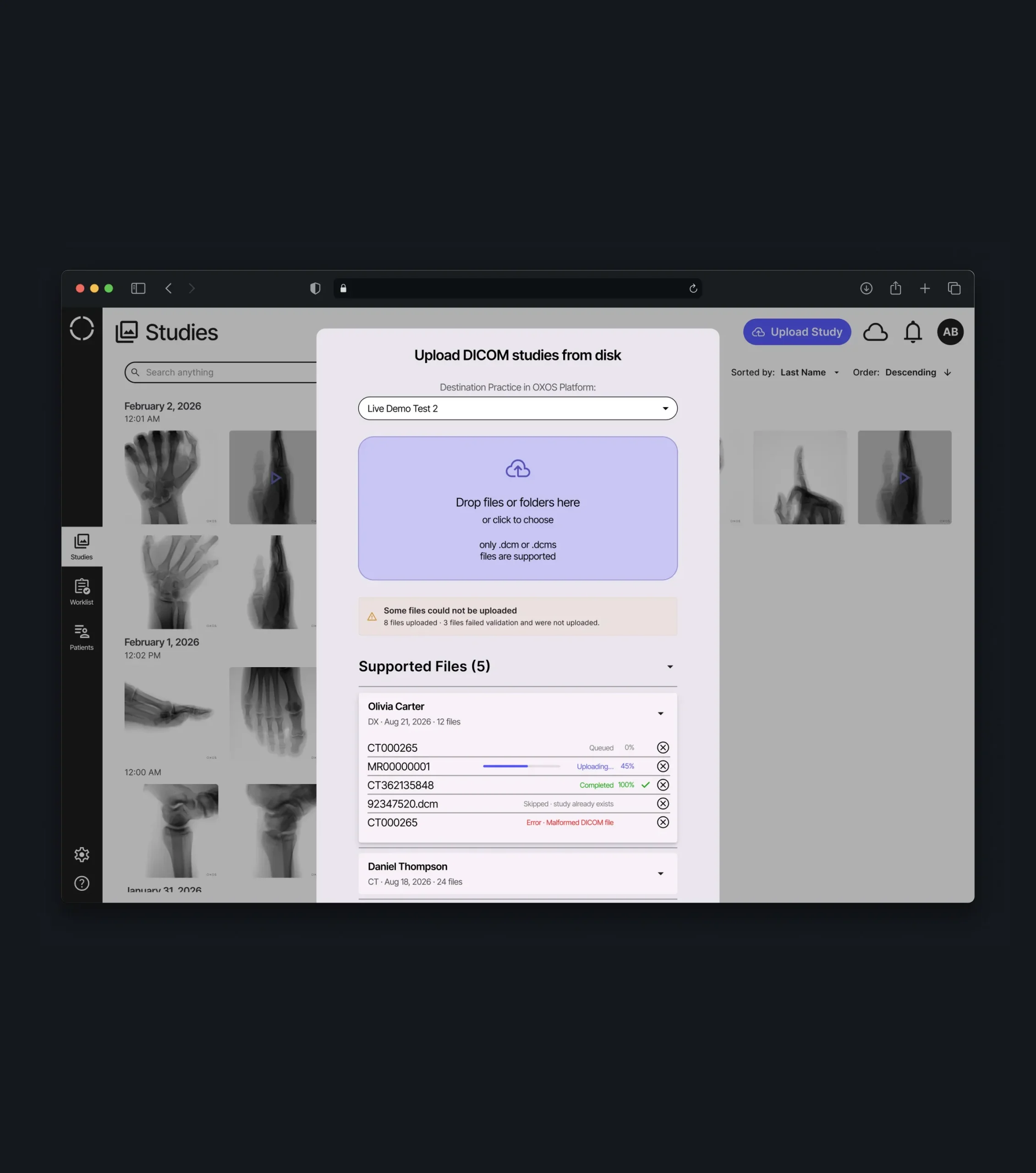
Practices can upload existing studies from disk as files, folders, or archives. The import flow separates supported and unsupported files, explains validation errors, and continues uploading in the background, with progress and results available from notifications.
Fleet & Practice Management
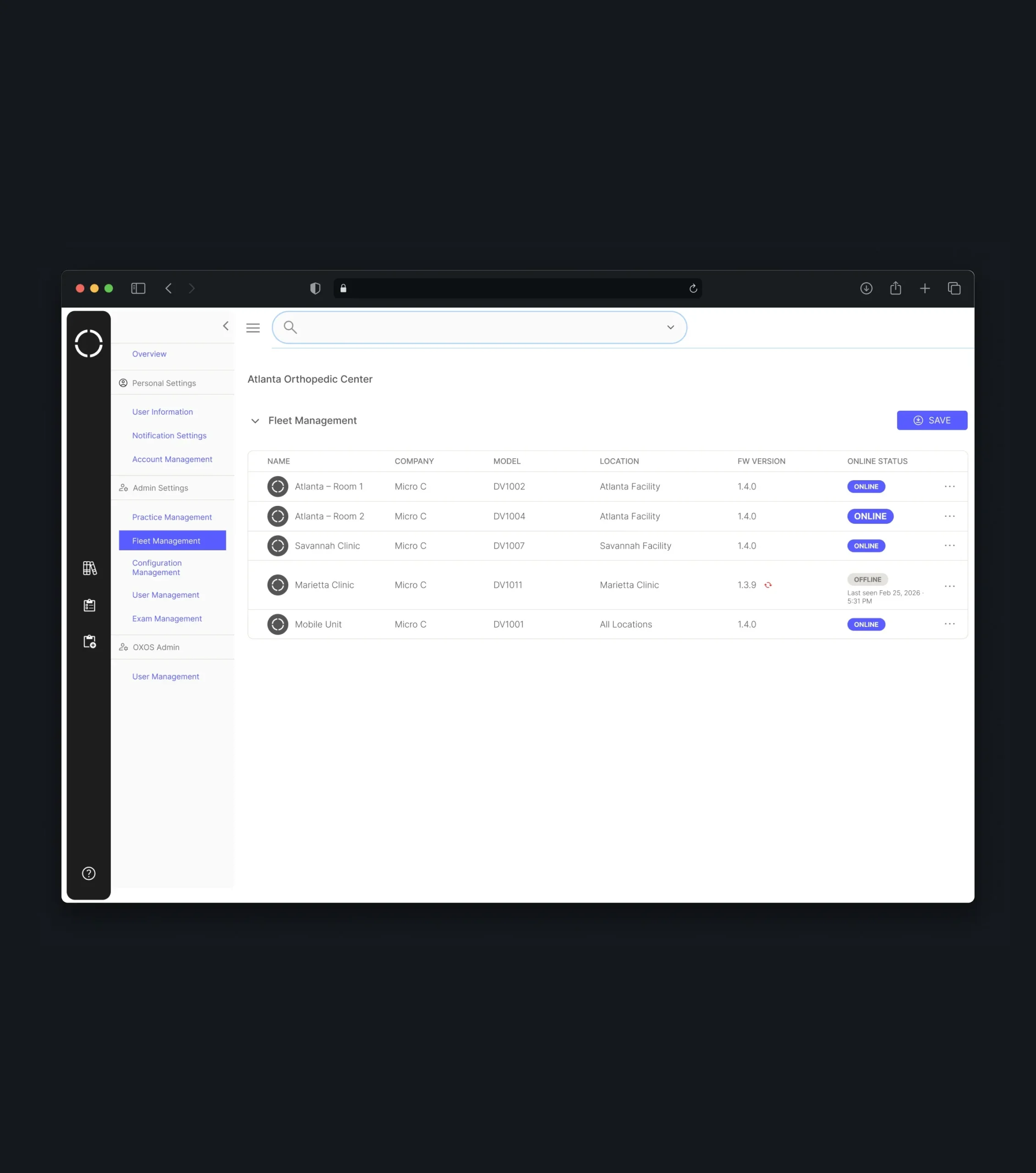
The admin panel gives practices full control over their devices, locations, and team. Each device is listed with its model, assigned location, firmware version, and online status, while roles, permissions, and device security settings such as required login, PIN access, and USB export are managed from one place.
Mobile & Tablet Experience
Core workflows are also available on phones and tablets. Teams can check their worklist, browse studies, annotate images, and share them with other physicians, keeping imaging within reach beyond the desktop.
Conclusion
From a single capture to a fully managed device fleet, the software supports every stage of working with X-ray images. Physicians gained a focused space to review, annotate, and analyze studies with AI support, operators a structured way to start exams, and administrators clear control over users, locations, and devices.
By organizing complex medical information into calm, readable interfaces, the product helps practices spend less time searching for images and more time with patients - giving a new X-ray device the software it needs to become a natural part of clinical work.
More Cases















Your Next Step Starts Here
We don’t just analyze businesses - we uncover opportunities.