
Connected Riding Device & Companion App
-
Industries
- Robotics & Hardware
- Travel and Hospitality
- Navigation
-
Company
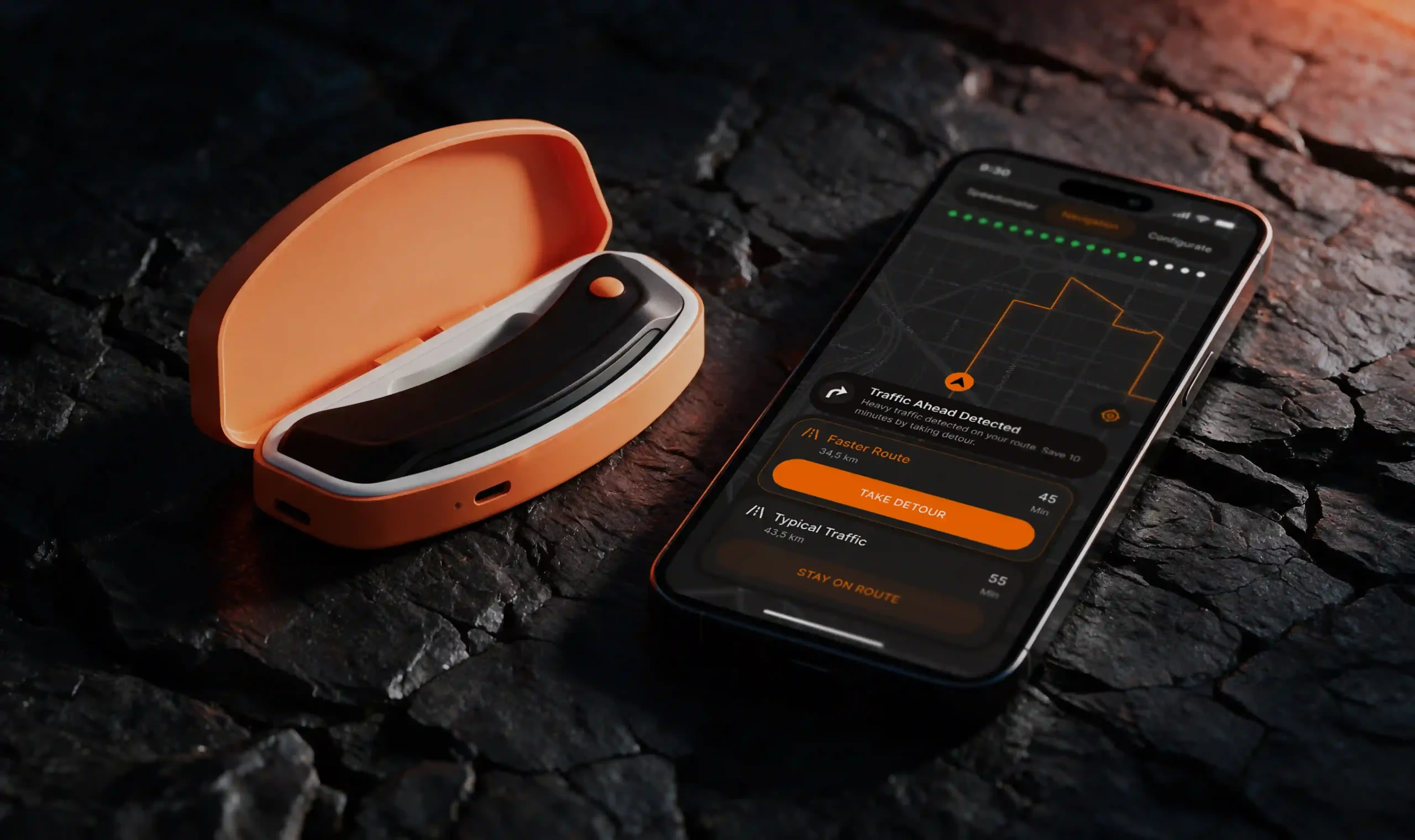
The product is a connected hardware device designed to bring navigation, speed awareness, and real-time road information directly into the rider’s line of sight. At its core is a lightweight, helmet-mounted LED device that connects to a smartphone via Bluetooth and displays essential alerts and prompts during the ride. The ecosystem combines the physical device, a companion mobile application that controls and configures it, and a product website that introduces the hardware and supports pre-orders.
-
What We Did
We designed the complete digital layer around a physical product - from the way the device is presented and pre-ordered to how riders pair, configure, and use it every day. The work connected hardware capabilities with software flows so that the device and the app feel like one product.
Alongside the app, we designed a marketing website that introduces the connected ecosystem, communicates the value of the product, explains how the device and application work together, and guides potential customers toward purchase.
- Companion mobile application - designed the app as the control center for the device, covering onboarding, device pairing, route planning, navigation, speed monitoring, alerts, and device settings.
- Hardware-software integration - defined interaction flows between the app and the device, including Bluetooth discovery, connection, confirmation, and connection states, as well as how alerts reach the in-helmet LED display.
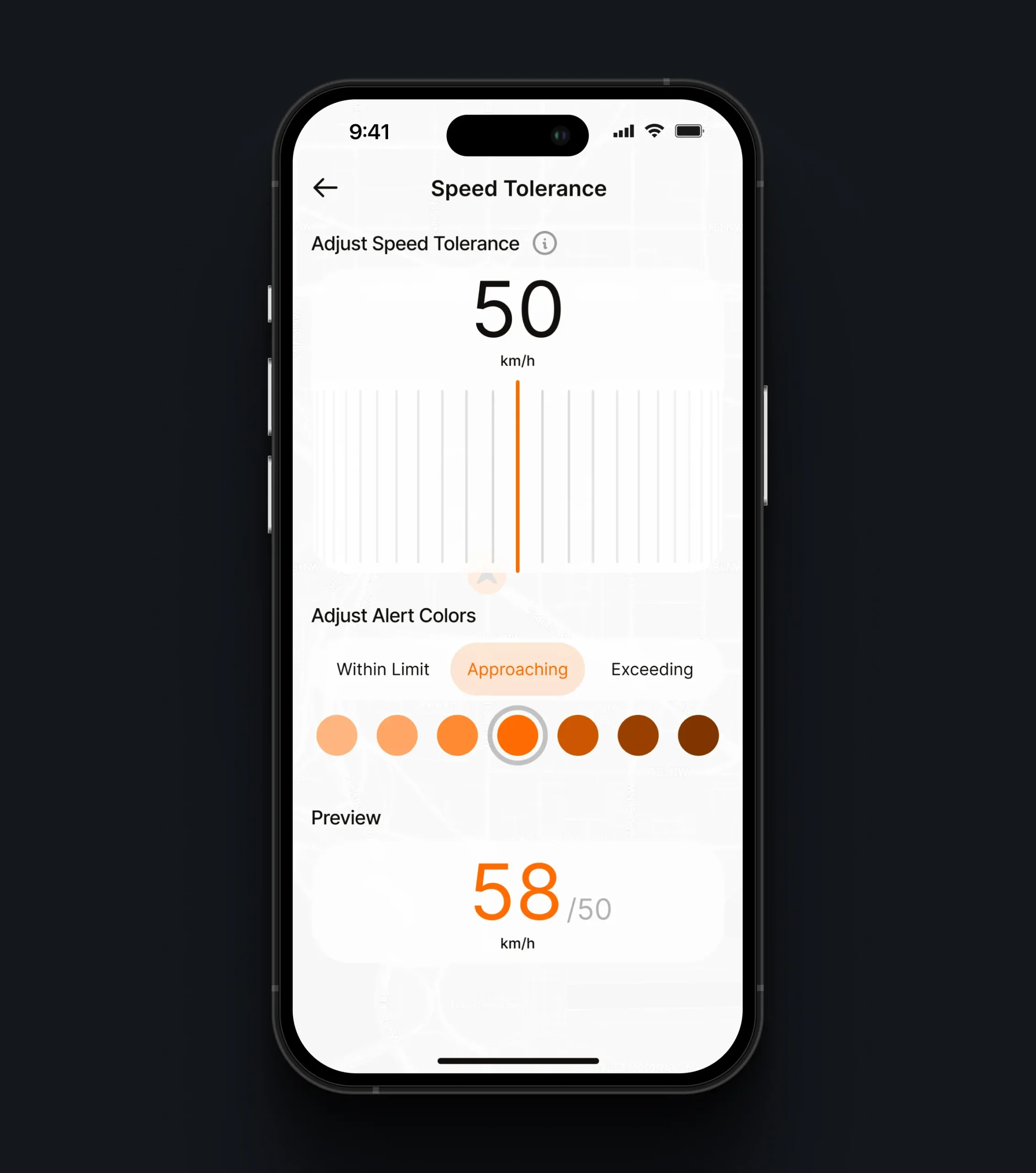
- Device configuration - created settings that let riders decide what the device shows and when: alert types, speed tolerance, and color-coded warning states.
- Product website - designed a hardware-focused website that presents the device, its technical specifications, compatibility, and charging, and guides customers from discovery to pre-order.
- Product presentation - shaped how the physical product appears across touchpoints, from 3D product sequences and renders on the website to device imagery inside the app.
Special attention was given to making a technically complex product easy to understand before purchase and easy to set up after it.
Challenges
-
01
Designing Software Around a Physical Device
The app needed to act as the control center for the connected device rather than a standalone product. The challenge was to define flows for setup, configuration, and riding that reflect what the hardware can do, while keeping the experience simple and focused.
-
02
Making Bluetooth Pairing Feel Effortless
Connecting hardware to a smartphone often creates friction for first-time users. We designed device discovery, pairing, connection states, and recovery scenarios so riders understand what is happening at each step and get the device ready with minimal setup.
-
03
Explaining a New Hardware Product Before Purchase
As a new device category, the product needed to communicate what the device is, how it attaches to a helmet, how it charges, and how it works with the app. The challenge was to present technical specifications and benefits clearly enough to support a confident pre-order decision.
Introducing the Product
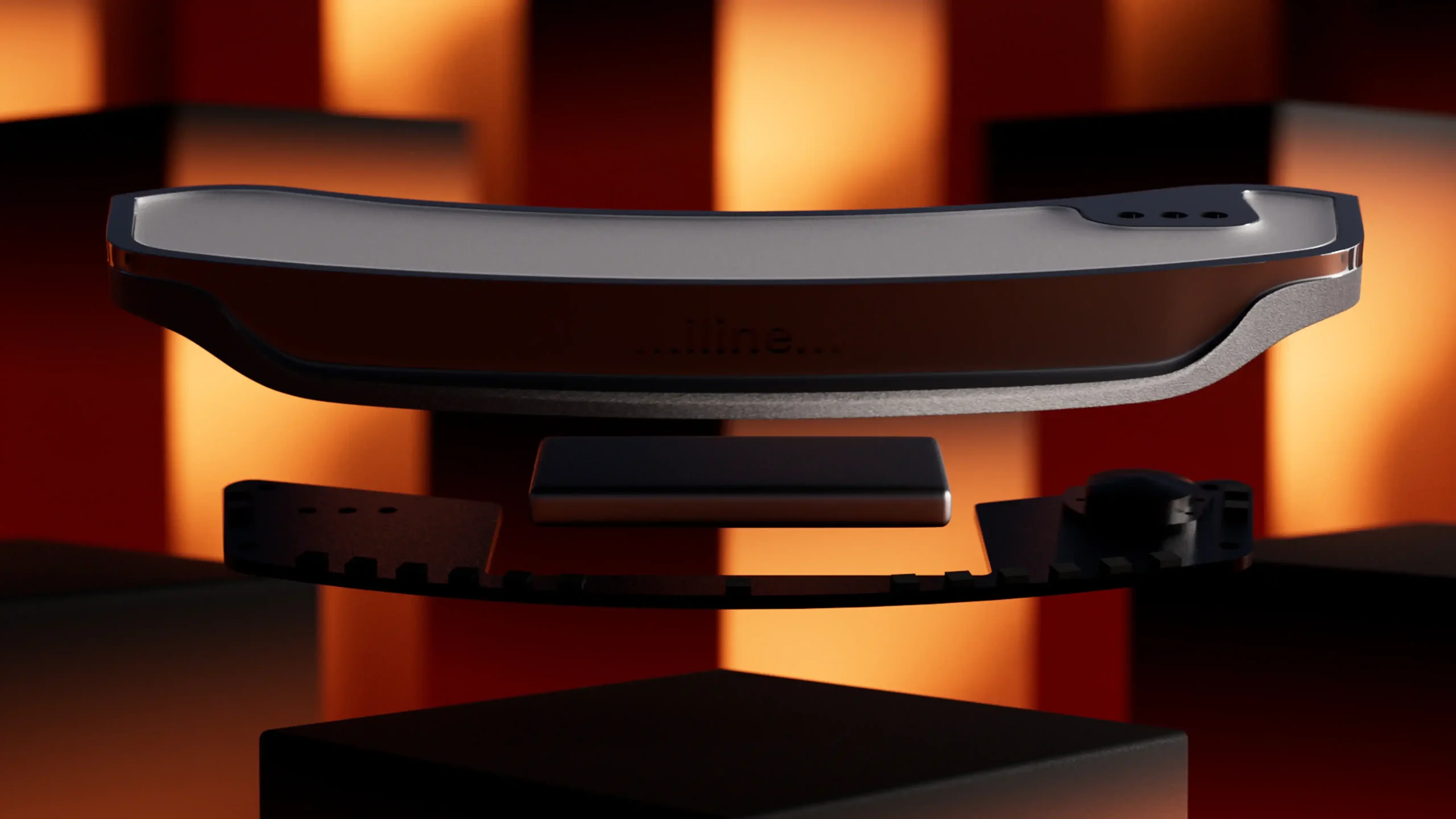
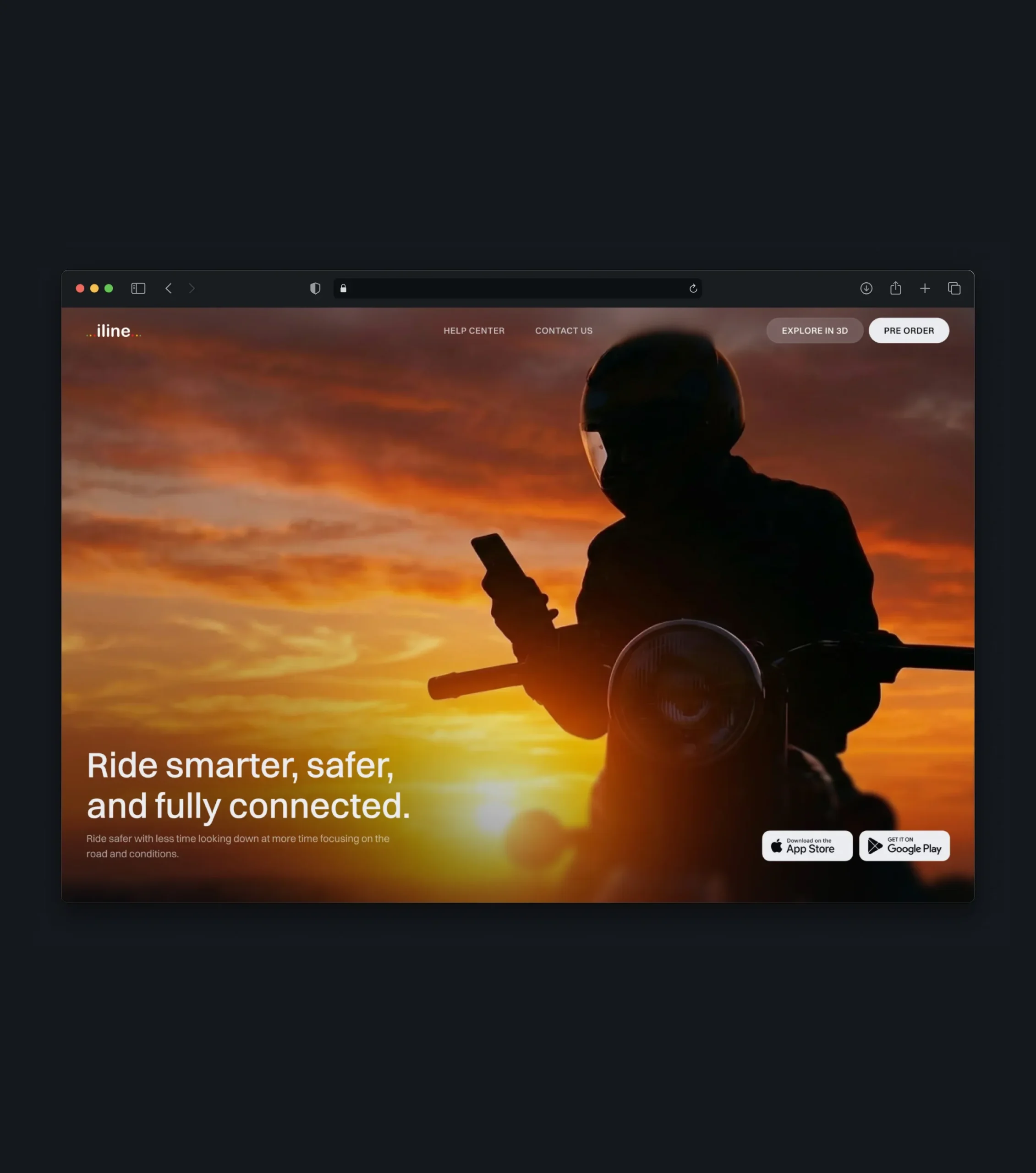
The product website introduces the ecosystem and helps riders understand how the device works. Clear product information, setup instructions, and engaging visuals guide users from discovering the product to preparing for their first ride.
Product in Motion
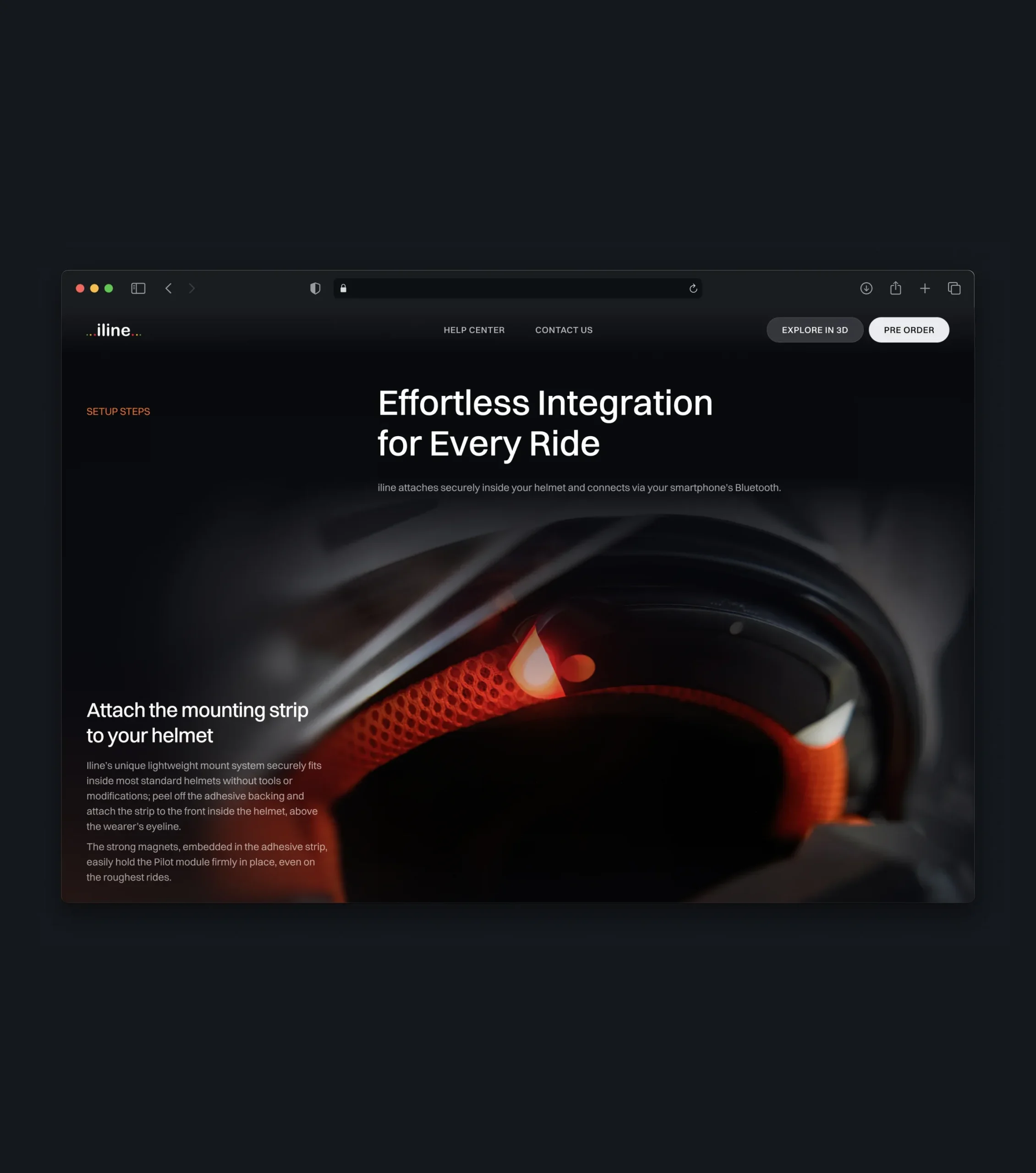
A 3D product sequence presents the device through carefully composed angles, fluid motion, and refined lighting. It draws attention to the device’s compact form, proportions, and details, helping customers understand the physical product before they hold it.
Product Details & Specifications
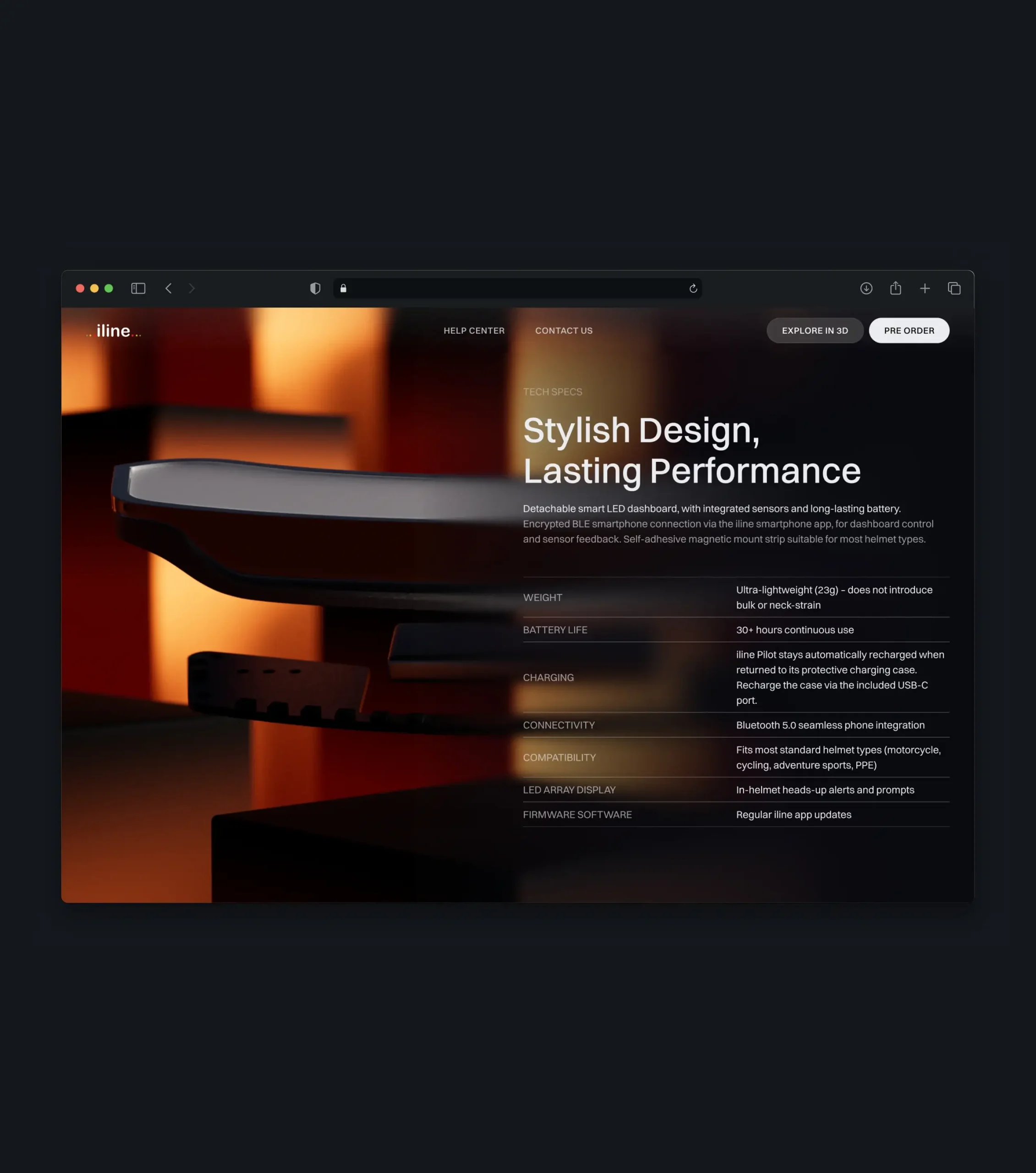
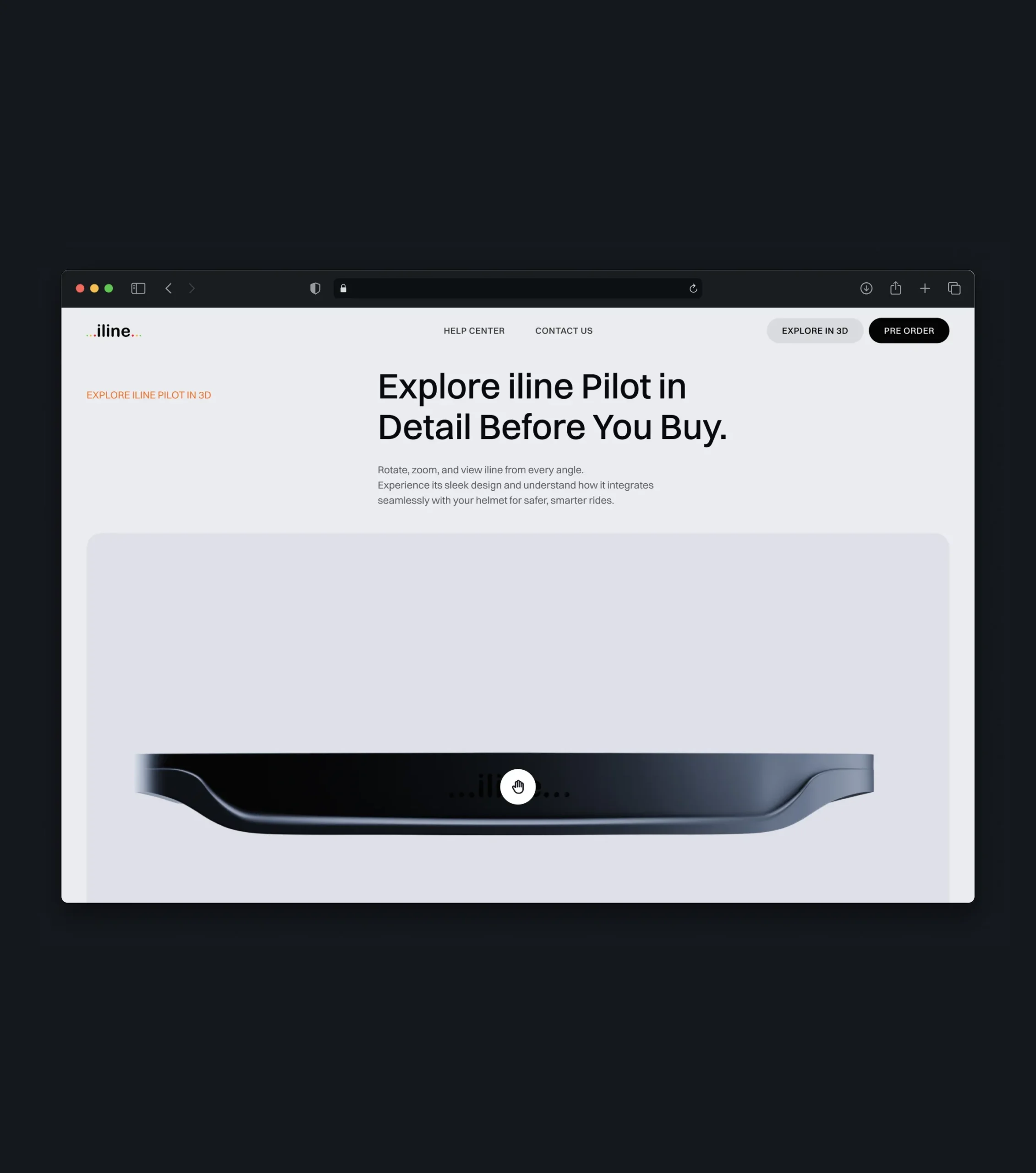
Before committing to a purchase, customers can take a closer look at the hardware. A structured specifications table covers weight, battery life, charging, connectivity, and helmet compatibility, while an interactive 3D viewer lets them rotate and zoom the device to explore its design from every angle.
Product Features
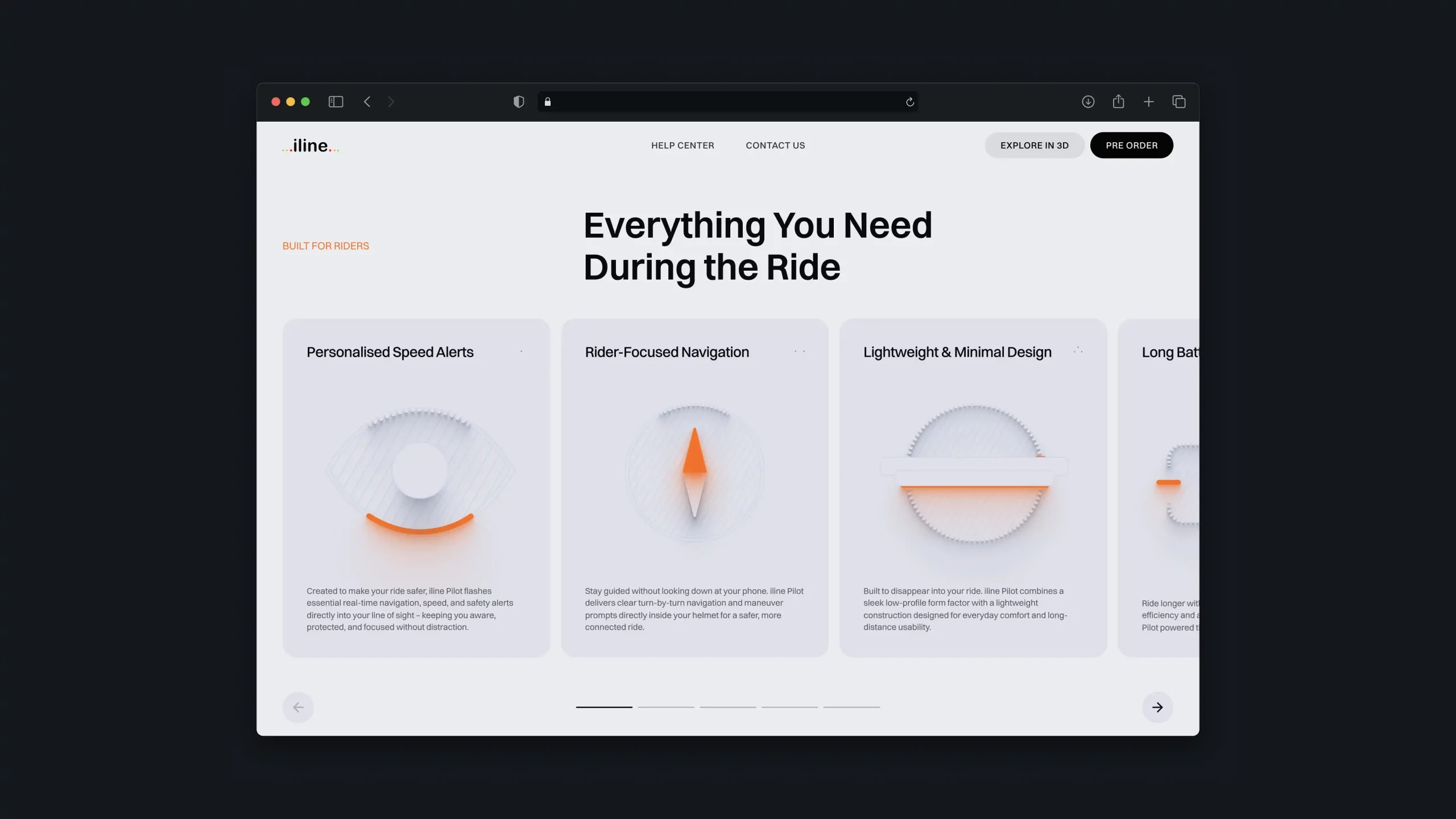
The website explains how the device works in everyday riding - from personalized speed alerts to rider-focused navigation delivered directly inside the helmet. Feature cards and a subscription block keep customers informed about new features, product releases, and offers.
Device Connection
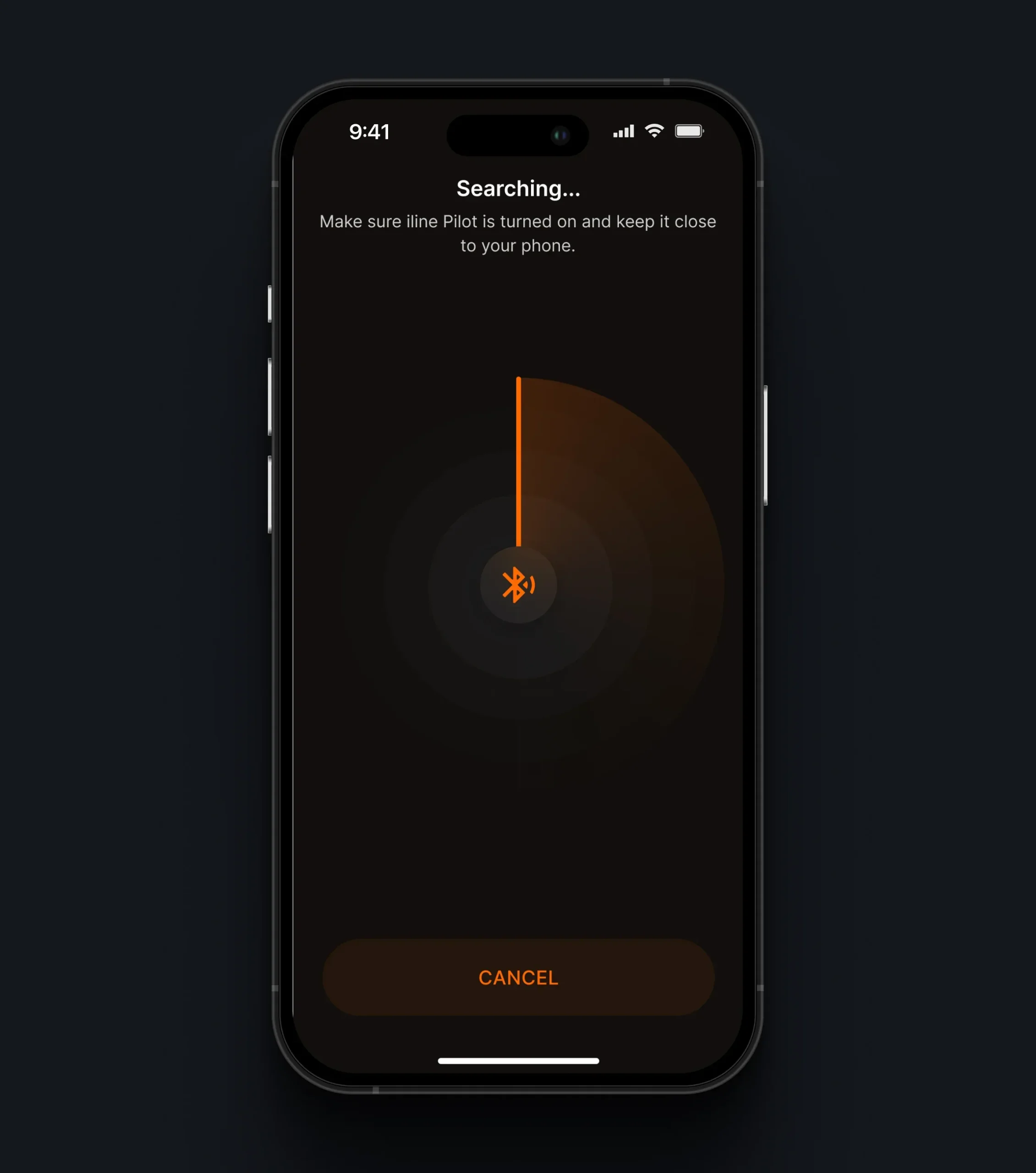
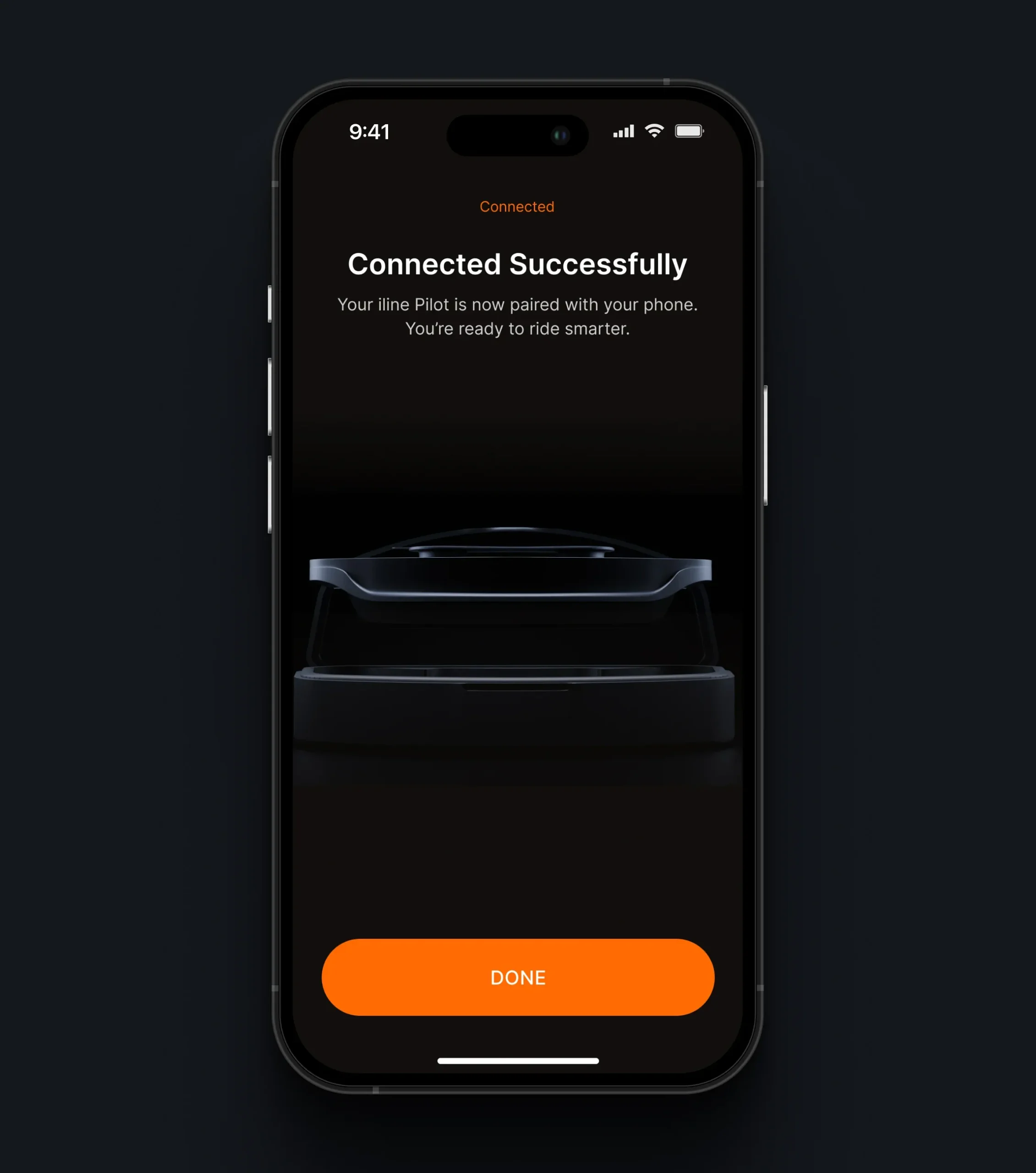
The app guides riders through discovering and pairing the device via Bluetooth. Clear search, connection, and confirmation states - paired with a visual of the device itself - make the transition from unboxing to the first ride quick and predictable.
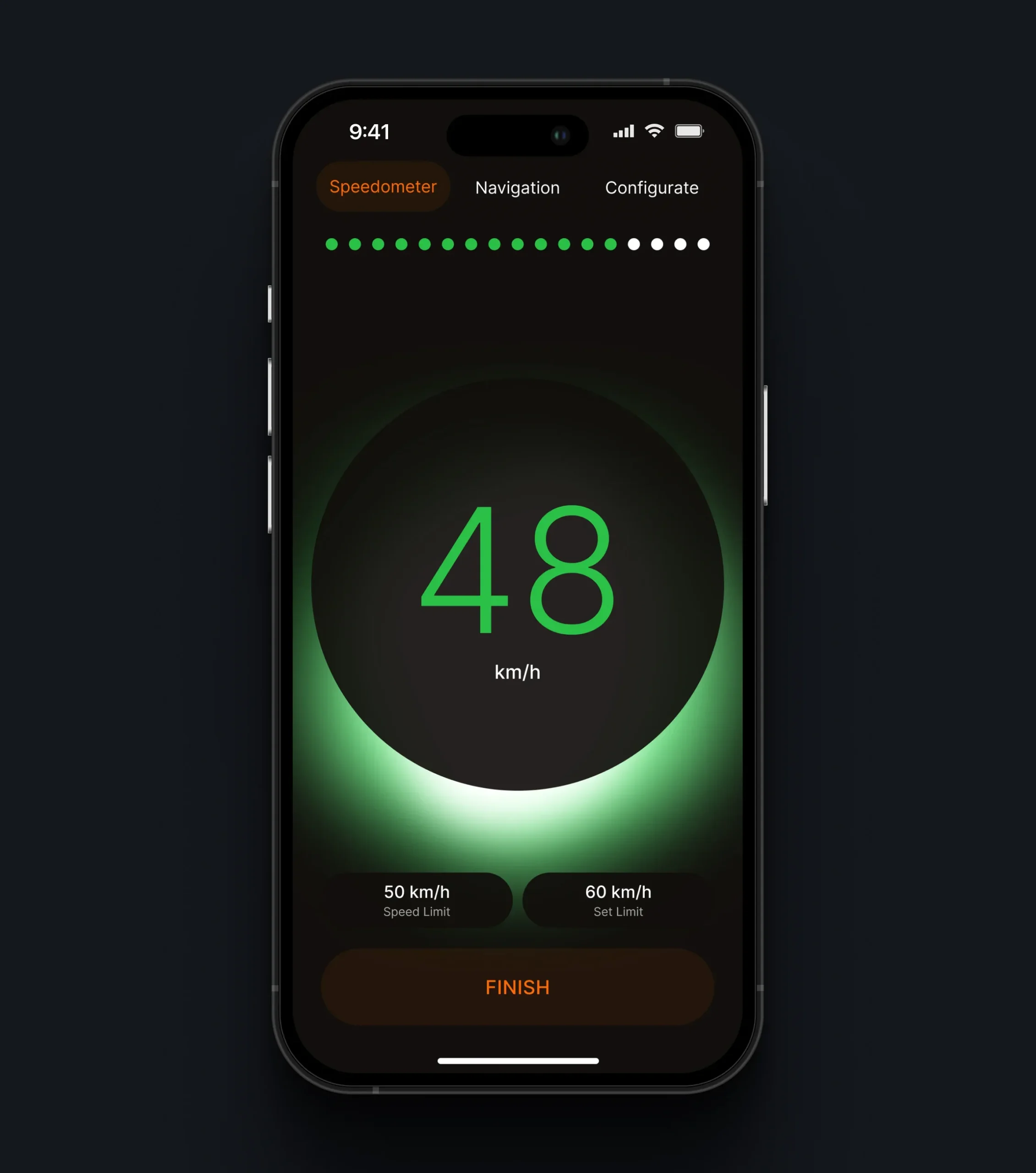
Real-Time Speed Awareness
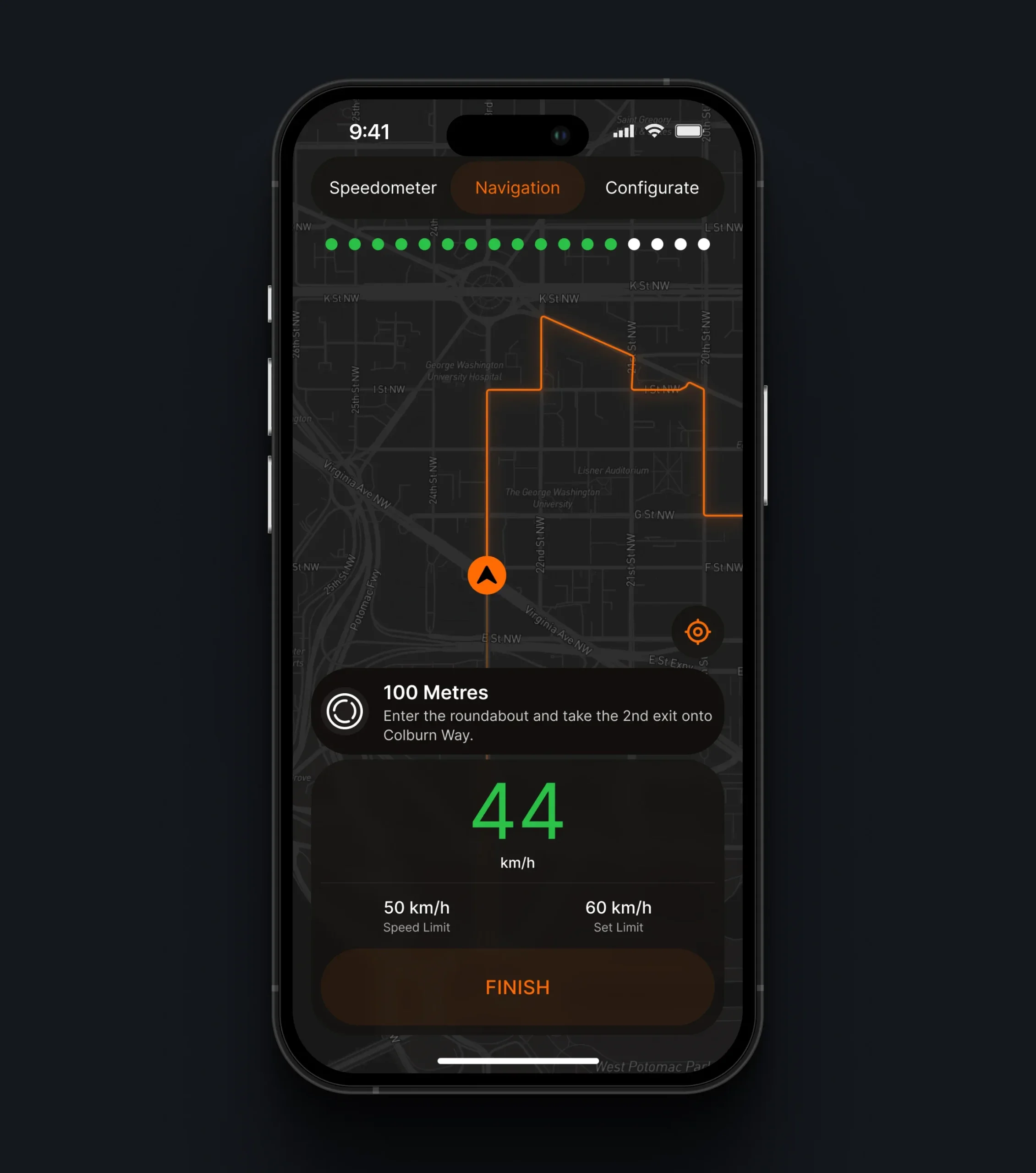
The app displays real-time speed information and provides clear visual warnings when riders approach or exceed their configured speed limits. Color-coded indicators help users quickly recognize their current speed status and stay aware of changing riding conditions.
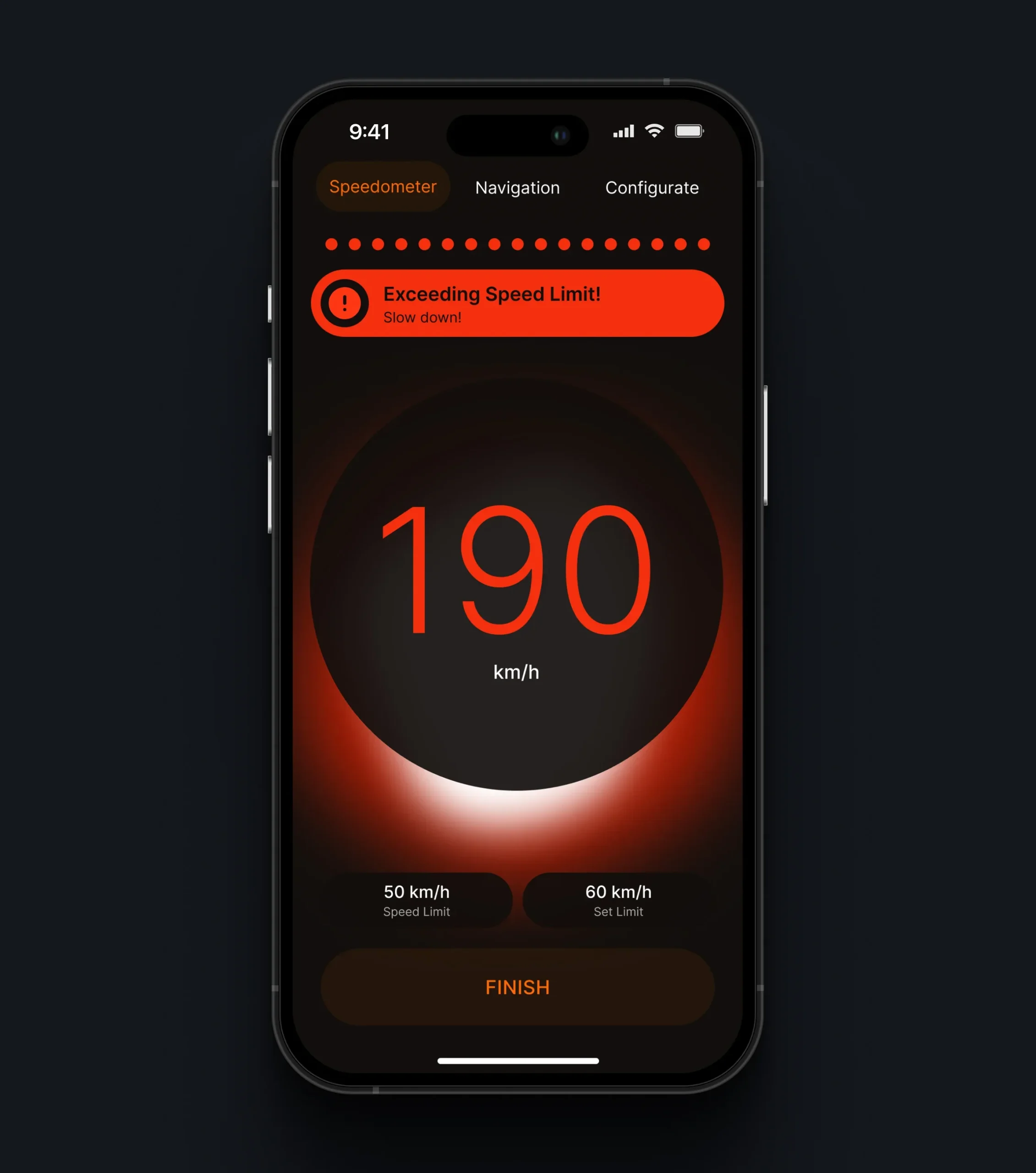
Smart Riding Alerts
The app provides real-time riding alerts, including speed limit warnings and upcoming navigation instructions. Important notifications are clearly displayed during active routes and communicated through the connected device, helping riders stay informed and focused on the road.
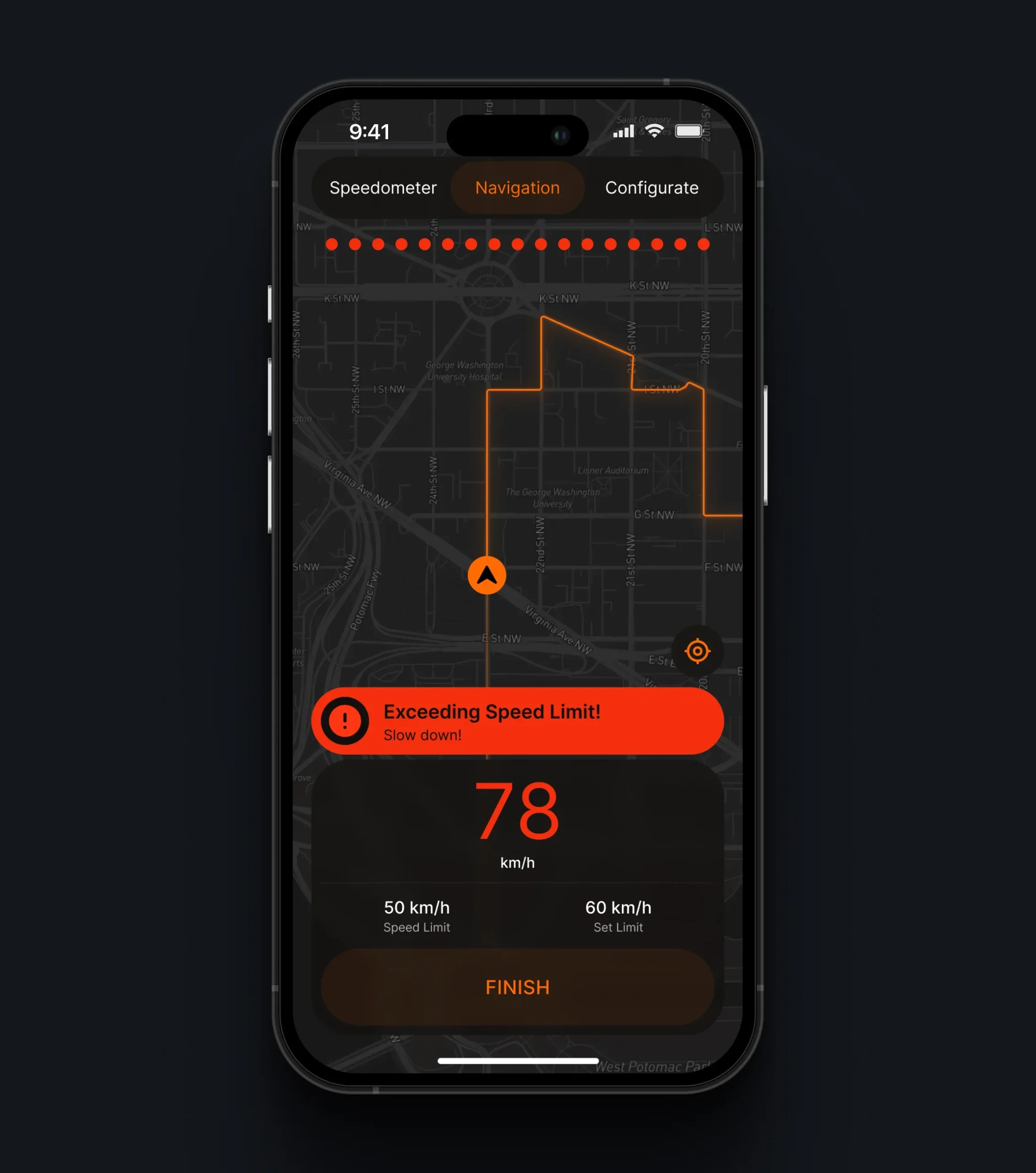
Route Planning & Navigation
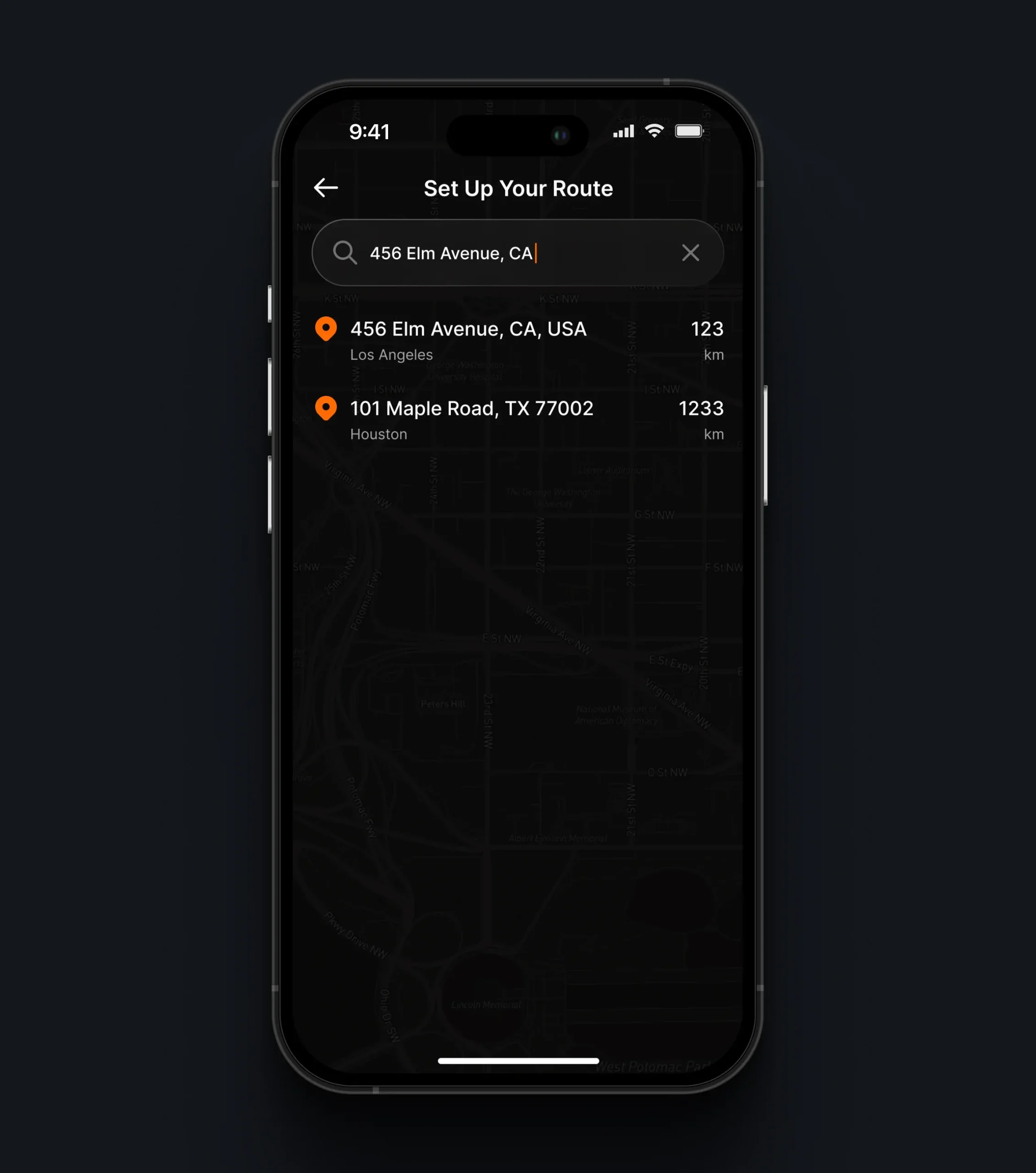
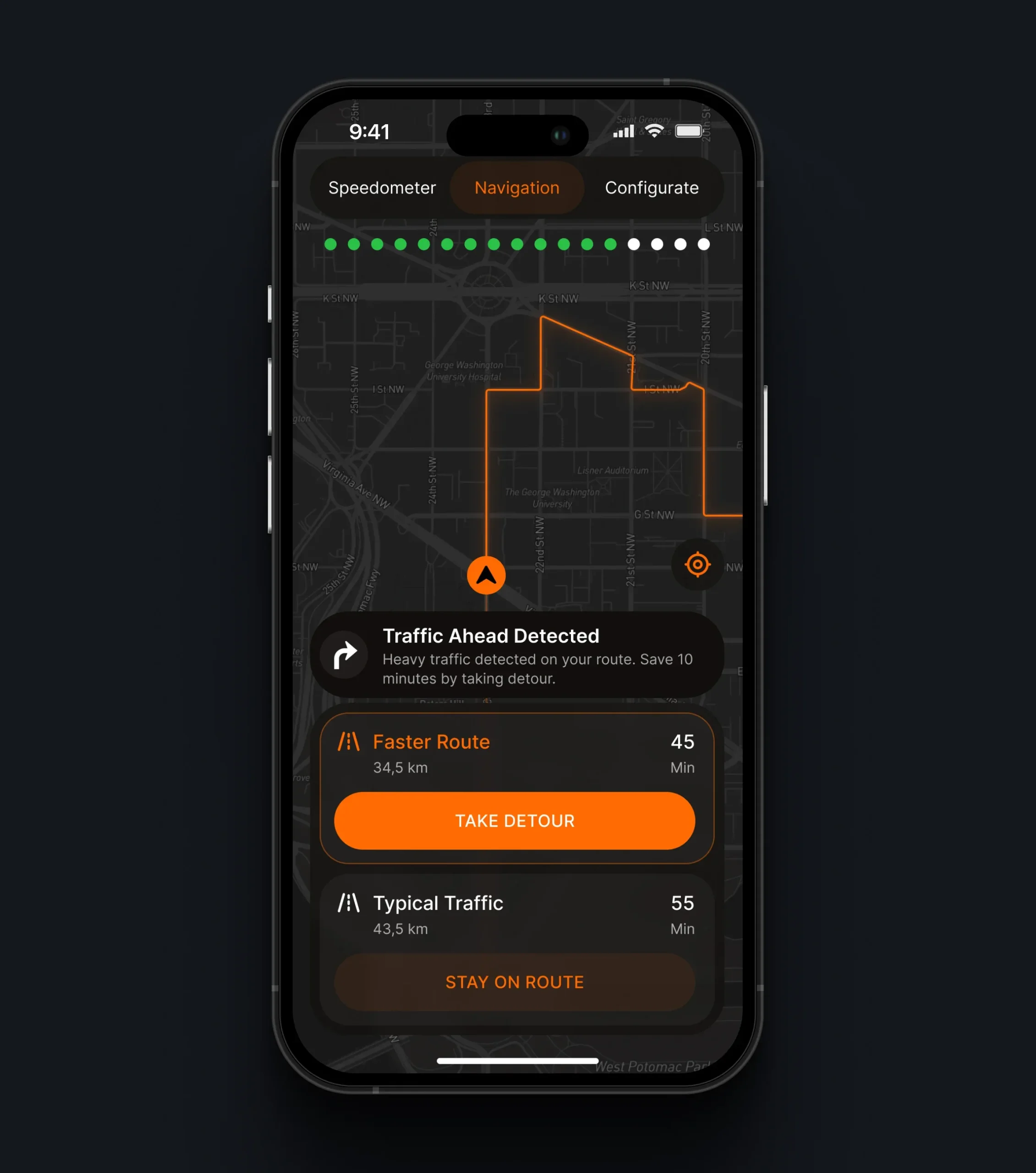
Riders search for a destination and build a route in the app, while turn-by-turn guidance is delivered to the device during the ride. Alternative routes and traffic updates are surfaced directly within the navigation flow, helping riders adjust their journey without leaving the active route.
Device Configuration
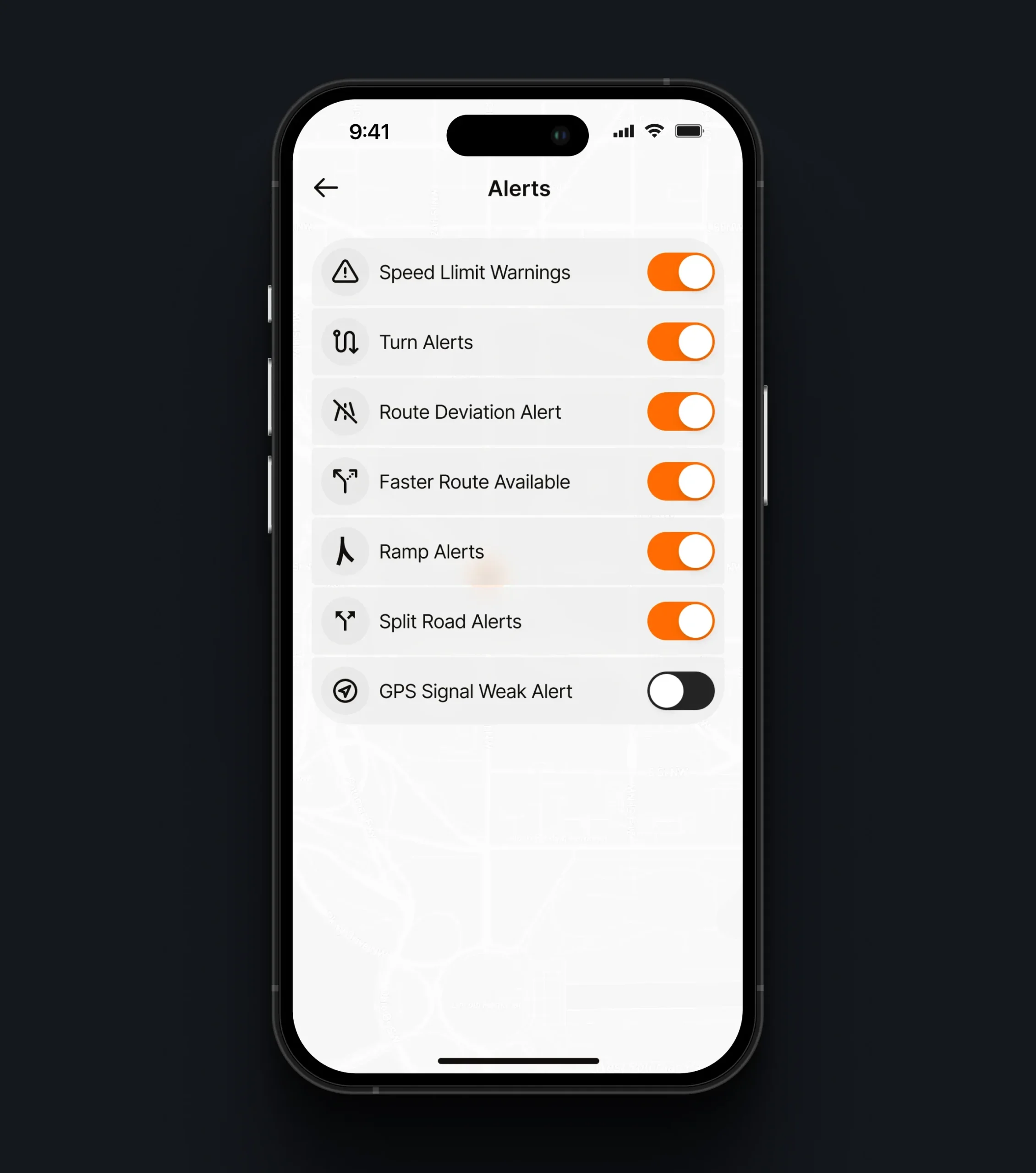
Riders control what the device shows and when. Individual alert types can be switched on or off, while speed tolerance and alert colors for within-limit, approaching, and exceeding states are adjusted with a live preview. The settings are also available in light mode, keeping the same structure and hierarchy.
Conclusion
The project brought together a physical device, a companion mobile application, and a product website into one connected hardware ecosystem. We designed the experience around the full product lifecycle - from discovering the device and reviewing its specifications to pairing it, configuring alerts, and riding with real-time navigation and speed feedback.
The work focused on translating hardware capabilities into clear, understandable interactions. Bluetooth pairing, connection states, alert settings, speed tolerance, and in-helmet prompts were structured so riders can rely on the device with less friction and fewer distractions.
The result is a cohesive product experience where hardware and software work as one - making a new device category easier to understand, set up, and use every day.
More Cases

Your Next Step Starts Here
We don’t just analyze businesses - we uncover opportunities.