
Ambulance Crew App for
Emergency Care
-
Industries
- Healthcare
-
Company
Our client is an Irish provider of ambulance, patient transport, and pre-hospital care, delivering both routine transfers and emergency response with licensed paramedics and a GPS-tracked fleet.
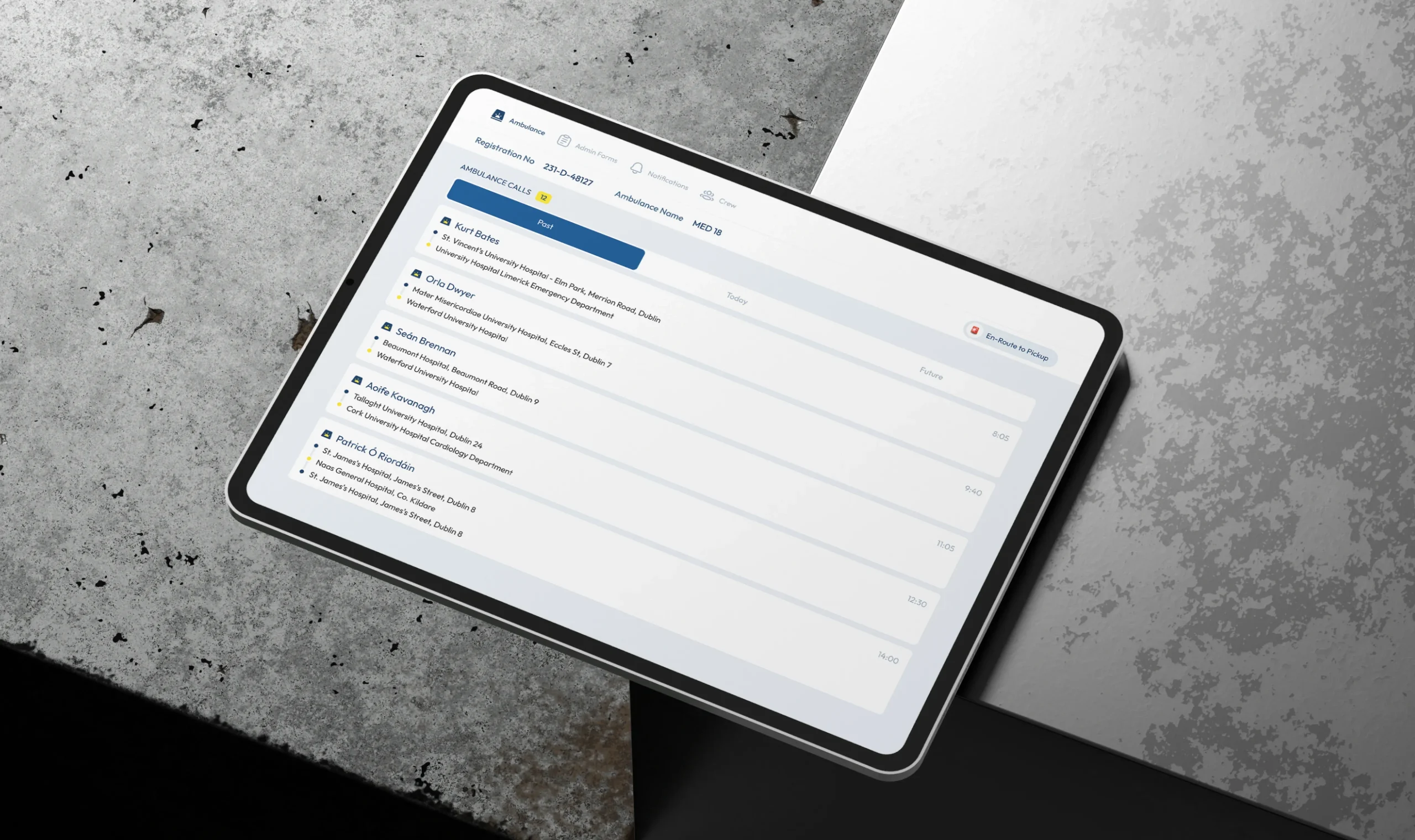
The app is the company’s operational tool for ambulance crews, designed to support their work from the first call to the final report. Crews can review assigned calls, access patient and transfer details, complete clinical and administrative forms, update their status, and open essential reference materials. The app runs on Windows 10 tablets used inside the vehicle and on smartphones crews carry on the move. -
What We Did
We designed the app from the ground up for both tablets and phones. We worked on secure login with device approval, the calls overview, detailed call and patient screens, a flexible system of clinical report forms, vehicle and equipment audits, crew status management, and quick access to reference files.
Special attention was given to clarity under pressure - key information is visible at a glance, actions are large and easy to reach, and long forms are structured so crews can complete them accurately without losing their progress.
Challenges
-
01
Designing for High-Pressure Situations
Crews use the app between calls, inside a moving vehicle, and often with a patient on board. The challenge was to make critical information and actions immediately visible while keeping the interface calm, focused, and free of unnecessary detail.
-
02
Turning Complex Paperwork Into Manageable Forms
Every call involves clinical reports, and every shift includes safety audits and equipment checks, each with dozens of different fields. The experience needed to make these forms quick to navigate and easy to complete, while keeping the data complete, validated, and protected from accidental loss.
-
03
One Experience Across Tablets and Phones
Crews switch between rugged Windows tablets in the ambulance and smartphones in the field. The design needed to adapt to both screen sizes while maintaining the same structure, large touch targets, and strong readability in real working conditions.
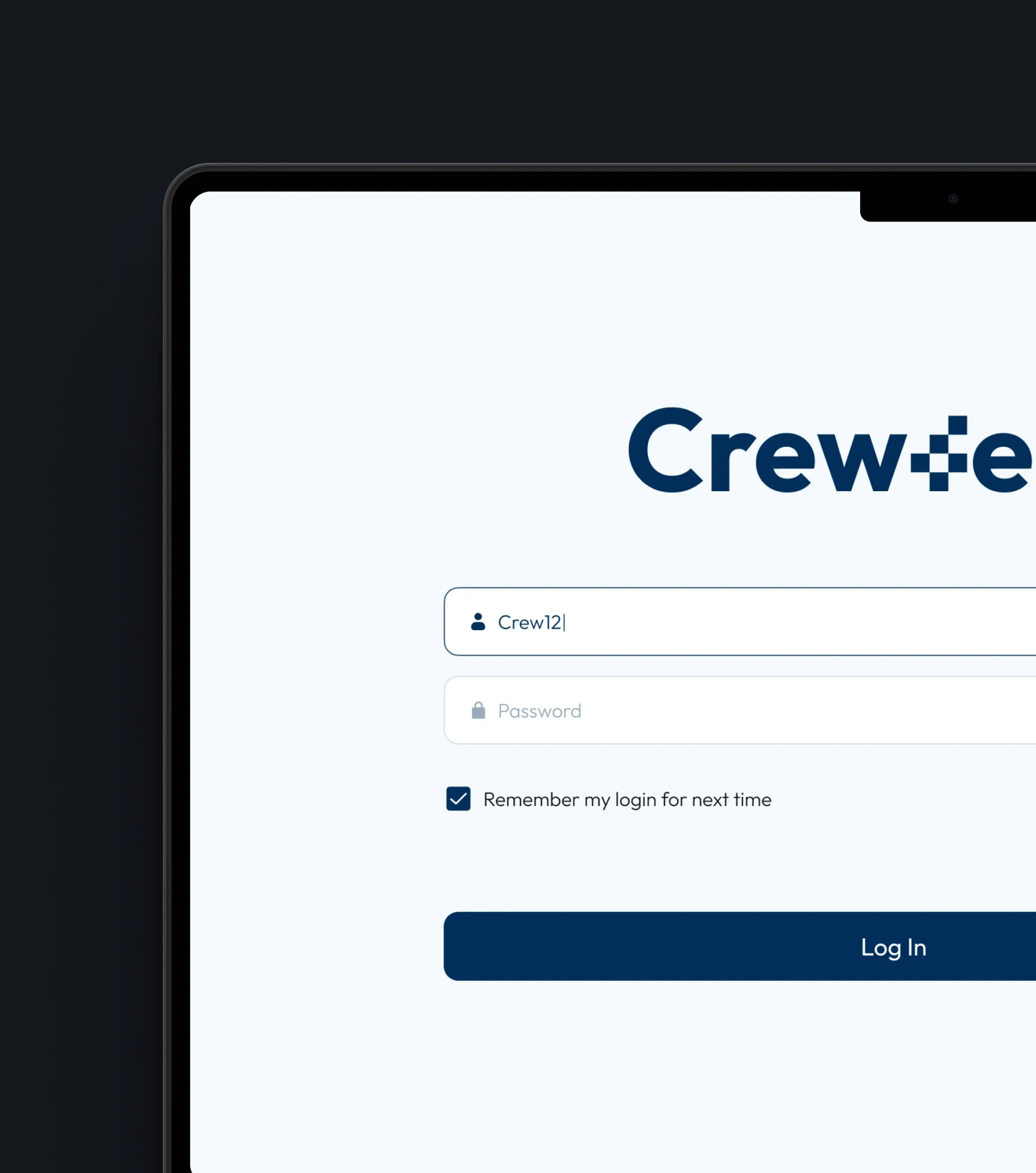
Secure Login & Device Approval
A secure login flow with administrator device approval gives crews fast access to their shift while keeping sensitive patient data protected from the very first screen.
Calls Overview & Details
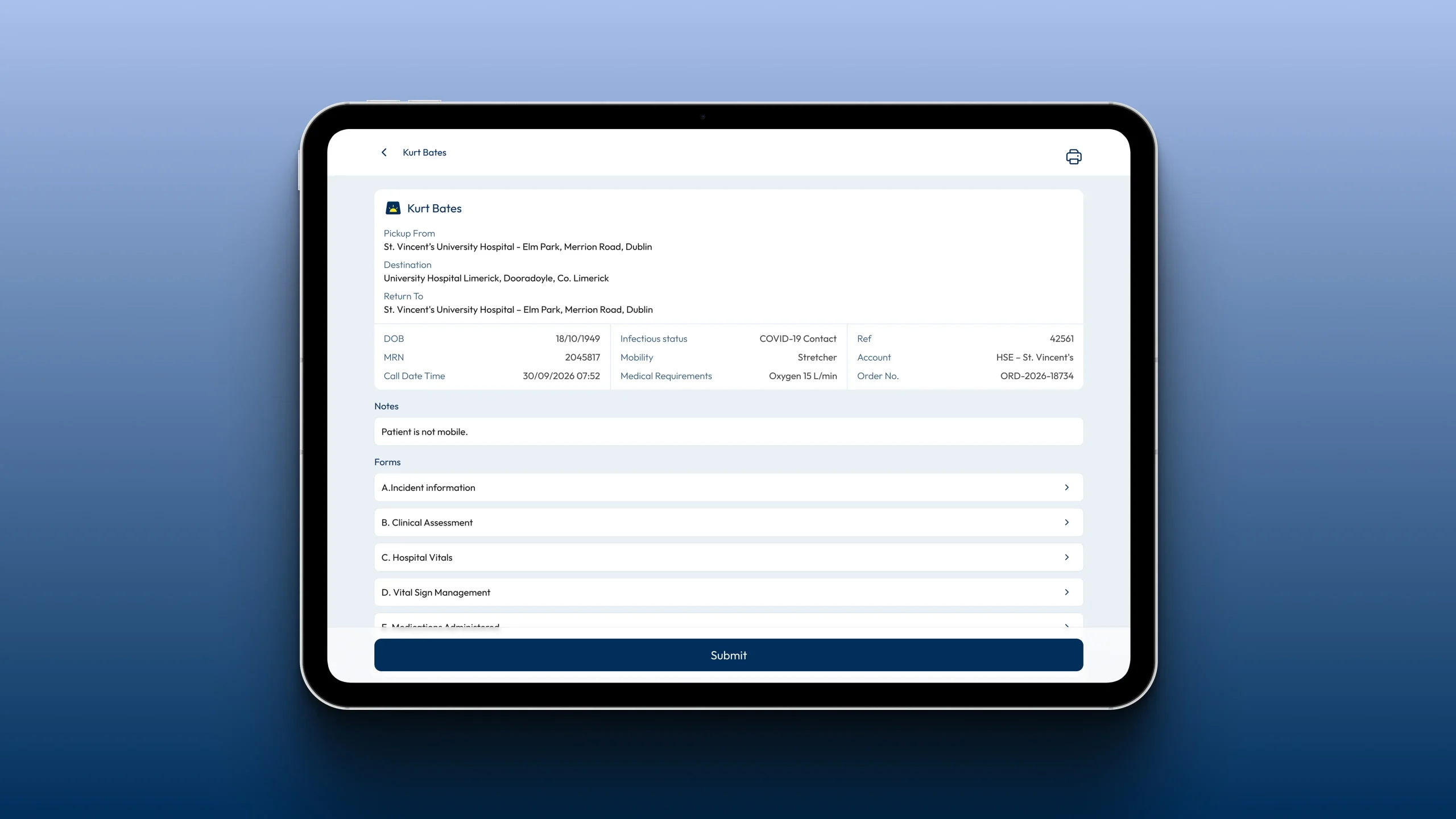
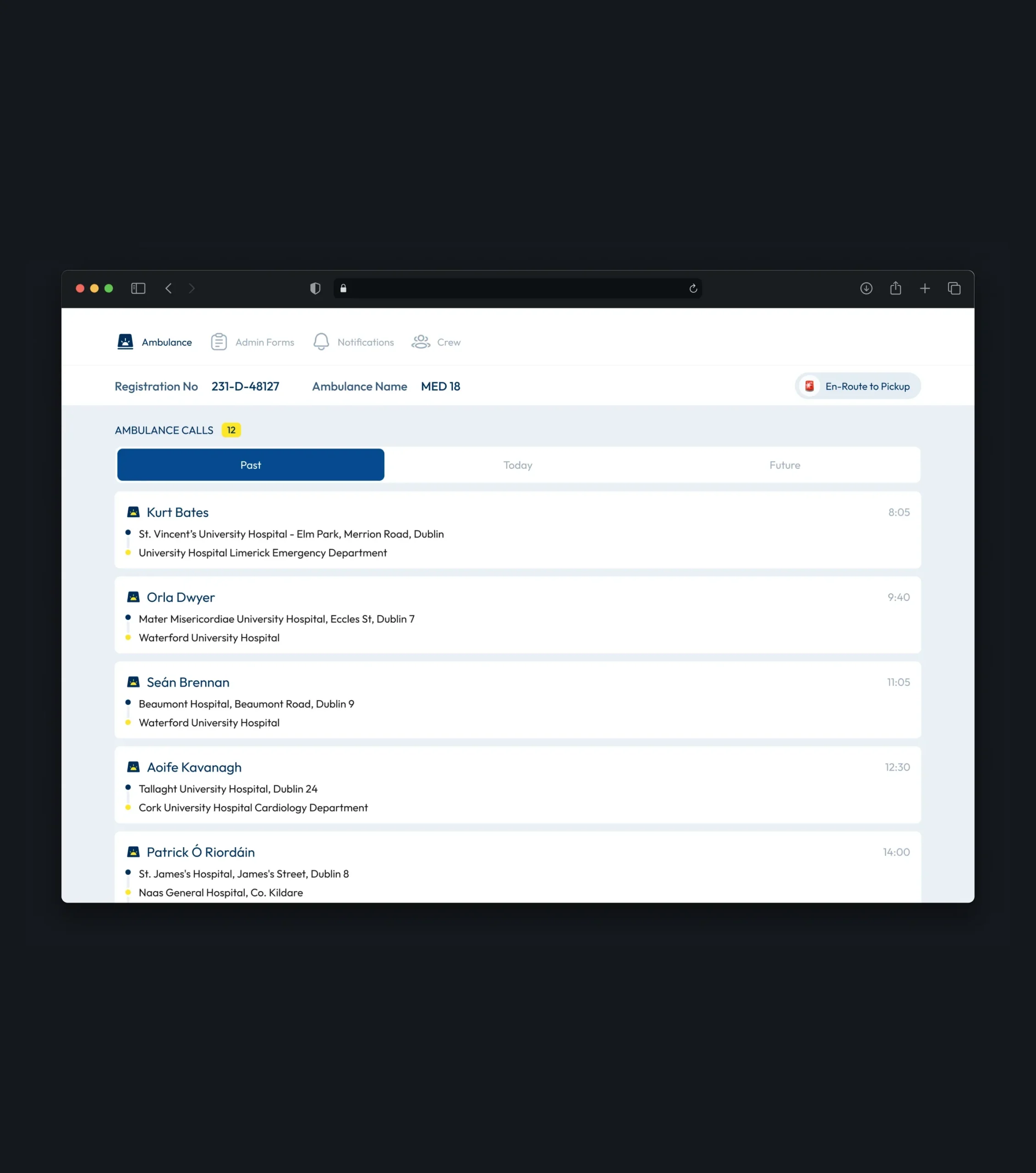
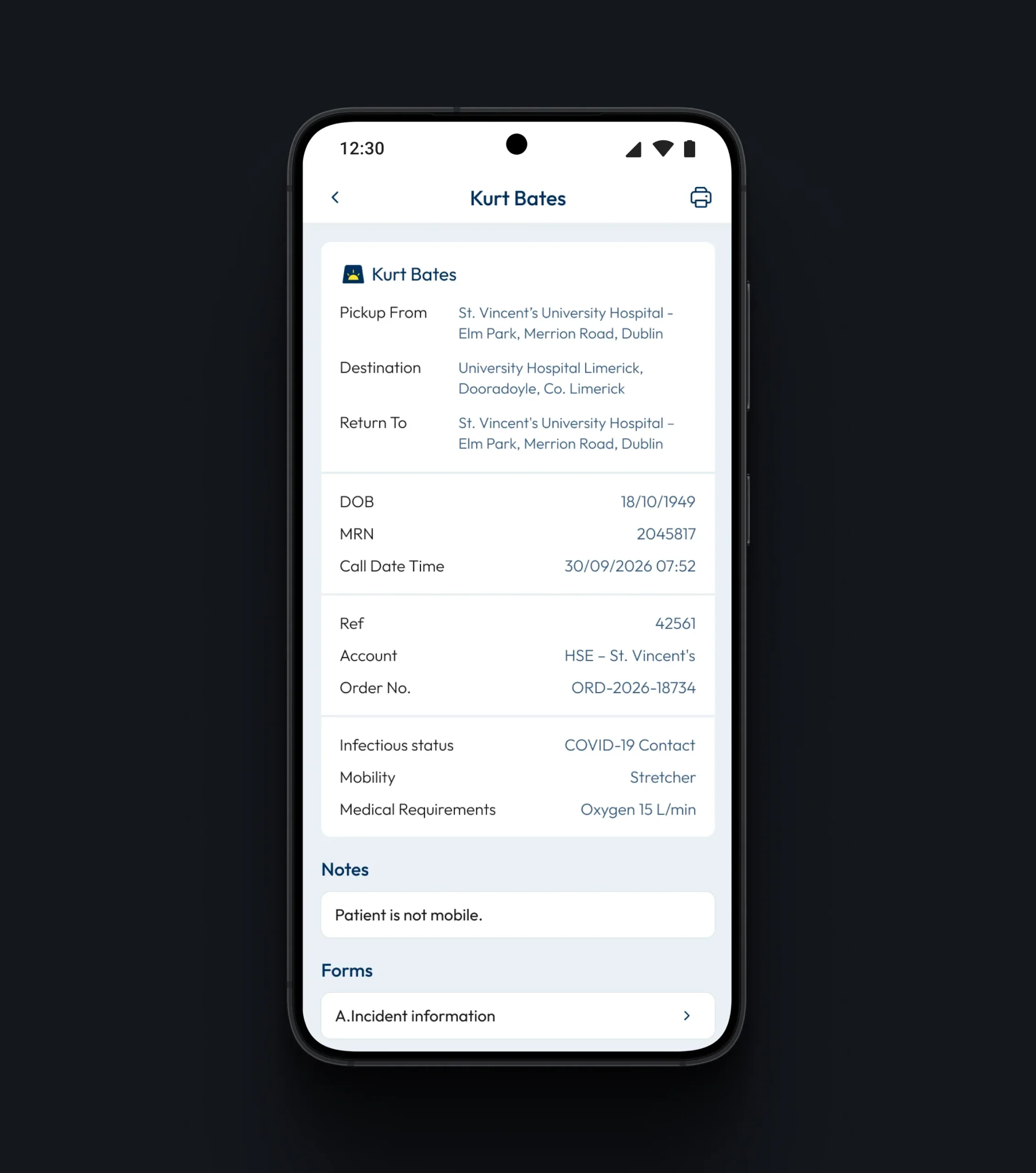
All assigned calls are gathered on one screen and organized into past, today, and upcoming, so crews always know what has been done and what comes next. Each call opens into a detailed view with route, patient, and care information in one place, helping crews prepare for the transfer before they arrive.
Admin Forms
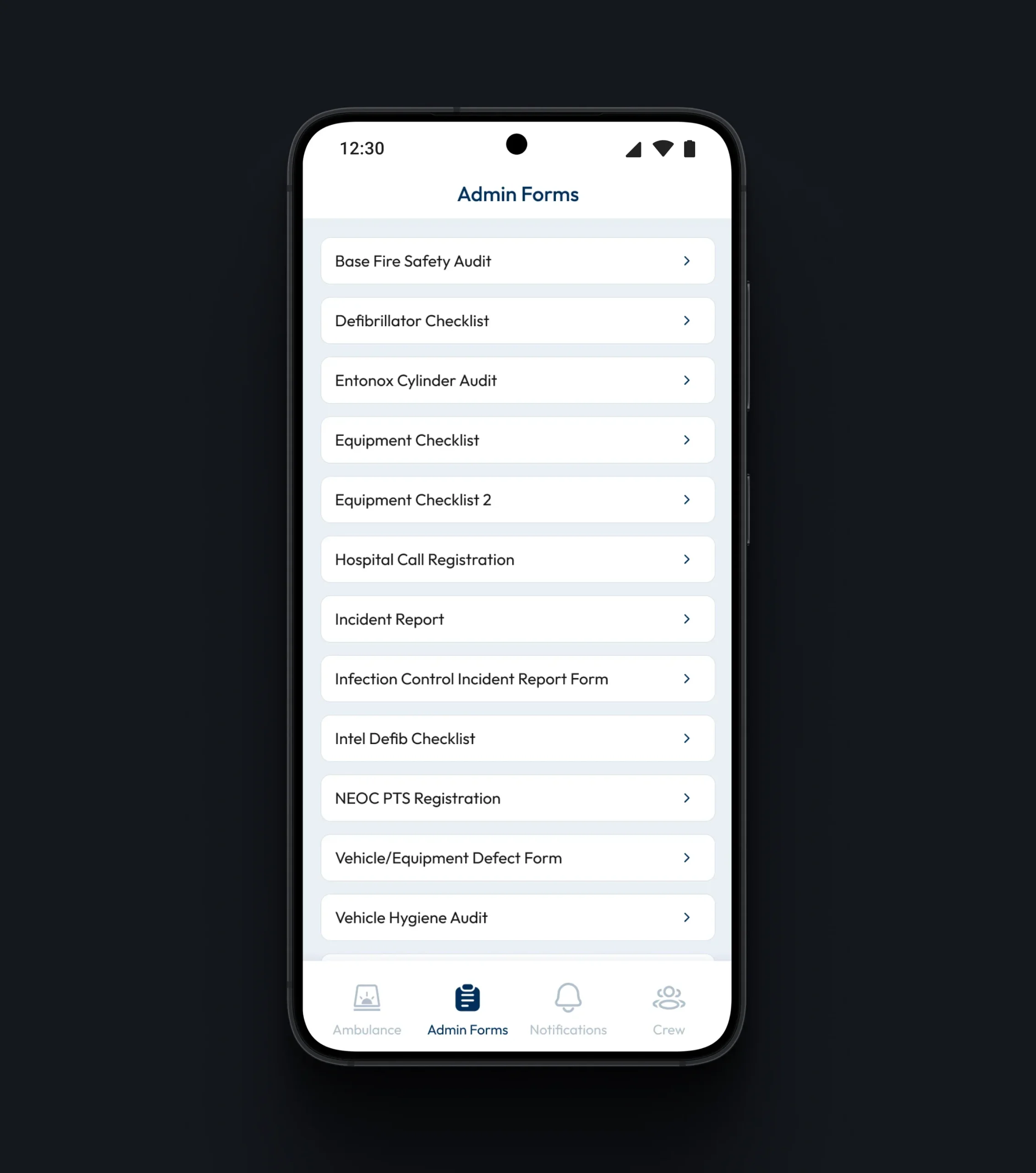
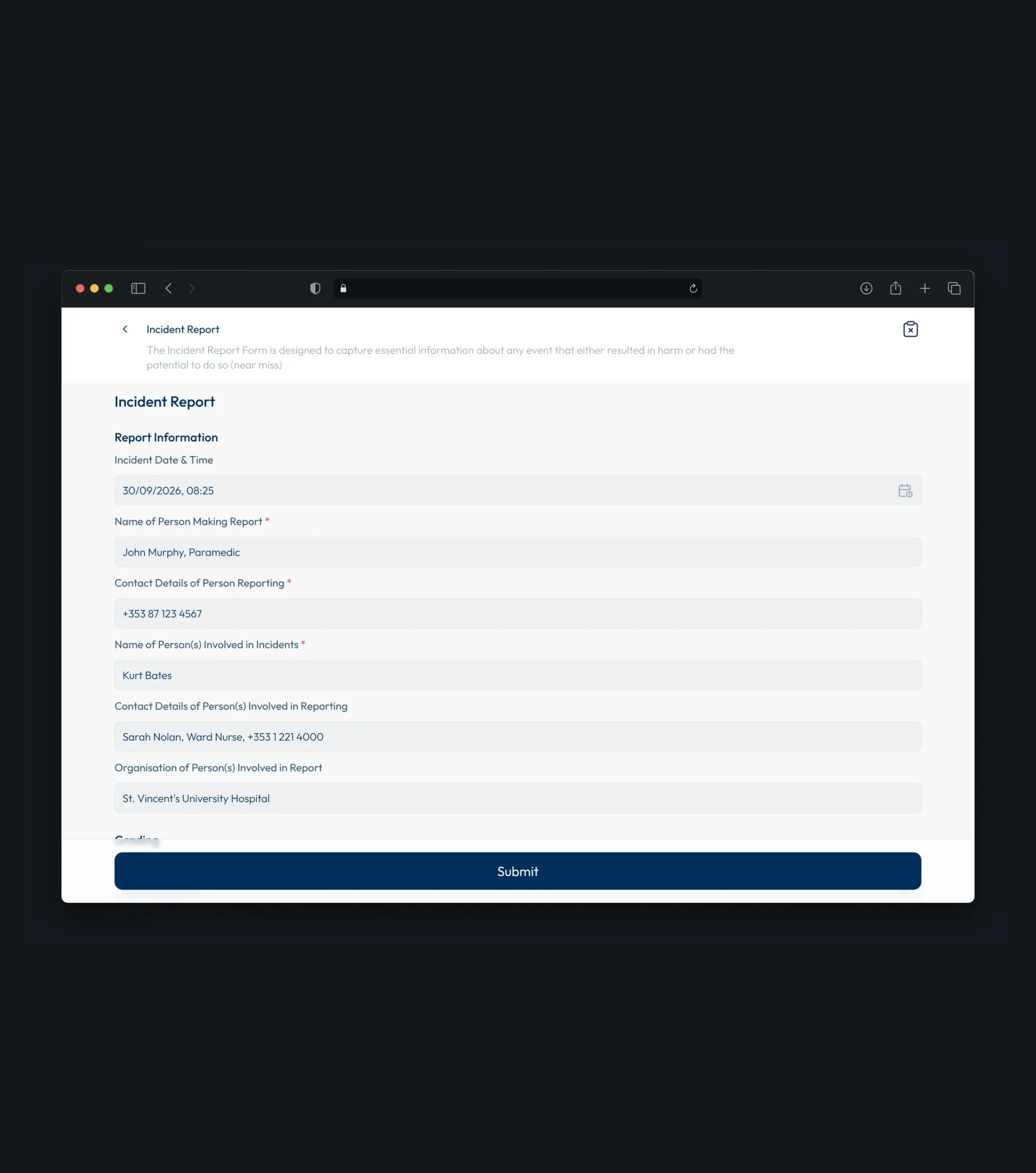
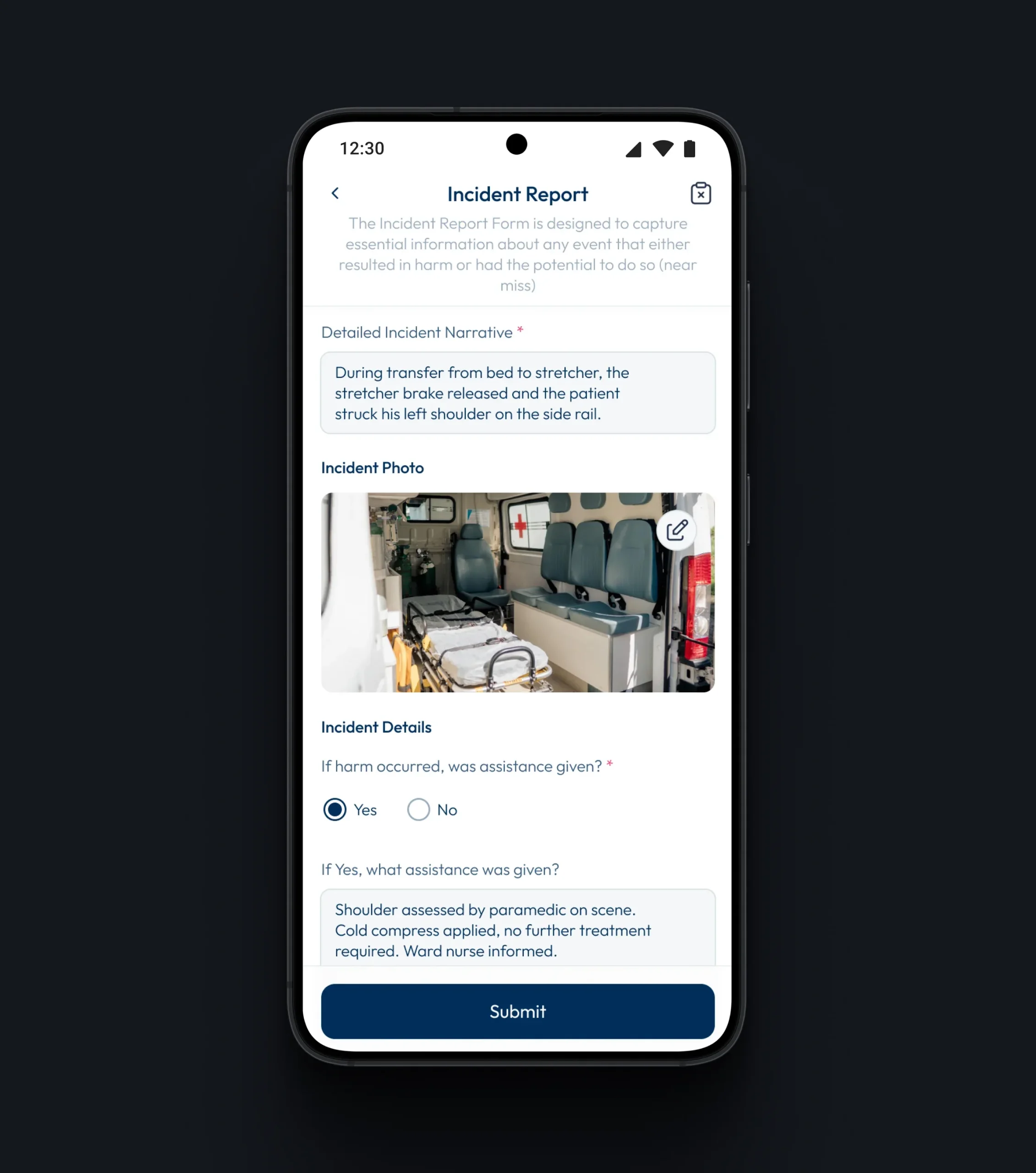
All operational forms, from safety audits and equipment checklists to incident reports, are gathered in one list, so crews can find the right form in seconds. Clear structure and marked required fields help crews complete reports accurately, even when they are filled in on the move.
Flexible Form Tools
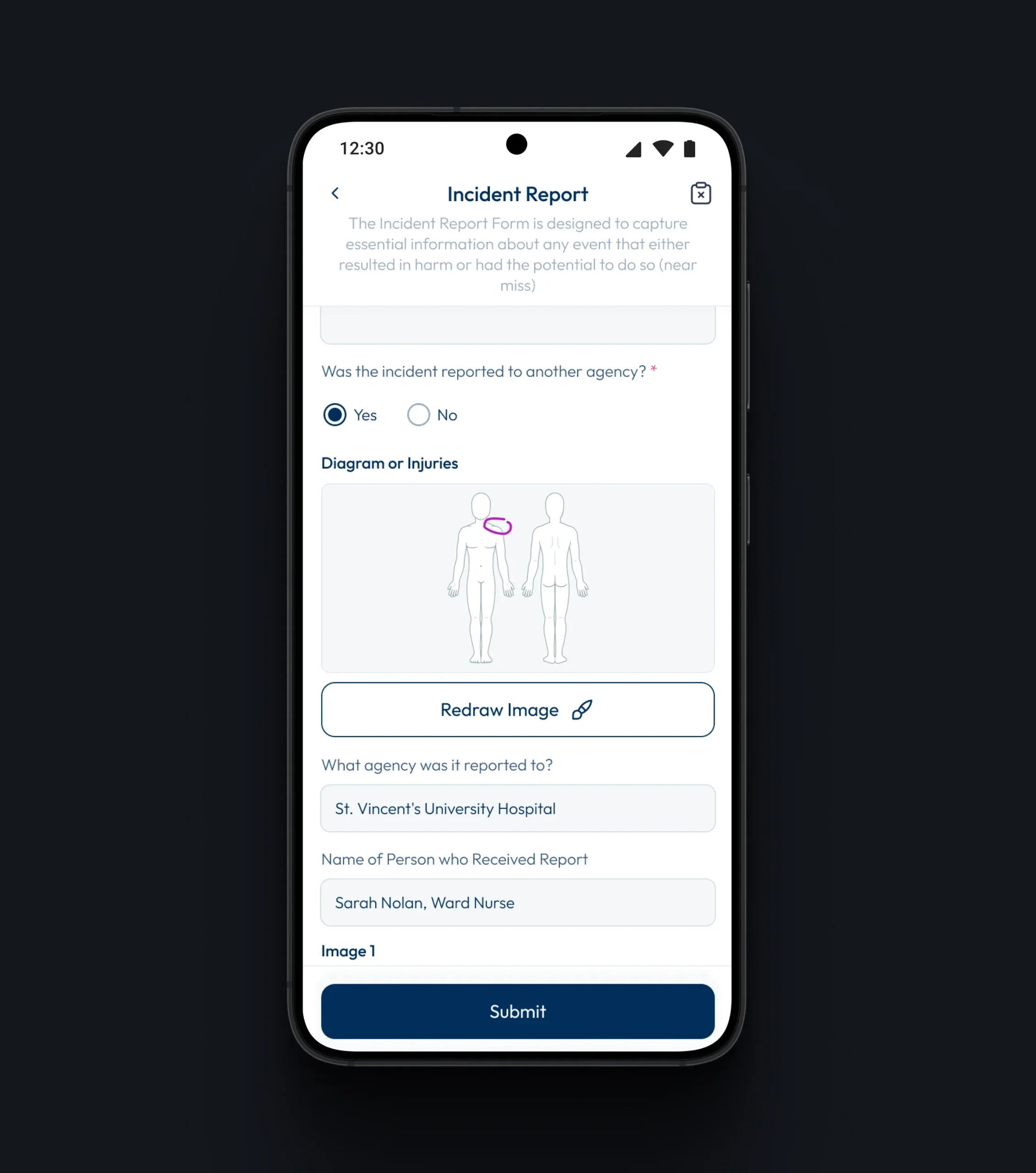
Forms combine a wide range of input types - text, numbers, dropdowns, time pickers, photo attachments, and barcode scanning for equipment. An interactive body diagram lets crews mark injuries directly on the image, making clinical documentation faster and more precise than written descriptions alone.
Crew Profile & Status Updates
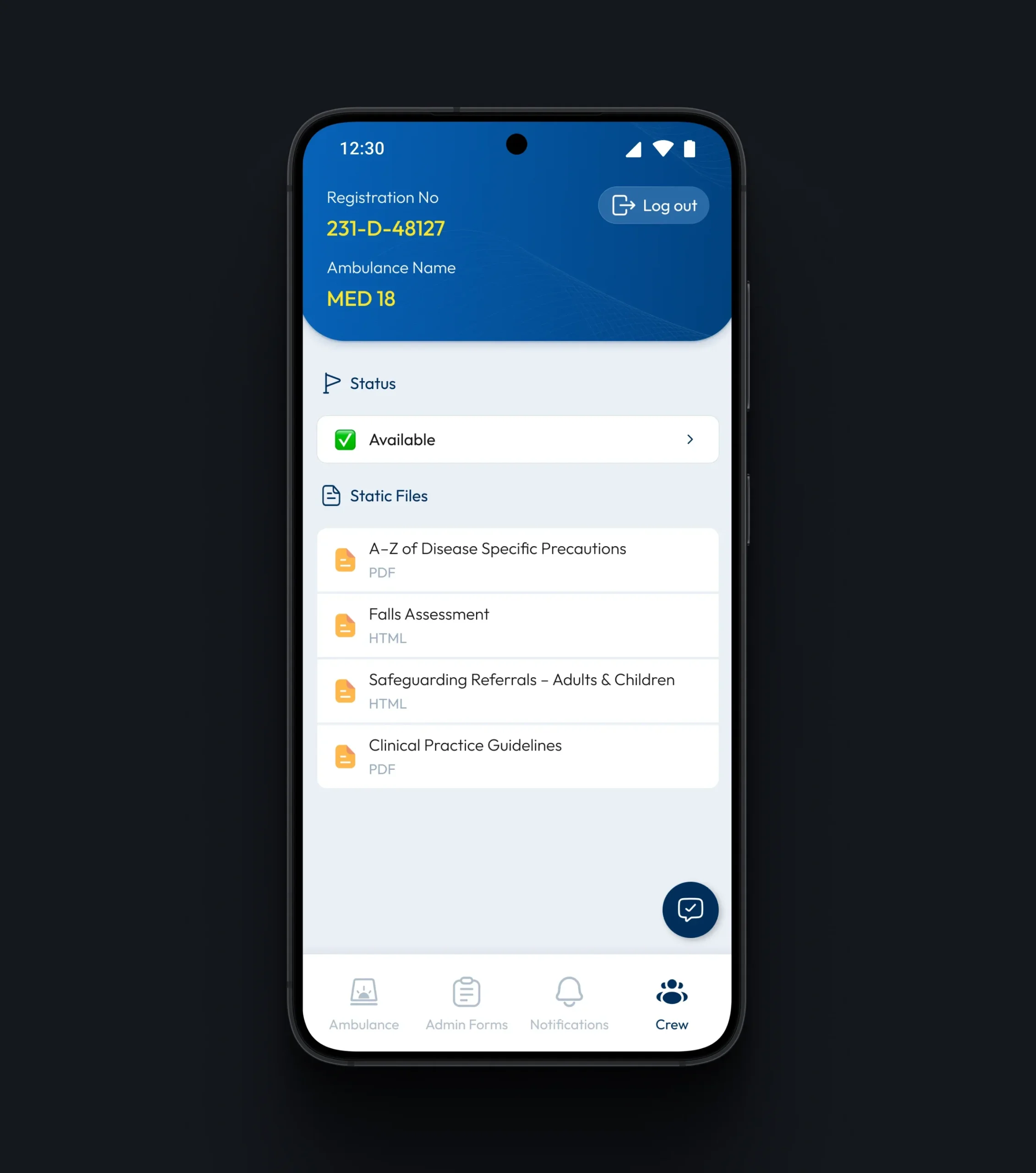
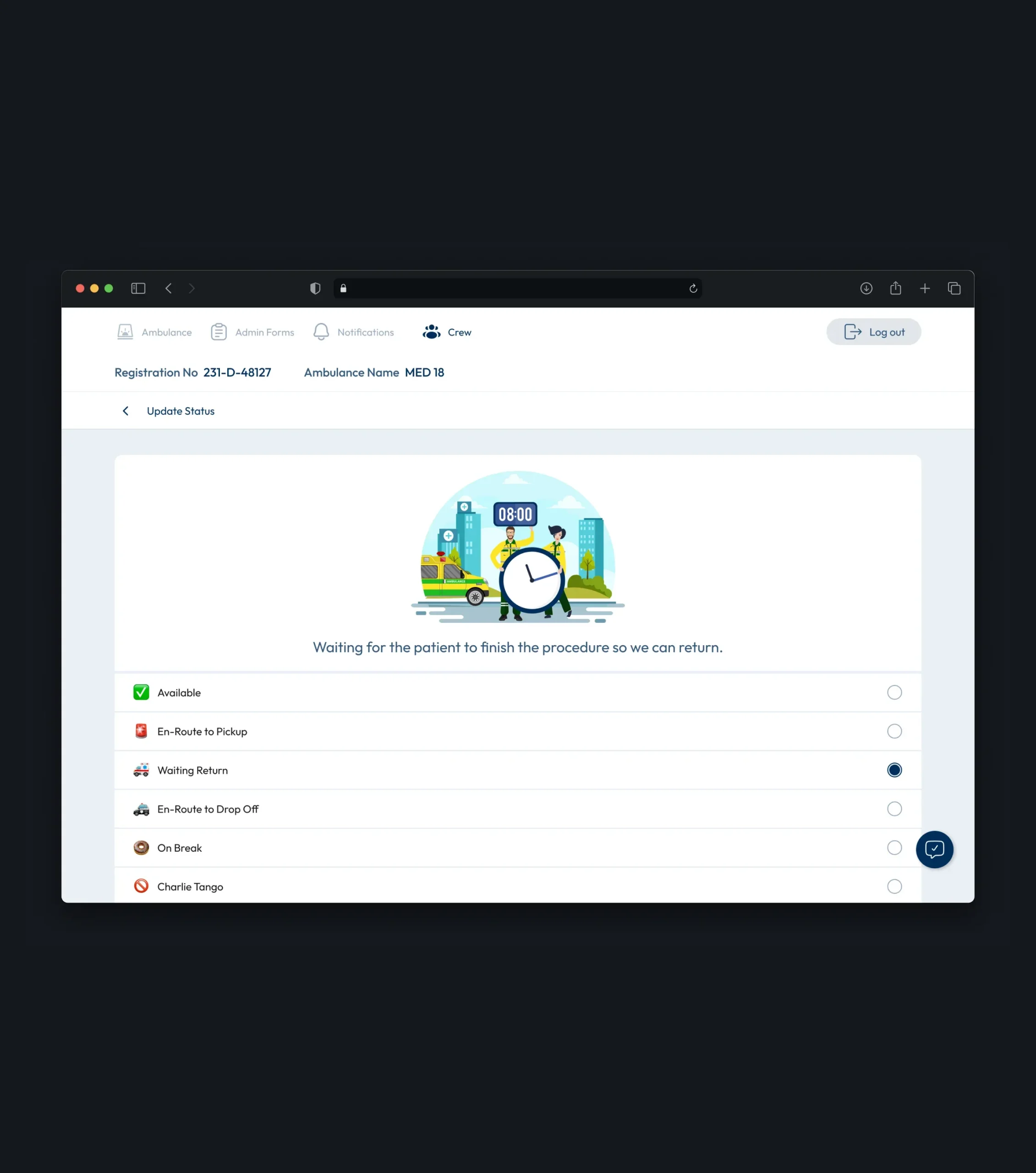
The crew profile keeps the assigned vehicle, current status, and essential reference materials in one place, so protocols are always at hand during a shift. Crews can update their status in a single tap as they move through each stage of a call, keeping dispatch informed in real time without the need for extra calls or messages.
Conclusion
For ambulance crews, every minute spent on a screen is a minute taken away from the patient. The project turned a complex operational workflow - calls, patient data, clinical and administrative documentation, and crew communication - into one focused tool that works as fast as the people using it.
From secure sign-in at the start of a shift to one-tap status updates and structured forms at the end of every call, each part of the app was designed to reduce effort and remove uncertainty. The result is a dependable experience that brings order to high-pressure work, giving crews more time and attention for what matters most - the patient.
More Cases
Your Next Step Starts Here
We don’t just analyze businesses - we uncover opportunities.