










Phone
+1 347 957 89 43address
3524 Silverside RD STE 35B,Wilmington, DE, 19810




Management Software for Restoration Companies
Industries
Restoration
Company
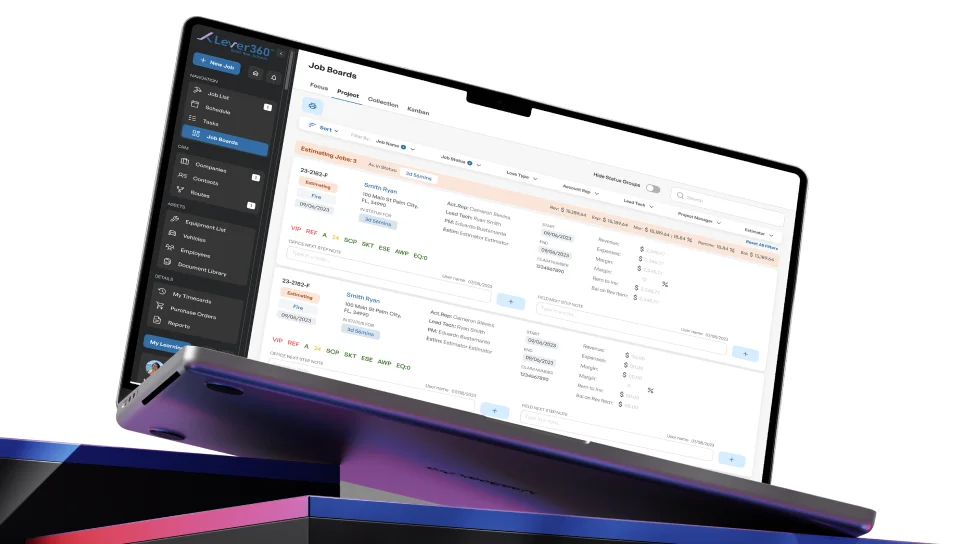
CRM is an all-in-one management platform designed specifically for restoration companies. It replaces multiple disconnected tools with a single unified system that handles everything from first customer call to final invoice - job management, CRM, equipment tracking, financial reporting, team scheduling, and compliance documentation all in one place.
The Solution
An all-in-one system designed around real restoration workflows. Job management, CRM, equipment tracking, financial data, and team coordination are combined into a single platform that works just as well in the field as it does in the office.
Native iOS and Android apps allow technicians to keep working even when there’s no internet connection - something that happens often in basements or remote locations. Once a connection is available, everything syncs automatically in the background.
This balance between field flexibility and office control is what many teams expect from the best restoration management software.
Target Audience
Company Sizes:
- Startup restoration companies (2-10 employees)
- Mid-size (10-50 employees)
- Large enterprises (50-100+ employees, multiple offices)
Company Sizes:
- General property restoration
- Emergency response contractors
Geography:
- USA
Business Results
Quantitative Metrics
-

Time Savings
Reduced double data entry through automation enabled by modern software for restoration companies
-

Increased Profitability
Accurate job costing and improved cost visibility across all projects
-

Offline Capability
Teams can work effectively without an internet connection using mobile-first tools
Qualitative Benefits
-

Improved relationships with referral partners (insurance adjusters, property managers) through consistent processes and shared visibility
-

Faster onboarding of new employees through standardized workflows built into the platform
-

Compliance with OSHA, IICRC, and insurance requirements supported by centralized documentation and alerts
-

Peace of mind for business owners full control over all operational aspects from a single system
Problems the Product Solves
-
Disconnected Systems and Data Loss
Restoration companies often relied on incompatible tools for CRM, accounting, equipment management, and HR instead of a unified CRM for restoration companies.This led to:
- Double data entry
- Information loss between systems
- Communication errors between office and field teams
- Inability to track real-time project progress

Solution:
A single integrated platform with real-time synchronization across all modules and devices.

-
Field Teams Without Data Access
Technicians on-site often worked “blind,” without access to customer history, job specifications, or equipment details. Solution:
- Native mobile apps (iOS/Android)
- Offline mode with automatic synchronization
- Voice notes and voice-to-text
- Camera-based documentation with automatic job linking

-
Lack of Equipment and Financial Control
Companies lost expensive equipment (dehumidifiers, air scrubbers) and lacked visibility into real job profitability. Solution:
- Barcode scanning for equipment tracking
- Automatic assignment to jobs for cost calculation
- Profitability dashboards accessible in two clicks
- Maintenance alerts

-
Compliance and HR Documentation
WRT, IICRC, and OSHA certificates - as well as medical exams - are often stored inconsistently across Excel files and paper folders instead of being managed in centralized software for restoration companies. Solution:
- Centralized document storage
- Automatic expiration reminders and notifications
- Employee onboarding checklists
- Built-in reporting

Technological Innovations
-

Mobile-First Architecture
- Native apps for iOS and Android
- Offline functionality - changes sync automatically when reconnected
- Military-grade sync - prevents conflicts when merging data
-

Multi-Office Management
- Manage all branches in one system
- Unified job data and reporting
- Barcode scanning for equipment tracking
-

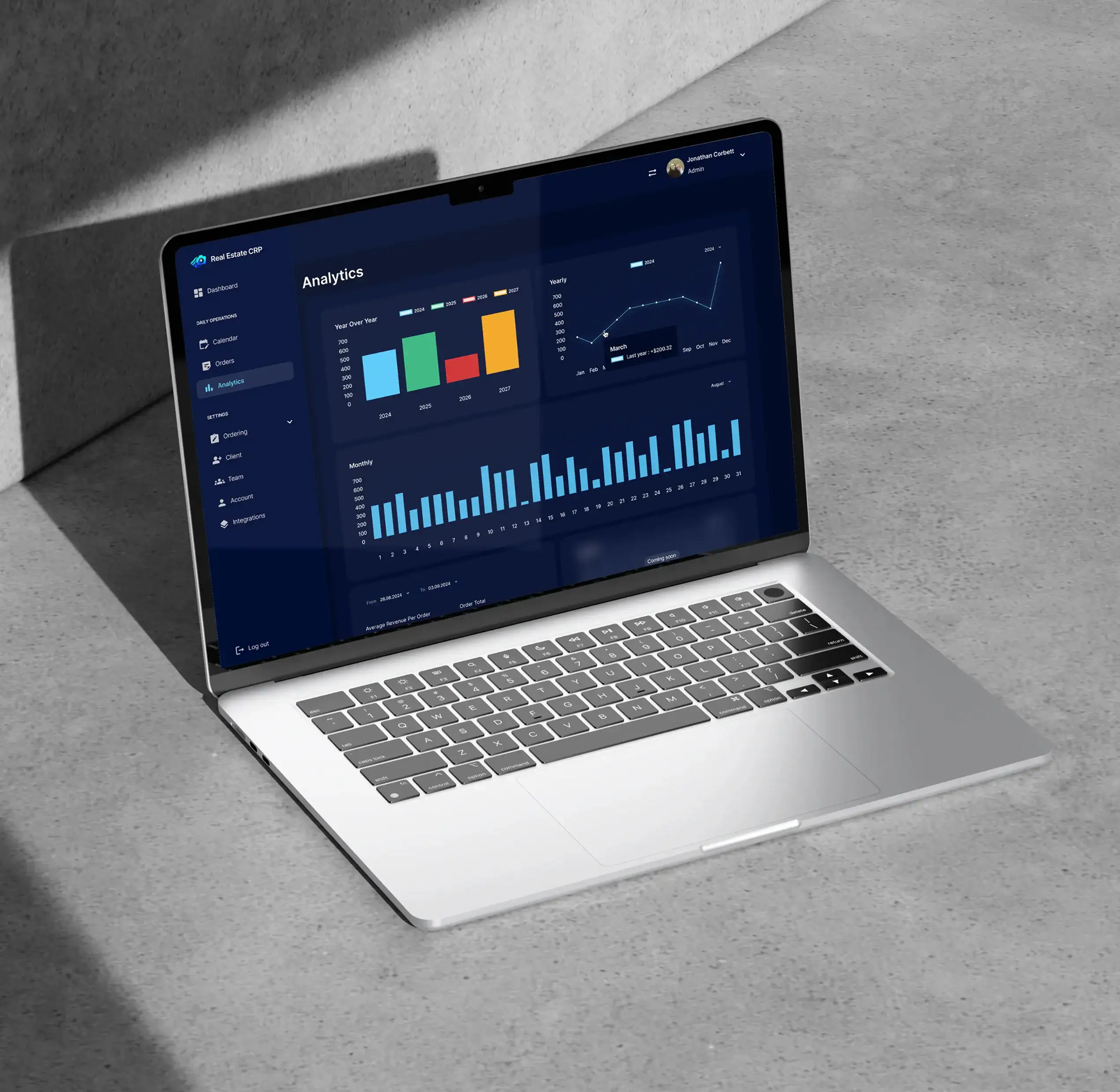
Reporting
- Create reports in 2 clicks
- Real-time dashboards
- Export to various formats
-

Scalable Architecture
- From 1 to 100+ offices
- Unlimited jobs, contacts, documents, pictures, equipment, vehicles, reports
- No artificial limitations
Native Integrations With Popular Tools
-

Outlook
-

Gmail
-

QuickBooks Online
-

Encircle
-

Twilio
-

Stripe
Technology Stack
-

React
-

.NET
-

Couchbase Capella
-

MAUI (Xamarin)
-
Twilio
-

Stripe
Job Management
Complete cycle from first call to final invoice:
- Real-time tracking of work between office and field teams
- Integrated estimating and scoping tools
- Automatic linking of photos, documents, notes to jobs
- Task templates for standardizing mitigation workflows
- Complete communication history with clients in one place
- Visual progress dashboards
Result:
Managers always know the status of every job, nothing gets lost during employee transitions.
CRM
Relationship-building system specific to restoration:
- Referral source tracking (insurance adjusters, property managers)
- Relationship development and client grading tools
- Automated follow-ups
- Mapping and routing for field representatives
- Single company/contact profile with complete history
- Gmail and Outlook integration for automatic email logging
Uniqueness:
Unlike general CRMs (Salesforce, HubSpot), the system is adapted for restoration industry specifics with fields for insurance claims, adjuster communications, and referral tracking.
Billing and Profitability
Relationship-building system specific to restoration:
- Real-time cost tracking (labor, equipment, materials)
- Automatic invoice generation
- QuickBooks Online integration (two-way sync)
- Profitability dashboards - see job profit in 2 clicks
- Management reports on company financial health
Result:
Business owners make data-driven decisions, see which job types are most profitable.
Equipment Management
Complete control over expensive mitigation equipment:
- Barcode scanning equipment in/out of jobs
- History of location, usage, repairs
- Automatic maintenance alerts
- Purchase detail tracking for depreciation and insurance
- Automatic cost allocation to jobs
- Equipment utilization and idle time reports
Benefits:
- Prevention of equipment loss
- Deployment optimization
- Accurate job costing
Vehicle Management
Centralized fleet management:
- Vehicle assignment to employees
- Mileage and inspection tracking
- Maintenance scheduling
- Equipment loaded in each vehicle tracking
- Repair and expense documentation
Tasking & Scheduling
- Task assignment to team members with deadlines
- Completion status monitoring
- Task templates for standardizing workflows
- Notifications and reminders
- Visual calendar view
Employee (HR Management)
Personnel management tools adapted for restoration:
- Role-based permissions (estimator, PM, field tech, admin)
- Certificate storage (WRT, IICRC, OSHA)
- Expiration alerts for licenses and certifications
- Onboarding checklists
- Documentation of physicals, respirator fit tests
- Assigned equipment and tool tracking
- Vacation/time-off tracker
- HR reporting
Result:
“Goodbye Excel spreadsheets!” - actual client feedback.
More Cases



















Your Next Step Starts Here
We don’t just analyze businesses - we uncover opportunities.
Let’s Talk
Let’s Talk